16 Chapter 3—Touring the 01V
01V—Owner’s Manual
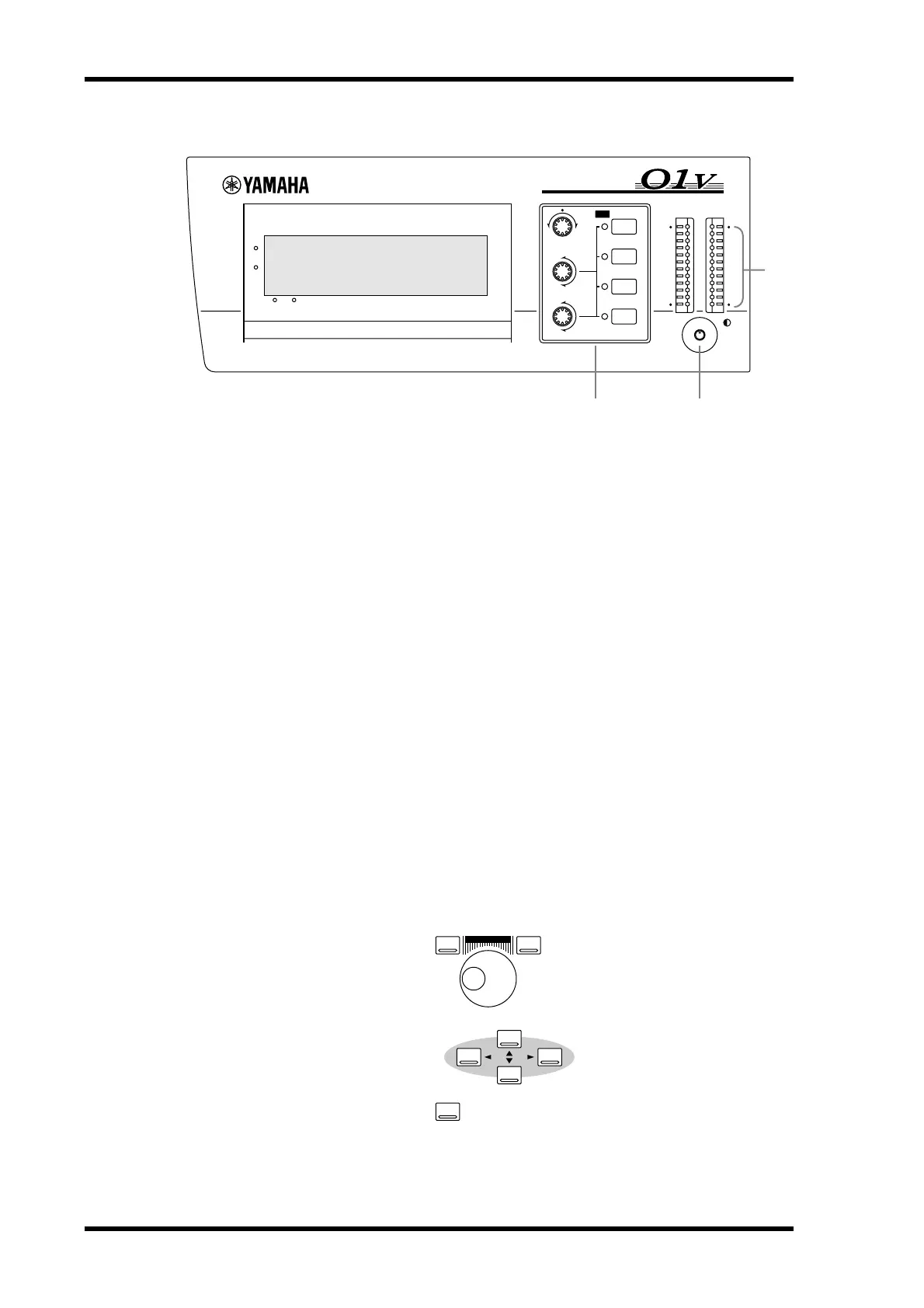
Display, Selected Channel Controls & Meters
A Display
This 320 x 80 dot LCD display provides clear indication of mix settings and operating
status. As well as showing parameter values numerically, faders and rotary controls are
represented graphically, so you can actually see pan and fader positions. The display
also shows EQ curves and signal level meters. See “Display” on page 28 for more infor-
mation.
B SELECTED CHANNEL Controls
These controls are used to adjust the pan and EQ of the selected channel. Dedicated
rotary controls for PAN, EQ frequency (F) and EQ gain (G), and EQ [HIGH],
[HI-MID], [LO-MID], and [LOW] buttons make for quick operation. When the EQ
AUTO SCREEN option is turned on, and an EQ control is adjusted, the EQ page
appears automatically. Likewise, for the PANPOT AUTO SCREEN option and PAN
control. See “Setting 01V Preferences” on page 203 for more information.
C Contrast
This control is used to adjust the display contrast. Adjust it so that the display is clear
and easy-to-read from your viewing position. You may need to readjust it when viewing
the display from a different height or angle.
D Stereo Output Meters
These 12-segment LED bar-type meters display the stereo output signal levels.
Parameter Wheel, Cursors & Enter
These controls are used to navigate around the display pages and edit parameters. See
“Getting Around the User Interface” on page 27 for more information.
DIGITAL MIXING CONSOLE
L STEREO R
CLIP
–3
–6
–9
–12
–15
–18
–24
–30
–36
–42
–48
EQ
HIGH
SELECTED CHANNEL
1 RETURN 2
FUNCTION
MEMORY
HI-MID
LO-MID
LOW
PAN
F
G
PAN
F
G
1
2 3
4
PARAMETER
–1/DEC
ENTER
+1/INC
CURSOR



 To Next Page