64 Chapter 6—EQ
01V—Owner’s Manual
The EQ can also be adjusted on this page by using the cursor buttons to select param-
eters and the PARAMETER wheel or [–1/DEC] and [+1/INC] buttons to set them.
For Effects Returns 1 & 2
1. Use the effects returns [SEL] buttons to select effects returns 1 and 2.
2. Use the [HIGH], [HI-MID], [LO-MID], and [LOW] buttons to select EQ
bands, and the F and G controls to adjust the frequency and gain, respec-
tively.
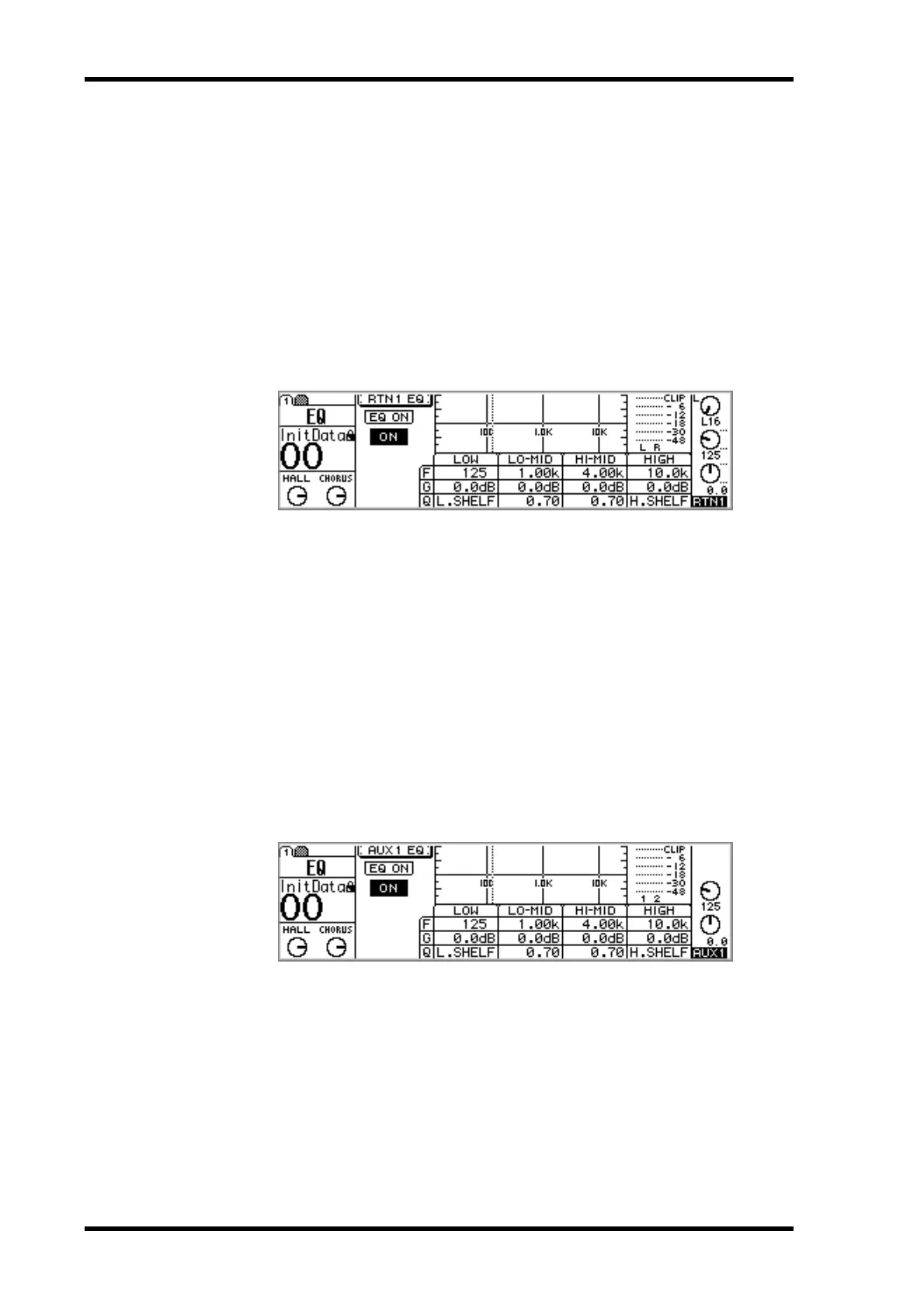
If the EQ AUTO SCREEN option is turned on in the preferences (“Setting 01V Prefer-
ences” on page 203), the EQ page shown below appears, and the Home fader mode is
selected. This page can also be located using the [EQ/ATT] button.
The EQ can also be adjusted on this page by using the cursor buttons to select param-
eters and the PARAMETER wheel or [–1/DEC] and [+1/INC] buttons to set them.
For Aux Sends 1–4
1. Use the Fader Mode AUX buttons to select an aux send.
2. Press the MASTER [SEL] button.
3. Use the [HIGH], [HI-MID], [LO-MID], and [LOW] buttons to select EQ
bands, and the F and G controls to adjust the frequency and gain, respec-
tively.
If the EQ AUTO SCREEN option is turned on in the preferences (“Setting 01V Prefer-
ences” on page 203), the EQ page shown below appears, and the Home fader mode is
selected. This page can also be located using the [EQ/ATT] button.
The EQ can also be adjusted on this page by using the cursor buttons to select param-
eters and the PARAMETER wheel or [–1/DEC] and [+1/INC] buttons to set them.
When aux sends are paired (“Pairing Aux Sends” on page 101), their EQs are linked.



 To Next Page