File Mode [FILE]
Reference
DTX900 Owner’s Manual
117
Drum Kit mode
Reference
Song modeClick modeTr igger modeFile modeUtility modeChain modeSampling mode
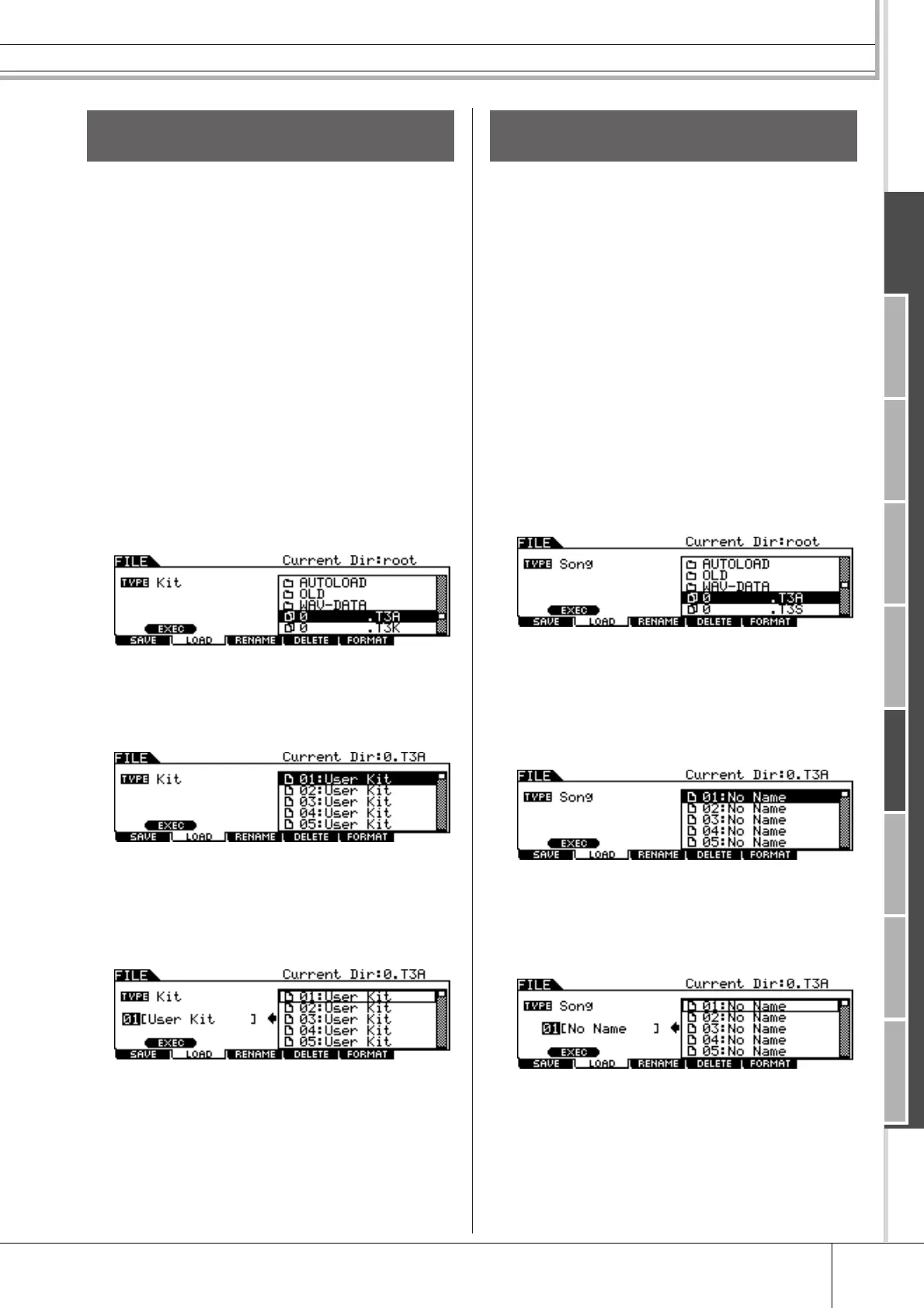
You can also load a single, specific Drum Kit from the file
(File extension: .T3A or T3K) to the desired User Drum
Kit number.
1
Press the [FILE] button to enter the File
mode, then press the [F2] LOAD button to
call up the Load display.
2
Move the cursor to TYPE, then set the File
type to “Kit.”
Only available files according to the Type are listed in the
Directory/File list box on the display.
3
Move the cursor to the Directory/File list
box, then select the file to be loaded.
You can select any of the files listed in the Directory/File list
box on the display.
4
Press the [ENTER/STORE] button so that
the Drum Kits included in the selected file
are shown in the Directory/File list box.
5
Move the cursor to the desired Drum Kit
then press the [SF1] EXEC button.
The Drum Kit number and name for the Load destination
appear on the left half of the display.
6
Select the User Drum Kit number for the
Load destination.
7
Press the [SF1] EXEC button again to exe-
cute the Load operation.
You can also load a single, specific Song from the file (File
extension: .T3A or .T3S) to the desired User Song number.
1
Press the [FILE] button to enter the File
mode, then press the [F2] LOAD button to
call up the Load display.
2
Move the cursor to TYPE, then set the File
type to “Song.”
Only available files according to the Type are listed in the
Directory/File list box on the display.
3
Move the cursor to the Directory/File list
box, then select the file to be loaded.
You can select any of the files listed in the Directory/File list
box on the display.
4
Press the [ENTER/STORE] button so that
the Songs included in the selected file are
shown in the Directory/File list box.
Empty Songs (having no data) are not shown in the Directory/
File list box.
5
Move the cursor to the desired Song then
press the [SF1] EXEC button.
The Song number and name for the Load destination appear
on the left half of the display.
6
Select the Song number for the Load des-
tination.
7
Press the [SF1] EXEC button again to exe-
cute the Load operation.
Loading a Specific Drum Kit From an
“All Data” or “All Kit” File
Loading a Specific Song From an
“All Data” or “All Song” File



 To Next Page