About the internal effects
M7CL Owner’s Manual
Graphic EQ and effects
16
185
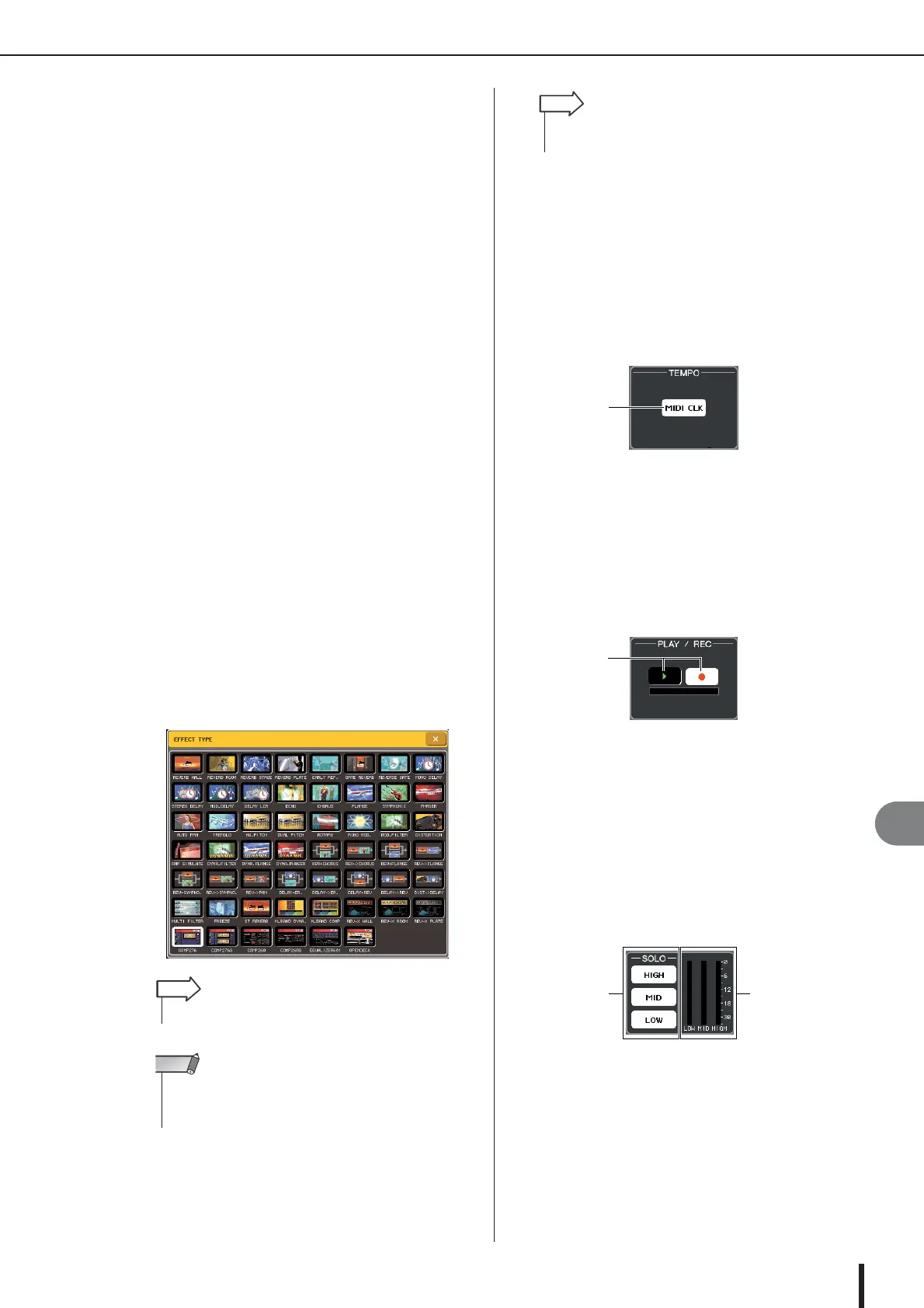
C Effect type field
This shows the effect title, the name of the type that is
used, and a graphic. The number of input/output chan-
nels (1 IN/2 OUT or 2 IN/2 OUT) of this effect is also
shown. When you press this field, the EFFECT TYPE
popup window will appear, allowing you to select the
effect type.
D EFFECT CUE button
This button cue-monitors the output of the currently
displayed effect. This cue function is valid only while
this screen is displayed. The cue will be cancelled
automatically when you switch to a different screen.
E Special parameter field
This shows special parameters that are specific to
some effect types.
F BYPASS button
This button temporarily bypasses the effect.
G Input/output meters
These indicate the level of the signals before and after
the effect.
H Effect parameter field
This area shows parameters for the currently selected
effect type. When you press a knob in this field, you’ll
be able to use the multifunction encoders to control the
corresponding horizontal row of knobs.
I Rack select tabs
These tabs switch between racks 1–8.
3
To change the effect type, press the effect
type field to open the EFFECT TYPE popup
window.
Press a new effect type to select it.
4
To edit the effect parameters, press a knob
in the effect parameter field to select it, and
turn the corresponding multifunction
encoder.
5
Edit the settings in the special parameter
field as necessary.
For some effect types, parameters such as the follow-
ing will appear in the special parameter field.
● TEMPO
This is shown if a tempo-type or modulation-type effect is
selected.
1 MIDI CLK button
If you turn this button on, the BPM parameter of that
effect will be set to match the tempo of the MIDI tim-
ing clock being input from the MIDI port.
● PLAY/REC
This is shown if FREEZE is selected as the effect type.
1 PLAY button / REC button
These buttons are used to record (sample) and play
back when using the freeze effect. For details on how
to use this, refer to “Using the Freeze effect” (→
p. 188).
● SOLO
This is shown if M.BAND DYNA. or M.BAND COMP. is
selected as the effect type.
1 HIGH/MID/LOW buttons
These buttons pass only the selected frequency band
(multiple selections are allowed).
B Gain reduction meters
These show the amount of gain reduction for each
band.
•You can also switch the effect type by recalling a library.
HINT
• Effect types “HQ.PITCH” and “FREEZE” can be used only in
rack 5 or 7. Also, even if you copy these two effect types, you
will not be able to paste them to rack 6 or 8.
NOTE
•For details on the parameters of each effect type, refer to the
supplementary material at the end of this manual (
→
p. 253).
HINT



 To Next Page