M7CL Owner’s Manual
Operations in the Centralogic section
8
97
Chapter 8
Operations in the Centralogic section
This chapter explains how you can use the Centralogic section and the
OVERVIEW screen to control up to eight channels at once.
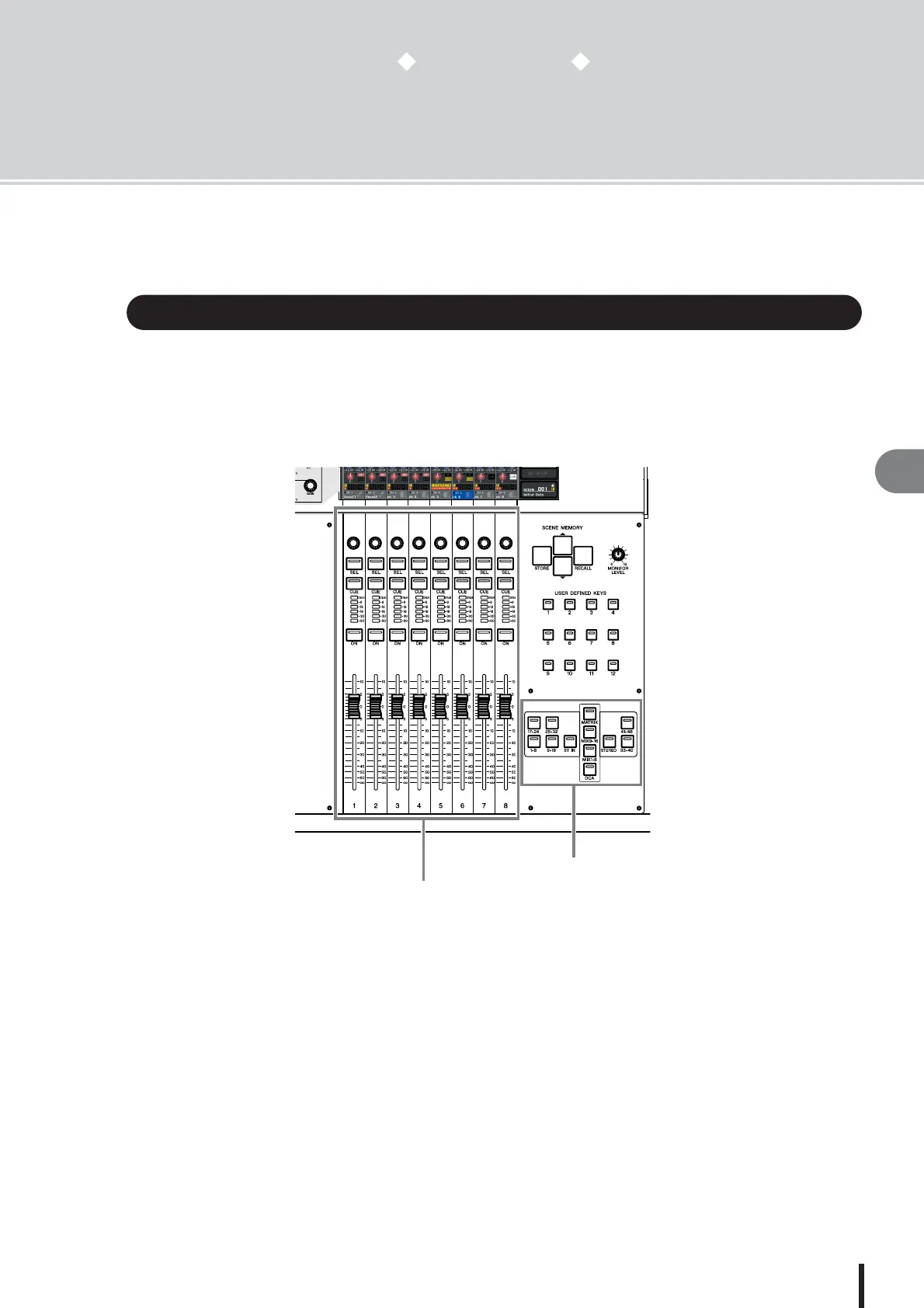
The Centralogic section located below the touch screen lets you recall and simultaneously con-
trol a set of up to eight input channels, output channels, or DCA groups.
Use the navigation keys of the NAVIGATION KEYS section to select the channels that will be
controlled.
When you press one of the navigation keys in the NAVIGATION KEYS section, the channels / DCA groups corresponding
to that key will be assigned to the Centralogic section, and can be controlled using the faders, [ON] keys, and [CUE] keys of
the Centralogic section.
About the Centralogic section
Centralogic section
NAVIGATION KEYS section




 To Next Page