M7CL Owner’s Manual
227
Help function
19
1
Before you proceed, load the help file or
text file from your USB storage device.
2
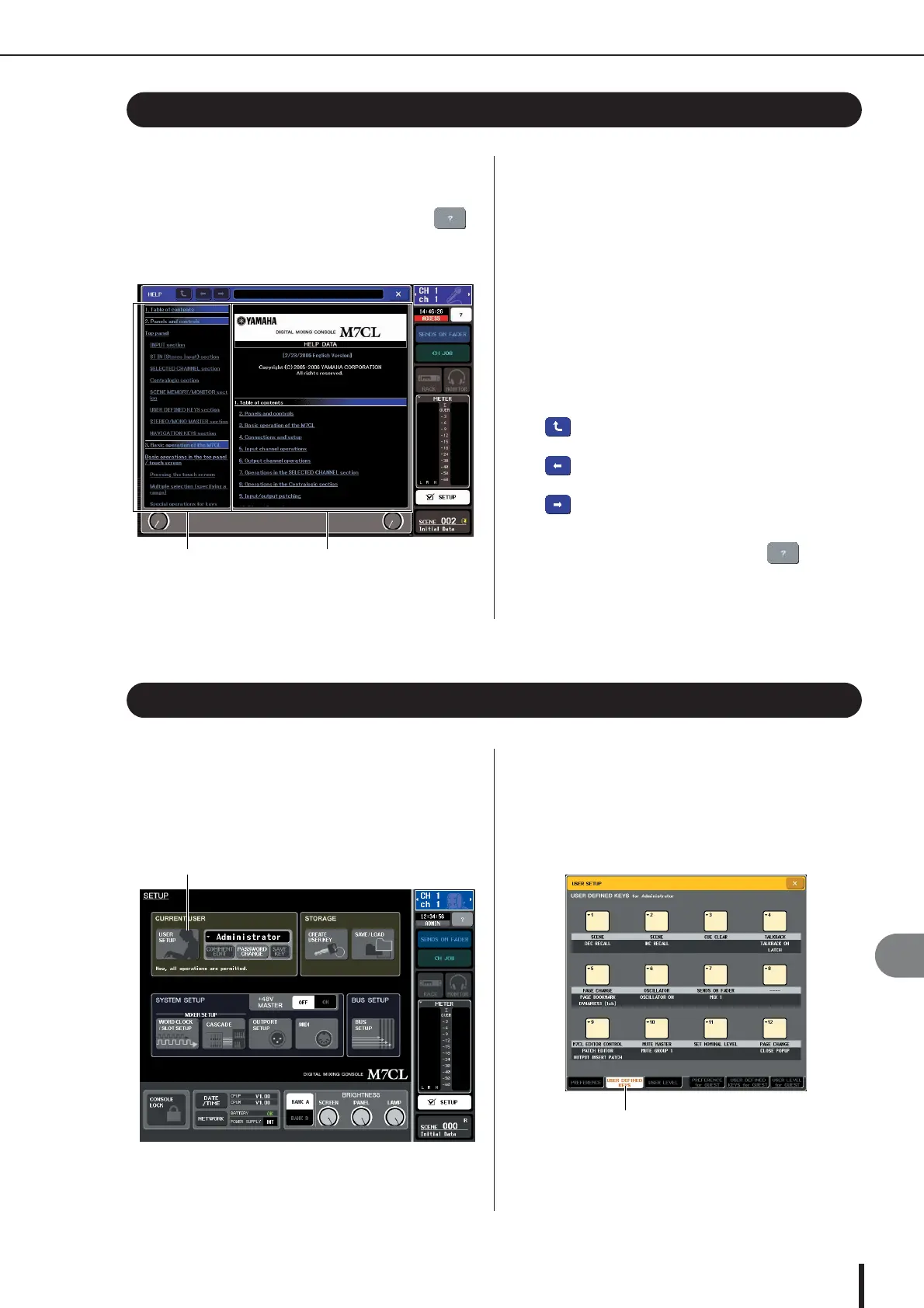
In the function access area, press the
(Help) button to access the HELP popup
window.
3
By turning multi-function encoders 1–2 you
can scroll the index area at the left. By turn-
ing multi-function encoders 3–8 you can
scroll the main area at the right.
4
By pressing a link (underlined text) in the
text, you can scroll to the linked destina-
tion.
By pressing a window link (a location with an
→
sym-
bol and underlined text), you can close the HELP win-
dow and open the corresponding window.
5
As necessary, you can also scroll by using
the buttons in the tool bar.
• button......Scrolls to the chapter that precedes
the currently-displayed location.
• button......Returns to the preceding item in the
history of links you pressed.
• button......Proceeds to the subsequent item in
the history of links you pressed.
6
To close the window, press the (Help)
button of the function access area or the
“
×
” button of the HELP popup window.
1
Before you proceed, load the Help file from
your USB storage device.
2
In the function access area, press the
SETUP button to access the SETUP screen.
3
In the upper left of the screen, press the
USER SETUP button to access the USER
SETUP popup window.
4
Press the USER DEFINED KEYS tab to
select the USER DEFINED KEYS page.
Viewing Help
Index area Main area
Using user-defined keys to recall Help directly
USER SETUP button
Viewing Help • Using user-defined keys to recall Help directly



 To Next Page