User Level settings
M7CL Owner’s Manual
User settings (Security)
18
211
7
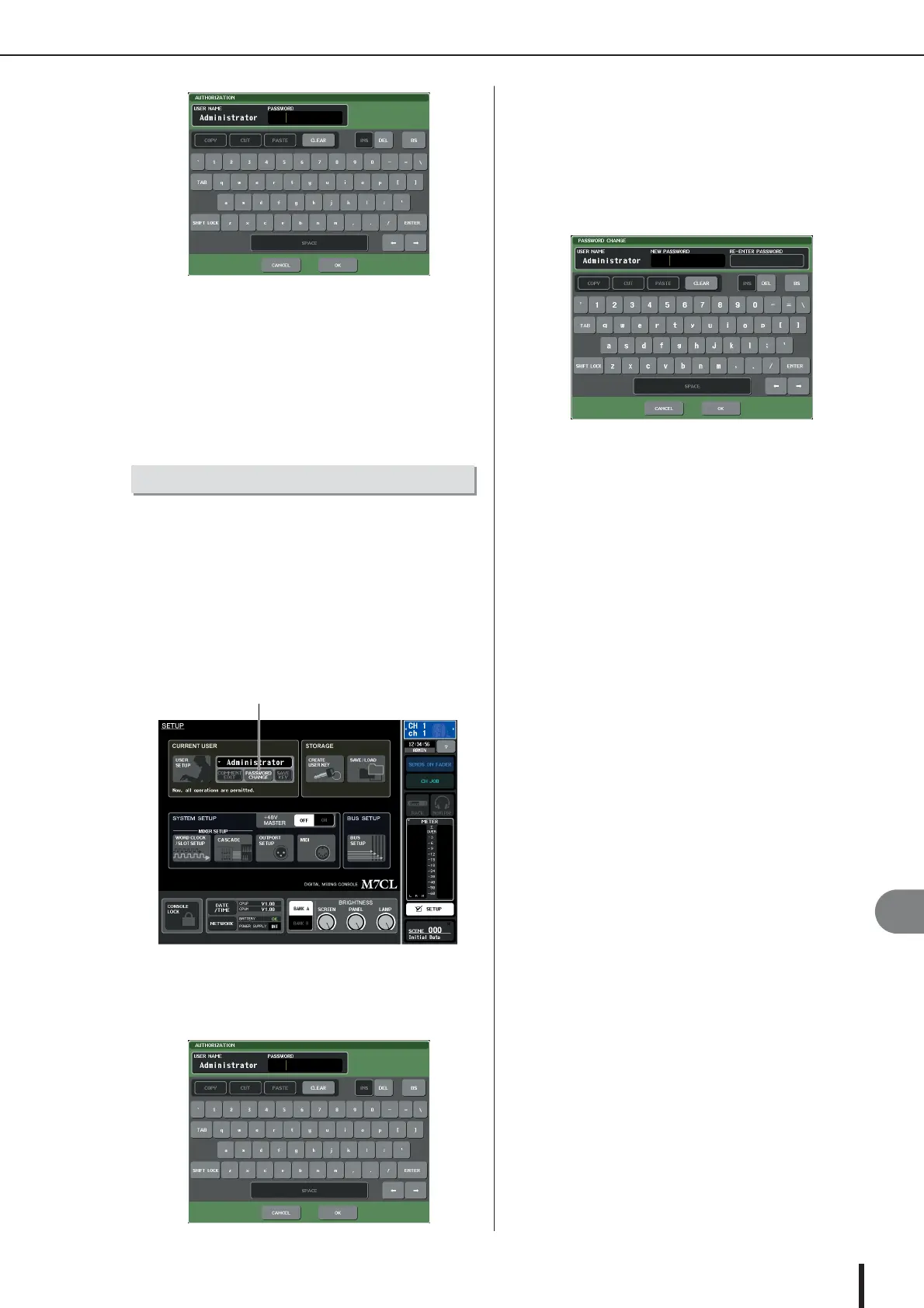
Enter the password and press the OK but-
ton.
For details on entering a password, refer to “Entering
names” (
→
p. 34).
If the password was incorrect, a message of “WRONG
PASSWORD” will appear in the bottom of the screen.
Here’s how to change the password of the logged-in user.
A change in the Administrator password is updated imme-
diately. A change in a User password will be discarded if
the user simply logs-out; it must be applied to the user
authentication key before the user logs-out. The Guest
account does not have a password.
1
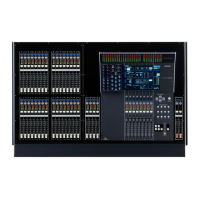
In the function access area, press the
SETUP button to access the SETUP screen.
2
Press the PASSWORD CHANGE button.
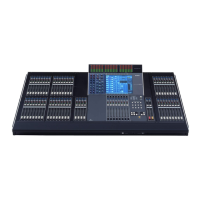
A keyboard window will appear, allowing you to enter
a password.
3
Enter the current password and press the
OK button.
For details on entering a password, refer to “Entering
names” (
→
p. 34).
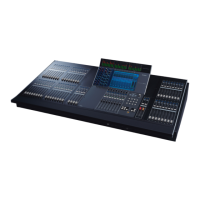
When you enter the correct password, a keyboard win-
dow will appear, allowing you to enter the new pass-
word.
4
Enter the new password in the NEW PASS-
WORD field, then enter the same password
in the RE-ENTER PASSWORD field for veri-
fication, and finally press the OK button.
If the two passwords that were entered match, the new
password will be set.
Changing the password
PASSWORD CHANGE button





 To Next Page