M7CL Owner’s Manual
Operations in the SELECTED CHANNEL section
7
89
Chapter 7
Operations in the SELECTED CHANNEL section
This chapter explains how you can use the SELECTED CHANNEL section
and the SELECTED CHANNEL VIEW screen to control the selected chan-
nel.
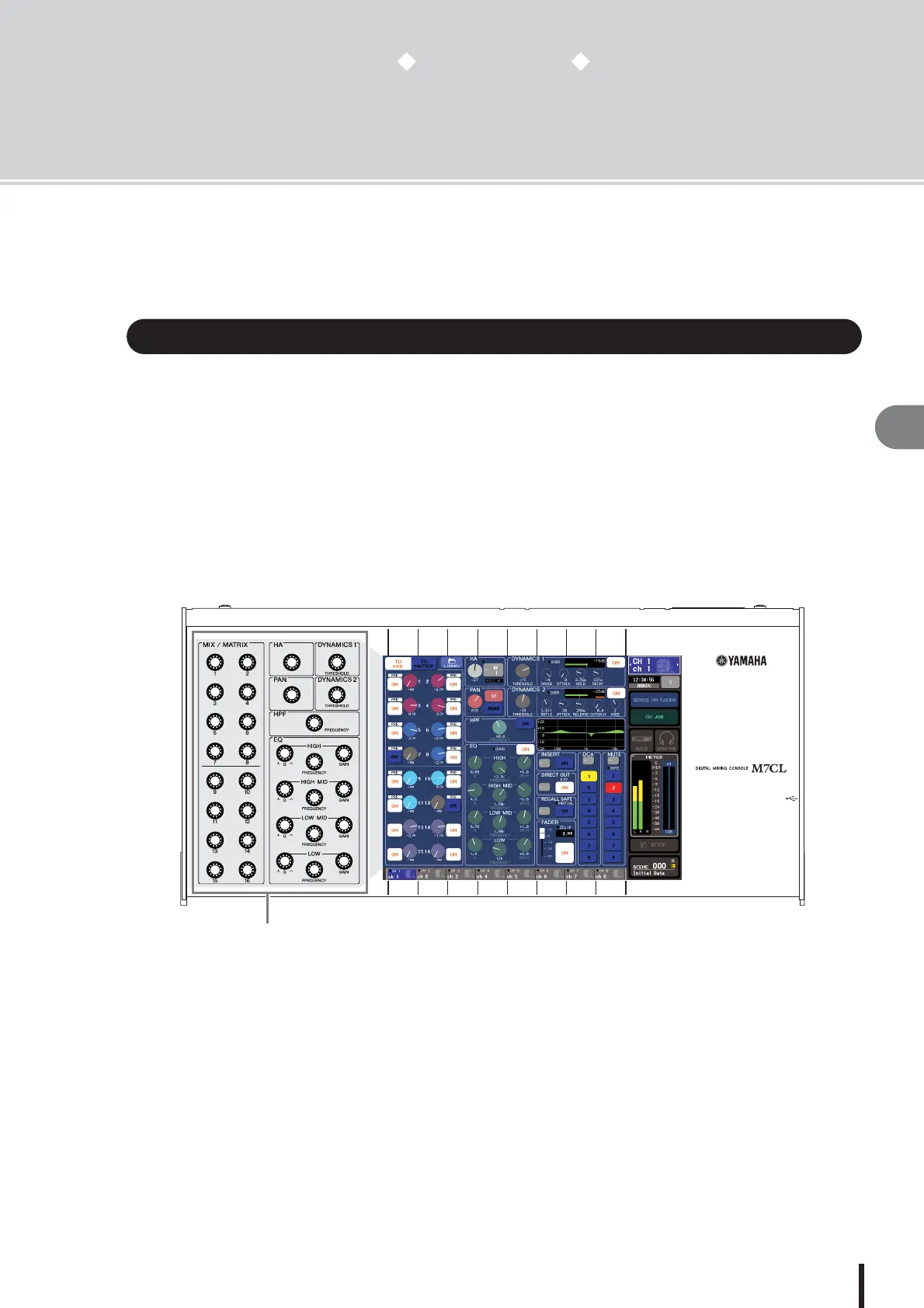
The SELECTED CHANNEL section located at the left of the display corresponds to a mixer mod-
ule of a conventional analog mixer, and allows you to manually adjust all the major parameters of
the currently selected channel.
Operations in this section will affect the channel that was most recently selected by its [SEL] key.
For a ST IN channel or STEREO channel, either the L or the R channel is selected, and the
major parameters are linked.
You can use the encoders on the panel to control mix parameters such as head amp gain, HPF/
EQ settings, the threshold setting of the dynamics processors, pan/balance settings, and send
levels to the MIX/MATRIX buses.
About the SELECTED CHANNEL section
SELECTED CHANNEL section




 To Next Page