Using a USB storage device to save/load data
M7CL Owner’s Manual
User settings (Security)
18
223
2
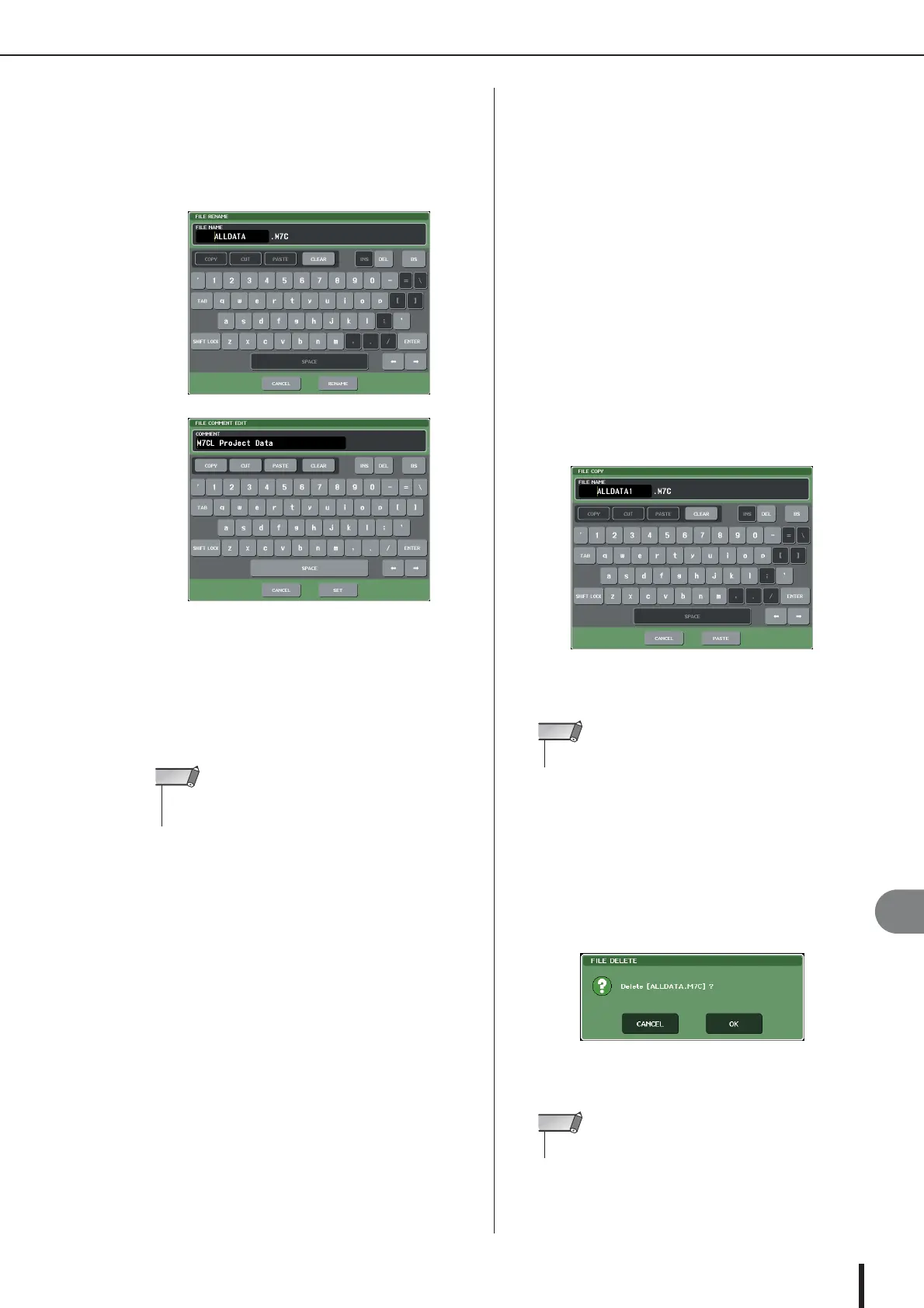
If you want to edit the file name or com-
ment, press the FILE NAME field or COM-
MENT field of each file to access the
keyboard window.
For details on entering text, refer to “Entering names”
(→ p. 34).
3
Enter a file name or comment, and press
the RENAME button or SET button.
4
To turn the protect setting on/off, press the
READ ONLY field of the file.
A protect symbol is displayed for write-protected files;
these files cannot be overwritten.
● Copying/pasting a file
Here’s how to copy a desired file into buffer memory, and
then paste it with a different file name.
1
Turn multifunction encoder to select the
copy-source file, and press the COPY but-
ton.
The highlighted line in the file list indicates the file
that is selected for operations.
2
If necessary, press the directory icon and
change the directory.
To move to the next higher level, press the arrow but-
ton in the PATH field.
3
Press the PASTE button.
A keyboard window will appear, allowing you to enter
the file name.
For details on entering text, refer to “Entering names”
(→ p. 34).
4
Enter the file name, and press the PASTE
button.
● Deleting a file
1
Turn multifunction encoder to select the file
you want to delete, and press the DELETE
button.
A dialog box will ask you to reconfirm the Delete
operation.
2
To execute the Delete operation, press the
OK button.
•You cannot edit the file name or comment of a write-protected
file.
NOTE
•You can’t paste with an existing file name.
NOTE
•You can’t delete a protected file.
NOTE



 To Next Page