M7CL Owner’s Manual
Using the tool buttons
36
[ATT/HPF/EQ popup window]
[DYNAMICS 1/2 popup window]
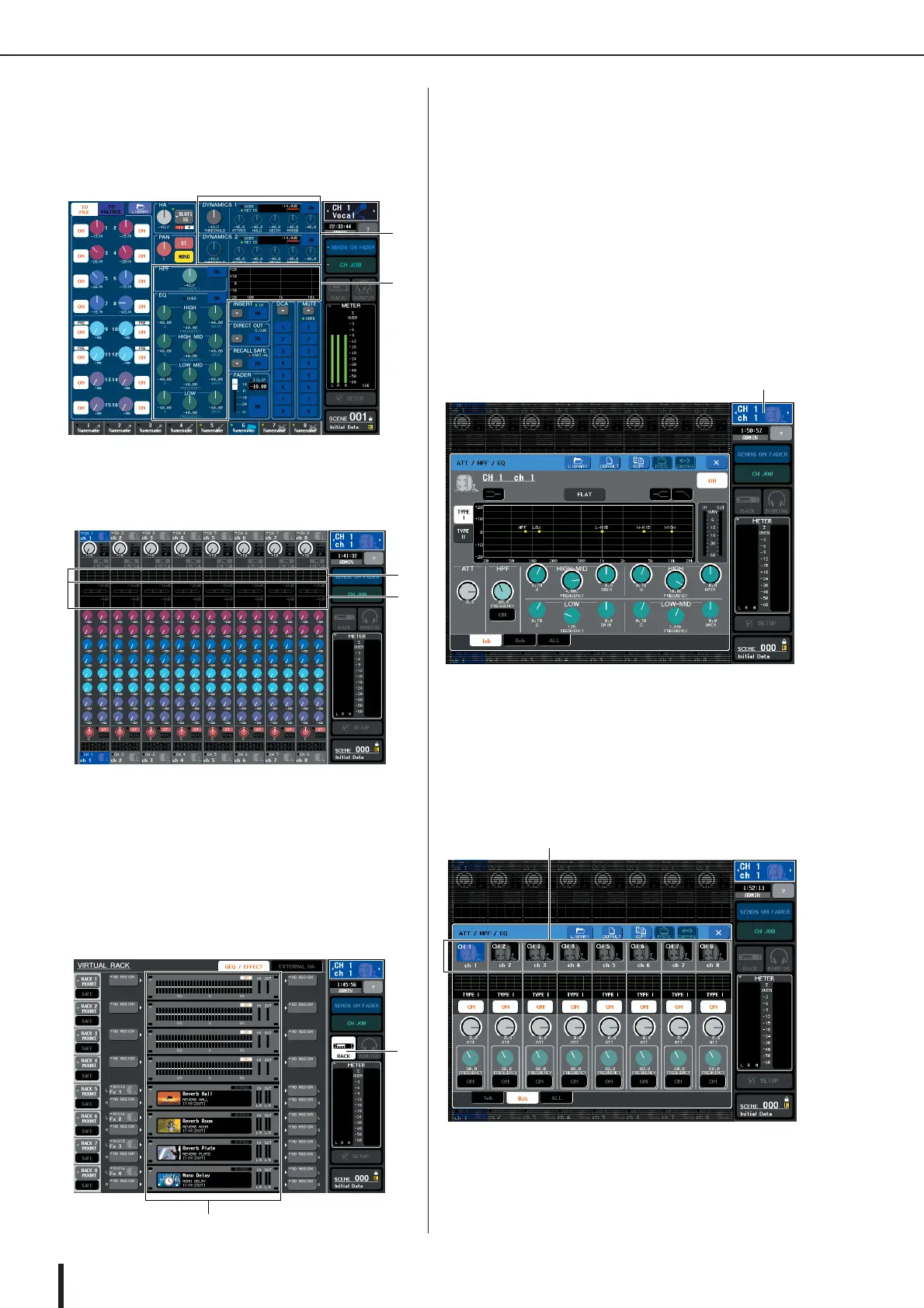
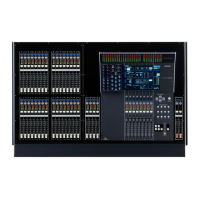
In the SELECTED CHANNEL VIEW screen or the
OVERVIEW screen, press the appropriate field for EQ
or Dynamics 1/2.
1 EQ field
B Dynamics 1/2 field
1 EQ field
B Dynamics 1/2 field
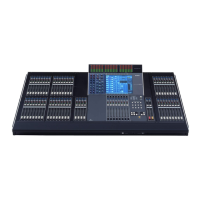
[GEQ/EFFECT popup window]
In the VIRTUAL RACK window that appears when
you press the RACK button in the function access
area, press a rack in which a GEQ/effect is already
mounted.
1 RACK button
B Racks
2
Select the channel (EQ/dynamics) or rack
(GEQ/effect) for which you want to recall
settings.
The method of selecting a channel or rack will depend
on the type of popup window that is displayed.
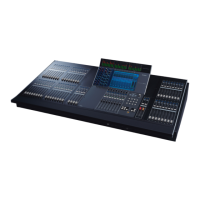
[ATT/HPF/EQ popup window (1 ch)]
[DYNAMICS 1/2 popup window (1 ch)]
Use the panel [SEL] keys or the channel select button
in the function access area to select a channel.
[ATT/HPF/EQ popup window (8 ch/ALL)]
[DYNAMICS 1/2 popup window (8 ch/ALL)]
In addition to using the panel [SEL] keys or the chan-
nel select button in the function access area, you can
also select a channel by pressing the channel number /
channel name buttons in the popup window.
1
2
2
1
2
1
Channel select button
Channel number / Channel name buttons





 To Next Page