Using the tool buttons
41
M7CL Owner’s Manual
Basic operation of the M7CL
3
5
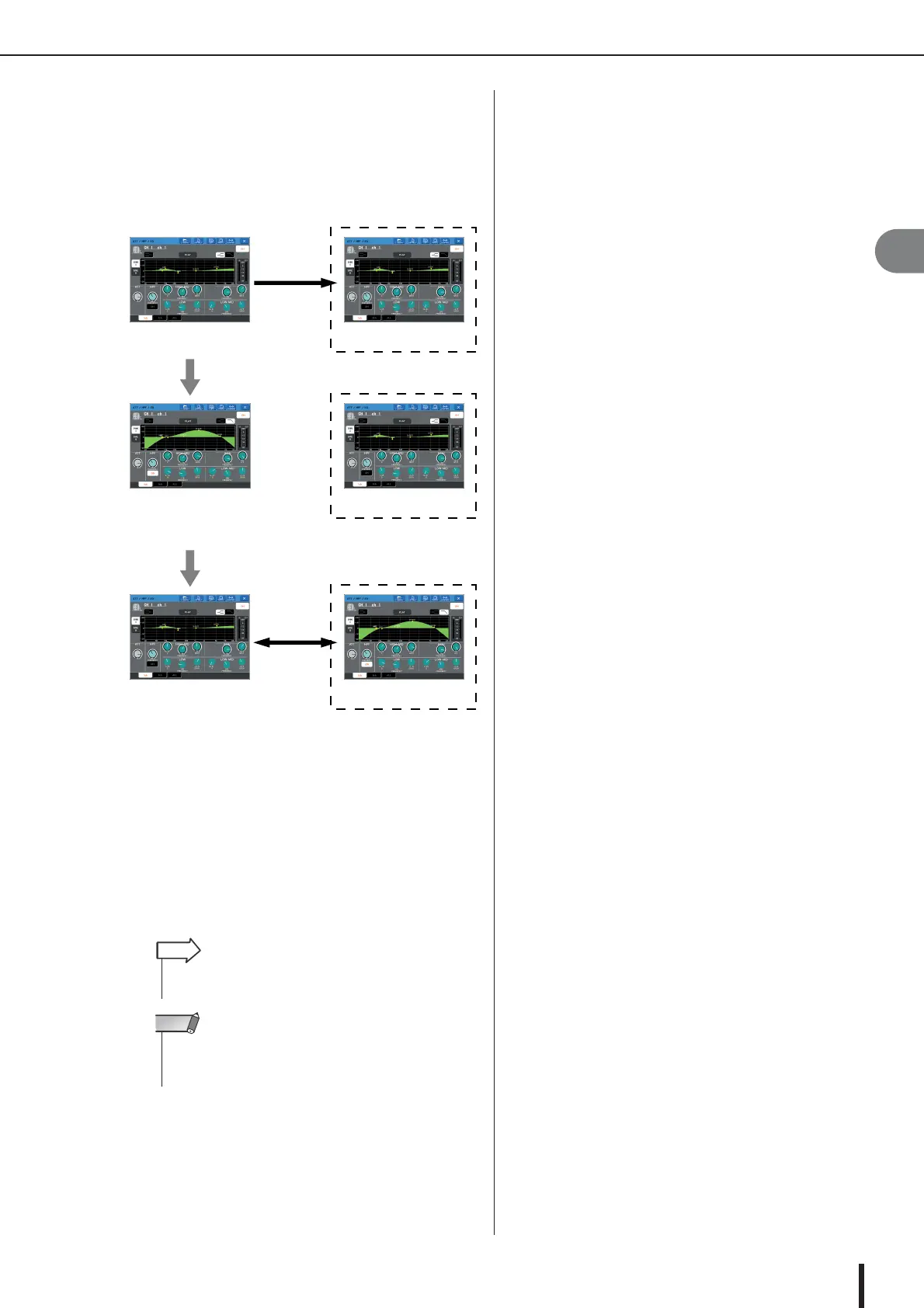
To compare the first set of settings with the
current settings (the second set), press the
COMPARE button.
You will return to the first set of settings. At this time,
the second set of settings will be held in the buffer
memory.
6
You can press the COMPARE button repeat-
edly to compare the first and second sets of
settings.
Each time you press the COMPARE button, the cur-
rent settings will be exchanged with the settings held
in the buffer memory.
Unlike the Paste operation, the Compare operation
always lets you return to the previous settings as long
as the buffer memory has not been overwritten.
COPY
The first set
The first set
The first set
The first set
Edit the settings
The second set
Buffer memory
Buffer memory
Buffer memory
(The second set)
COMPARE
• The settings in the buffer memory can also be used for the
Paste operation.
HINT
• Of the two types of GEQ, using the tool buttons in a rack
where a Flex15GEQ is selected will cause the settings to be
exchanged individually with the buffer memory.
NOTE





 To Next Page