M7CL Owner’s Manual
Specifying the channel name and icon
60
6
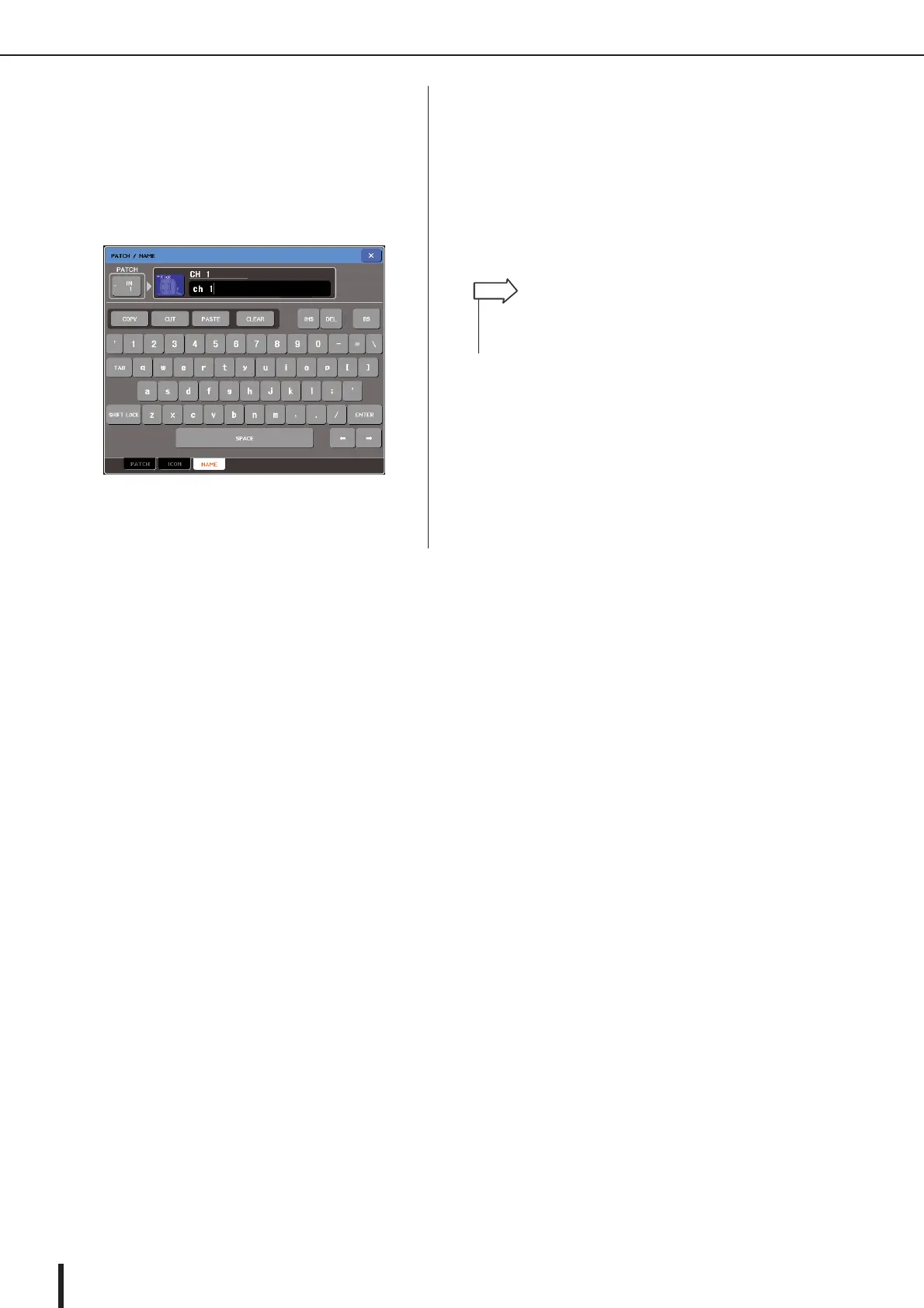
If you want to enter a channel name directly
(or edit the sample name that was entered),
press the channel name field in the upper
part of the window.
The keyboard window will appear in the lower part of
the window, allowing you to enter or edit the charac-
ters. For details on how to use the keyboard window,
refer to p. 34.
7
Use the [SEL] keys to switch input chan-
nels, and specify the icon or channel name
for other channels in the same way.
When the PATCH/NAME popup window is shown,
you can use the [SEL] keys to switch the channel
being edited.
8
When you’re finished with your input, press
the “
×
” symbol in the upper right of the win-
dow.
•You can press the TAB button to switch to the next channel.
You can press the ENTER button to close the popup window
in the same way as using the “
×
” symbol.
HINT





 To Next Page