MODX Reference Manual
17
Basic Structure
Functional blocks
Tone Generator block
A/D Input block
Sequencer block
Arpeggio block
Motion Sequencer block
Effect block
Envelope Follower block
Controller block
Internal Memory
Reference
Display (touch panel) config.
Performance Play (Home)
Motion Control
Mixing
Scene
Play/Rec
Normal Part (AWM) Edit
Drum Part Edit
Normal Part (FM-X) Edit
Common/Audio Edit
Category Search
Utility
Live Set
iPhone/iPad connection
Motion Sequencer Block
The powerful Motion Sequencer feature lets you dynamically change sounds by operating Parameters
depending on sequences created in advance.
It provides real time control for changing sounds depending on various sequences such as Tempo,
Arpeggio, or the rhythm of external connected devices.
You can assign up to eight desired Sequence types for one Lane.
You can also set up to four Lanes corresponding to the Motion Sequencer function for one Part. Up to eight
Lanes can be used at the same time for the entire Performance.
The setting status (on or off) the Lanes in the entire Performance will be shown as follows.
[PERFORMANCE (HOME)] [Motion Control] [Motion Seq] (page 44)
Also, the parameters for each Lane are set as follows.
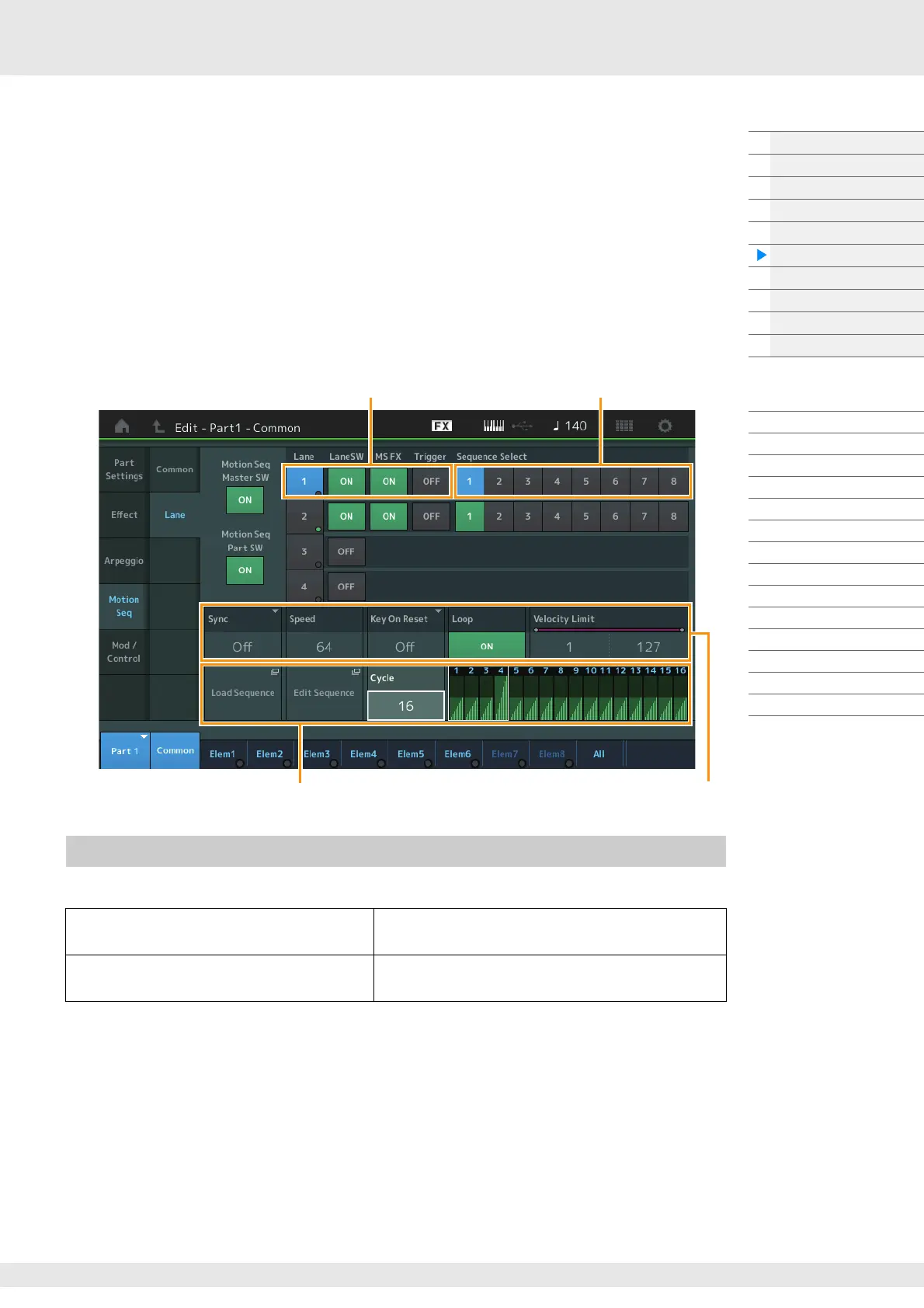
[PERFORMANCE (HOME)] [EDIT] Part selection Element/Operator [Common] [Motion Seq]
[Lane] (page 91)
The following settings are available for turning the Motion Sequencer playback on/off.
NOTE “LaneSW” and “Trigger” are set as follows.
[EDIT] Part selection Element/Operator [Common] [MOTION Seq] [Lane] (page 91)
Turning the Motion Sequencer on/off
To play the Motion Sequence when the note is
pressed:
Set the “LaneSW” parameter to “On,” the “Trigger”
parameter to “Off,” and the” Sync” parameter to “Off.”
To play the Motion Sequence when the
[MOTION SEQ TRIGGER] button is pressed:
Set the “LaneSW” parameter to “On,” the “Trigger”
parameter to “On,” and the “Sync” parameter to “Off.”
Lane setting
Sequence Patterns for the Lane
Selected Sequence setting Lane setting



 To Next Page