Edit Search Utility Live SetPerformance
MODX Reference Manual
Search
Performance Category
Arp Category
Waveform
Rhythm Pattern
180
Reference
Arpeggio Category Search (Arp Category Search)
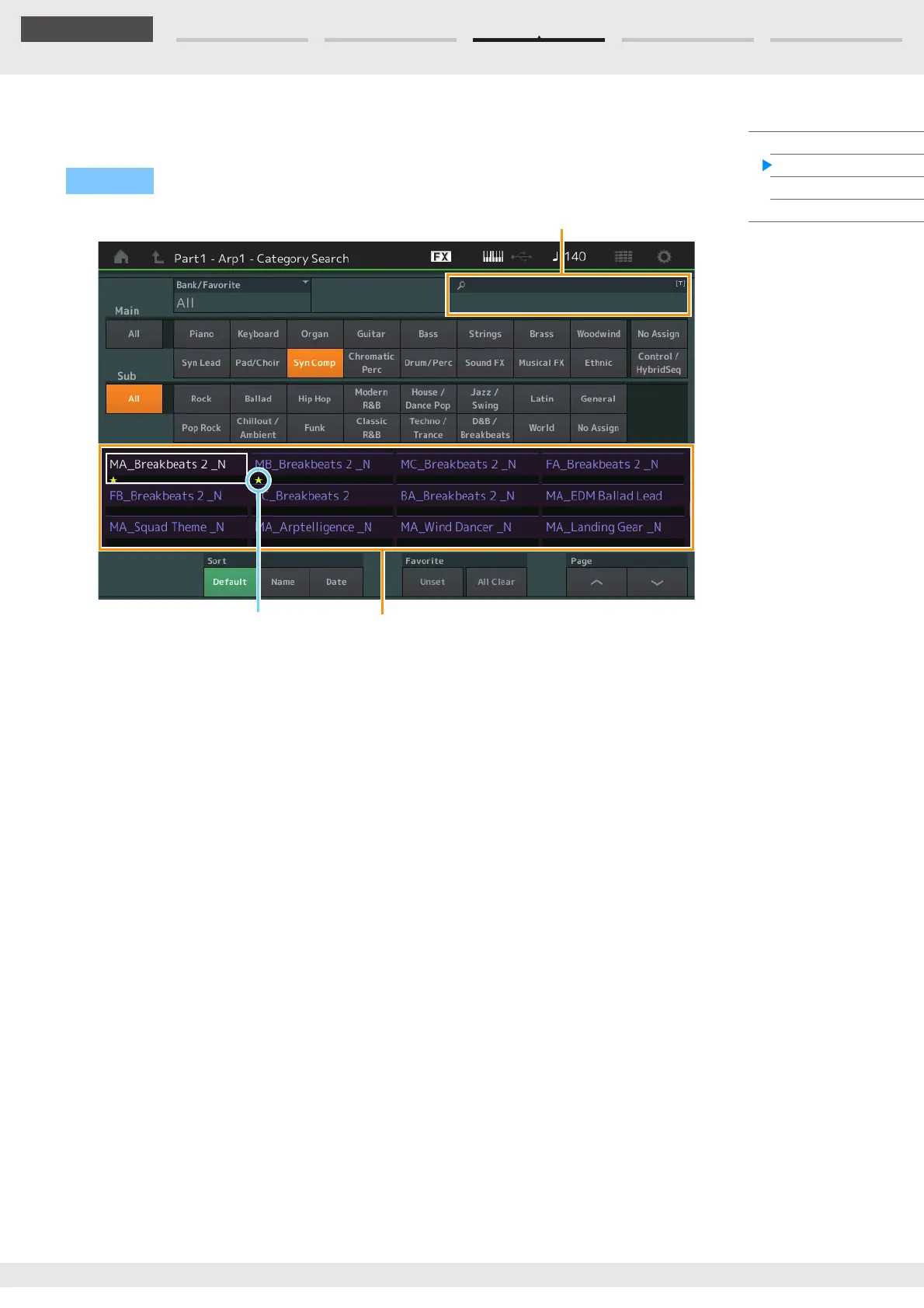
From the Arpeggio Category Search display you can search and select Arpeggio Types.
Bank/Favorite (Performance Bank Select/Favorite)
Filters the Performance List by Bank or Favorite. When Favorite is selected, only Performances having a
Favorite icon are listed.
Settings: All, Favorite, Preset, User, Library Name (when the Library file is read)
When the Category Search display is selected, pressing the [CATEGORY] button repeatedly switches Banks among
All, Favorite, Preset, User, Library (when the Library file is read). Holding down the [CATEGORY] button lets you go
back to All.
Name Search (Arpeggio Name Search)
Searches for an Arpeggio by inputting a part of the Arpeggio Name.
Settings: See the Data List PDF document.
Main (Arpeggio Category)
Settings: See the Arpeggio Category List (page 11).
Sub (Arpeggio Sub Category)
Settings: See the Arpeggio Sub Category List (page 11).
Sort (Sort Order)
Determines the Sort Order of the Arpeggio Type List.
Settings: Default, Name, Date
Name: Sorts by name. When the lower arrow is displayed, the List is arranged in ascending order (A to Z). When the
upper arrow is displayed, the List is arranged in descending order.
Date: Sorts in order of loading. When the lower arrow is displayed, the List is arranged in descending order (newer
to older). When the upper arrow is displayed, the List is arranged in ascending order.
Favorite Set / Unset
Enters (Sets) or cancels (Unsets) the Favorite icon to the currently selected Performance. This is not
available when the cursor is not on the Performance List.
Operation
Arpeggio related display Part selection [CATEGORY]
Name Search
Arpeggio Type list
Favorite icon



 To Next Page