Edit Search Utility Live SetPerformance
Normal Part (AWM2) Drum Part Normal Part (FM-X) Common/Audio
MODX Reference Manual
Normal Part (AWM2) Edit
Common
Part Settings
General
Pitch
Zone Settings
Zone Transmit
Effect
Routing
Ins A
Ins B
EQ
Ins Assign
Arpeggio
Common
Individual
Advanced
Motion Seq
Common
Lane
Mod / Control
Part LFO
Control Assign
Receive SW
Element
Osc / Tune
Pitch EG
Filter
Type
Filter EG
Scale
Amplitude
Level / Pan
Amp EG
Scale
Element LFO
Element EQ
All Element
Osc
Balance
Copy or Exchange
Elements
99
Reference
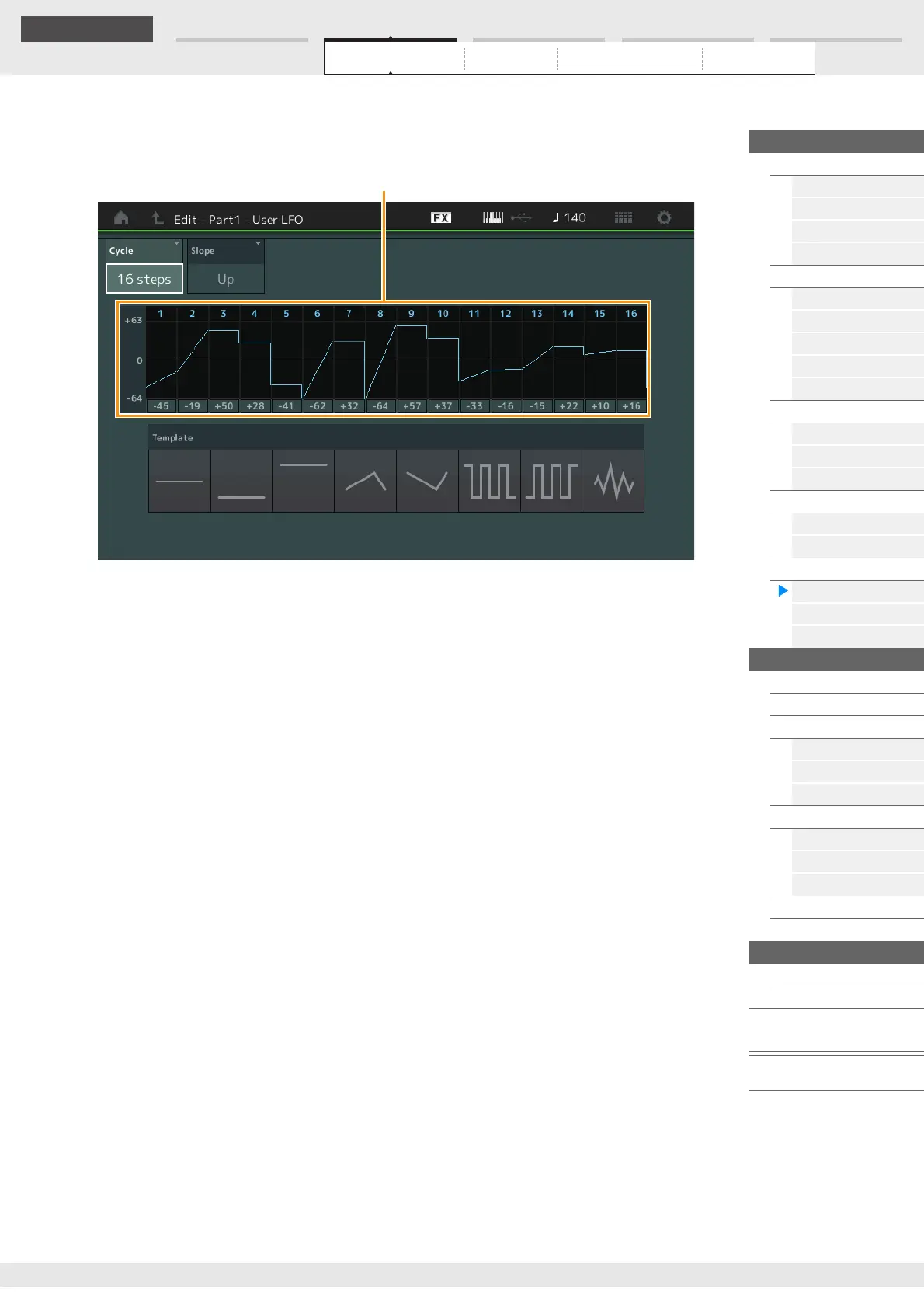
Edit User LFO
Calls up the User LFO Setting display. You can create a custom LFO wave consisting of up to sixteen
steps.
Cycle
Selects the desired step length for the LFO.
Settings: 2 steps, 3 steps, 4 steps, 6 steps, 8 steps, 12 steps, 16 steps
Slope
Determines the slope or ramp characteristics of the LFO wave.
Settings: Off (no slope), Up, Down, Up&Down
User LFO Step Value
Determines the level for each step.
Settings: -64 – +63
Template
This includes pre-programmed settings for creating an original LFO.



 To Next Page