Edit Search Utility Live SetPerformance
MODX Reference Manual
Performance
Home
Motion Control
Overview
Quick Edit
Arpeggio
Motion Seq
Super Knob
Knob Auto
Mixing
Scene
Play / Rec
MIDI
Audio
35
Reference
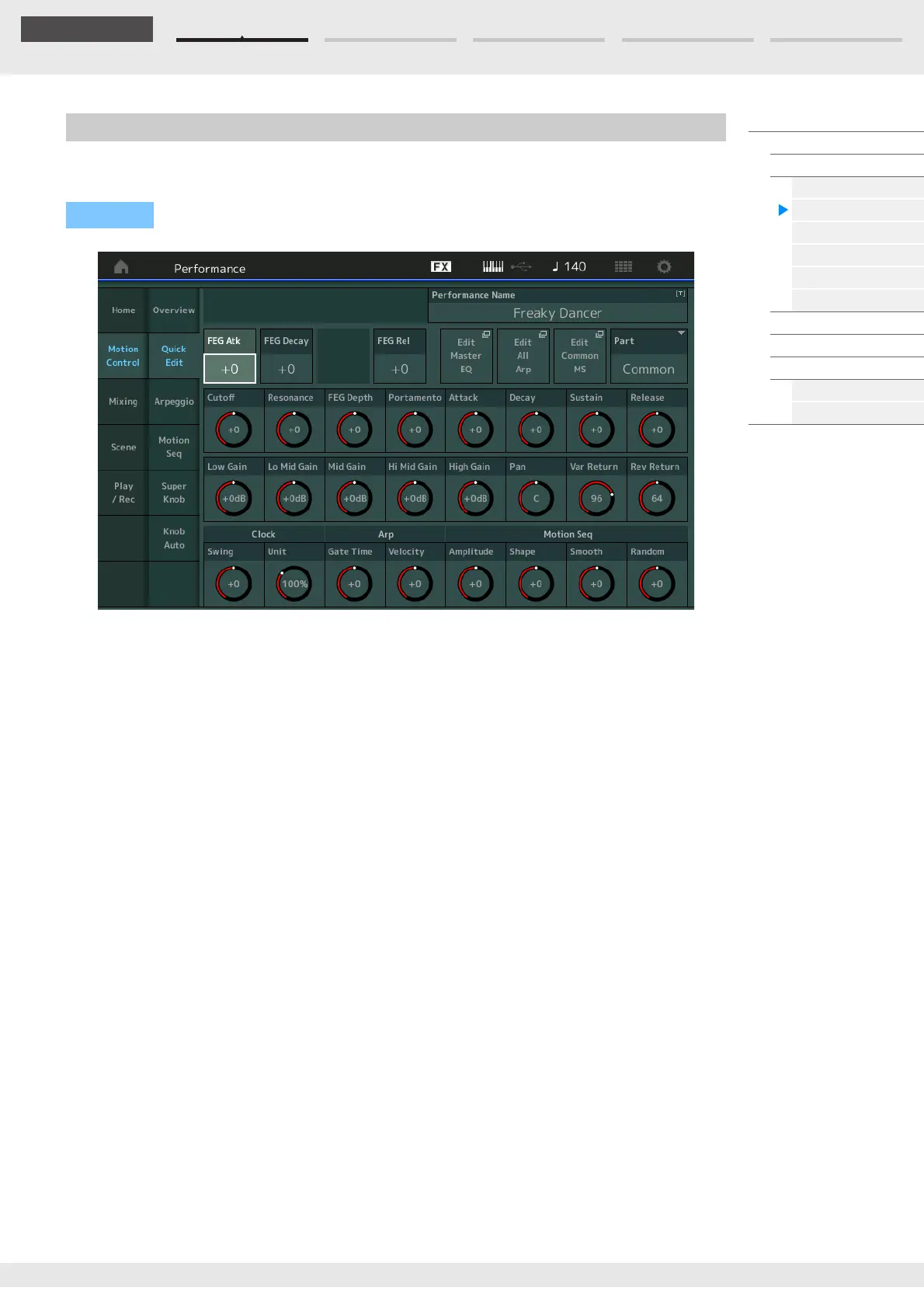
From the Quick Edit display you can make general sound settings. You can select whether the settings are
commonly applied to all Parts or to only one selected Part.
Part
Indicates the currently selected Part. Select the Part you want to use Quick Edit with here.
Settings: Common, Part 1–16
When “Part” is set to “Common”
You can edit the parameters commonly applied to all Parts.
Performance Name
Enters the desired name for the Performance. Performance names can contain up to 20 characters.
Touching the parameter calls up the input character display.
FEG Atk (FEG Attack Time)
Determines the speed of filter variation from the time a note is played until the maximum initial level of
the Cutoff Frequency is reached. This parameter determines the offset value of the FEG (page 118) for
the Element/Operator Common.
Settings: -64 – +63
FEG Decay (FEG Decay Time)
Determines how fast the Cutoff Frequency falls from maximum attack level to the sustain level. This
parameter determines the offset value of the FEG parameter (page 118) for the Element/Operator
Common.
Settings: -64 – +63
FEG Rel (FEG Release Time)
Determines how fast the Cutoff Frequency falls from the sustain level to zero when a note is released.
This parameter determines the offset value for the FEG parameter (page 118) of the Element/Operator
Common.
Settings: -64 – +63
Edit Master EQ
Calls up the Master EQ display (page 173) for Common/Audio Edit.
Quick Edit
Operation
[PERFORMANCE (HOME)] [Motion Control] [Quick Edit]



 To Next Page