Edit Search Utility Live SetPerformance
MODX Reference Manual
Uitlity
Settings
Sound
Quick Setup
Audio I/O
MIDI I/O
Advanced
System
Contents
Load
Store / Save
Data Utility
Library Import
Tempo Settings
Effect Switch
Other Info
Shift Function
Legal Notices
207
Reference
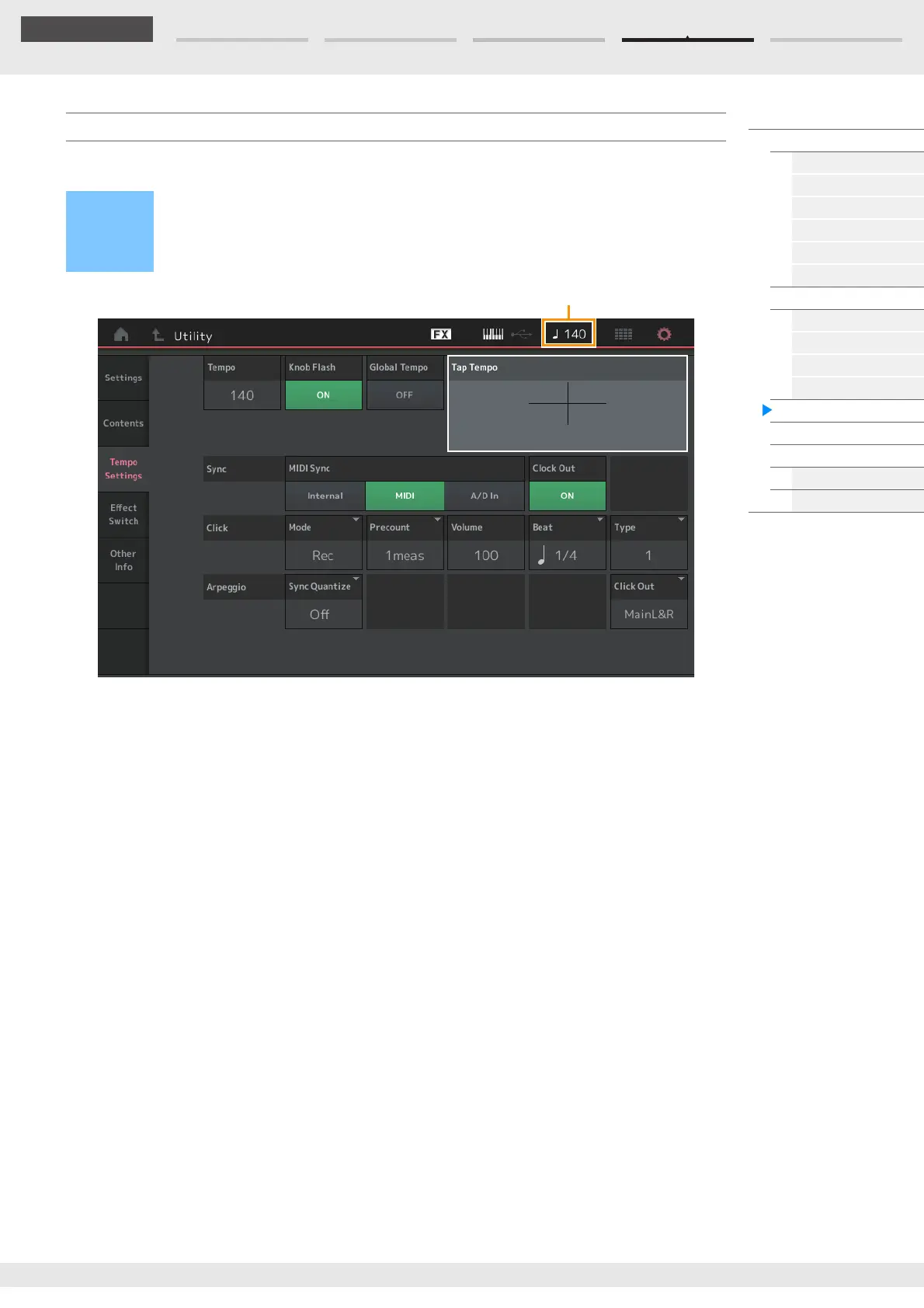
From the Tempo Settings display you can set parameters related to Tempo and Synchronization.
Tempo
Determines the Performance tempo. This parameter is not available when the “MIDI Sync” is set to “MIDI”
or “A/D In” and the instrument is synchronized to an external device (“EX. Tempo” is displayed instead of
the setting value.)
Settings: 5–300
Knob Flash (Super Knob LED Switch)
Determines whether the flashing of the Super Knob is turned on or off.
Settings: Off, On
Global Tempo (Global Tempo Switch)
When this switch is set to OFF, the tempo setting changes when a different Performance is selected. When
this switch is set to ON, the current tempo is used for all Performances.
Settings: Off, On
Tap Tempo
Allows you to tap the desired tempo by touching this parameter or by moving the cursor to this parameter
and pressing (tapping) the [ENTER] button on the panel.
This parameter is not displayed when the “MIDI Sync” is set to “MIDI” and the instrument is synchronized
to an external device.
NOTE When “MIDI Sync” is set to “A/D In,” the tempo search starts by touching this parameter.
Tempo Settings
Operation
[UTILITY] [Tempo Settings]
or
[SHIFT] + [ENTER]
or
Touch the TEMPO SETTING icon



 To Next Page