Edit Search Utility Live SetPerformance
MODX Reference Manual
Uitlity
Settings
Sound
Quick Setup
Audio I/O
MIDI I/O
Advanced
System
Contents
Load
Store / Save
Data Utility
Library Import
Tempo Settings
Effect Switch
Other Info
Shift Function
Legal Notices
190
Reference
Audio Rec on DAW
Use this setting when recording the signals from the tone generator and the A/D INPUT [L/MONO]/[R]
jacks separately to DAW software, and playing the signals from the OUTPUT [L/MONO]/[R] jacks
directly.
The Output settings for Individual are as follows.
Store Current Settings
Stores the edited settings as 1–3 of “QuickSetup.”
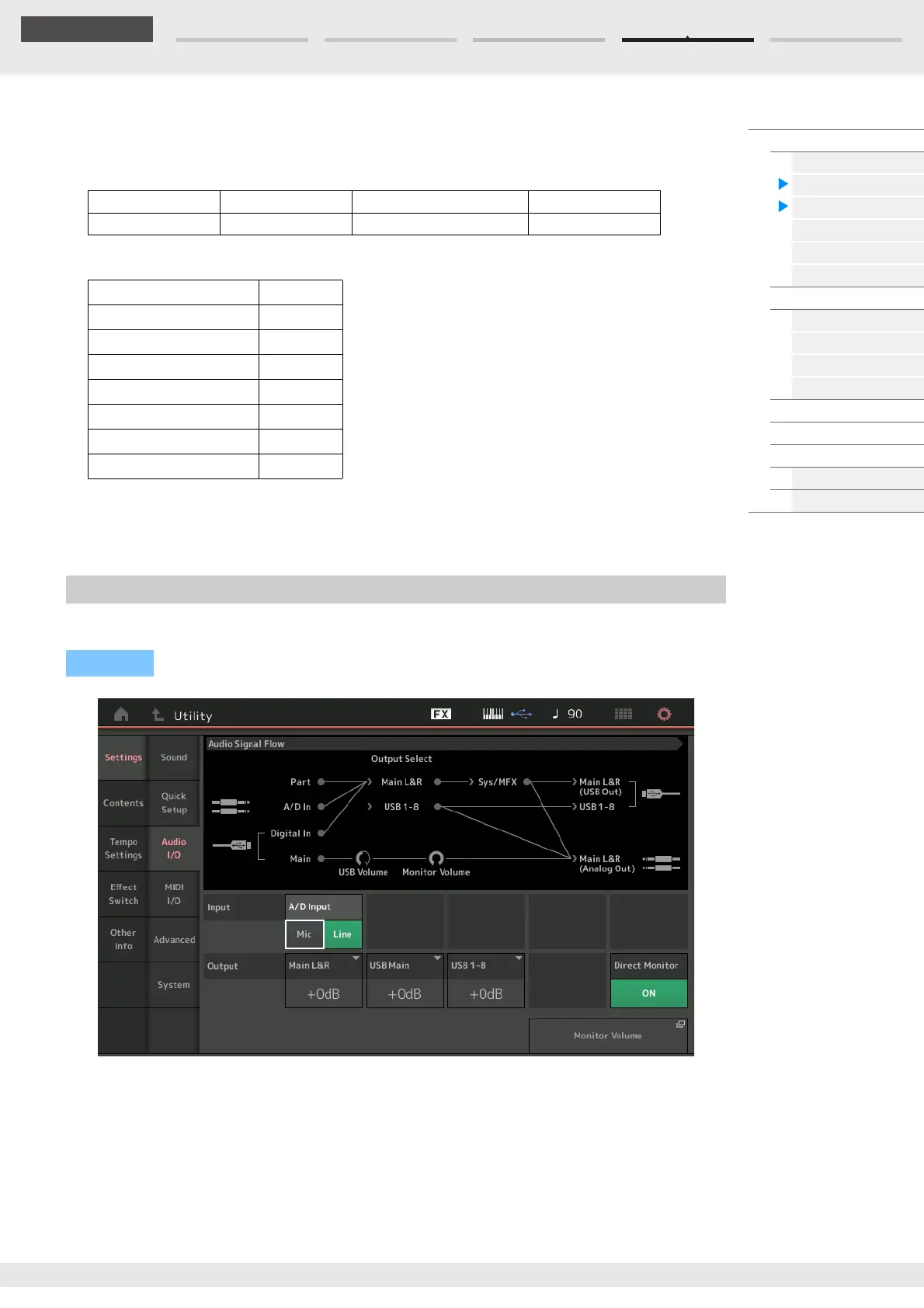
From the Audio I/O display you can set the parameters related to Audio Input and Output.
A/D Input (A/D Input Gain)
When using the A/D INPUT [L/MONO]/[R] jacks, this determines the input source, microphone (Mic) or
Line.
Settings: Mic, Line
Mic: Intended for low output equipment, such as a microphone.
Line: Intended for high output equipment, such as a keyboard, synthesizer, or CD player.
NOTE A guitar or bass having active pickups can be directly connected. However, when using passive pickups,
connect the instrument via an effect device.
Local Control Direct Monitor Output Select Arp MIDI Out
On Off Depends on the Part Off
Part 1 Output Select Main L&R
Part 2 Output Select USB 1&2
-- --
Part 5 Output Select USB 7&8
-- --
Part 16 Output Select Main L&R
A/D In Output Select Main L&R
Digital In Output Select Main L&R
Audio I/O
Operation
[UTILITY] [Settings] [Audio I/O]



 To Next Page