Edit Search Utility Live SetPerformance
Normal Part (AWM2) Drum Part Normal Part (FM-X) Common/Audio
MODX Reference Manual
Normal Part (AWM2) Edit
Common
Part Settings
General
Pitch
Zone Settings
Zone Transmit
Effect
Routing
Ins A
Ins B
EQ
Ins Assign
Arpeggio
Common
Individual
Advanced
Motion Seq
Common
Lane
Mod / Control
Part LFO
Control Assign
Receive SW
Element
Osc / Tune
Pitch EG
Filter
Type
Filter EG
Scale
Amplitude
Level / Pan
Amp EG
Scale
Element LFO
Element EQ
All Element
Osc
Balance
Copy or Exchange
Elements
66
Reference
Normal Part (AWM2) Edit
A Normal Part (AWM2) (having pitched musical instrument sounds) can consist of up to eight Elements.
An Element is the basic, smallest unit for a Part. There are two types of Normal Part (AWM2) Edit displays:
Element Common Edit display, for editing settings common to all eight Elements; and Element Edit display,
for editing individual Elements.
Element Common Edit (Common)
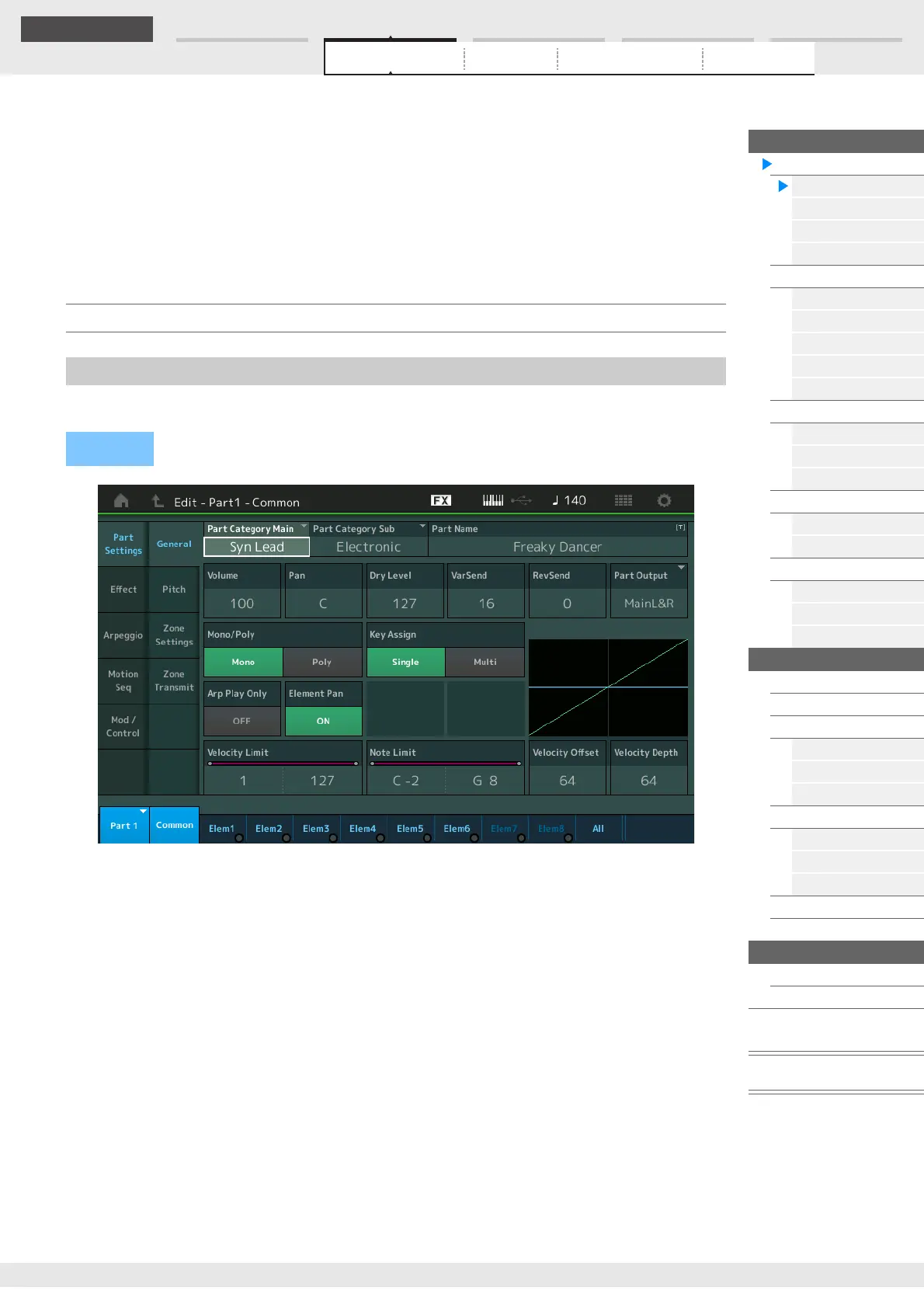
From the General display you can set various parameters such as Part Name, Volume, and Pan.
Part Category Main (Part Main Category)
Part Category Sub (Part Sub Category)
Determines the Main category and the Sub category for the selected Part.
Settings: See the Data List PDF document.
Part Name
Determines the Part name of the selected Part. Part names can contain up to 20 characters. Touching the
parameter calls up the input character display.
Volume (Part Volume)
Determines the output level of the selected Part.
Settings: 0–127
Pan
Determines the stereo pan position of the selected Part.
Settings: L63–C–R63
Part Settings
General
Operation
[PERFORMANCE (HOME)] [EDIT] Part selection Element [Common] [Part Settings]
[General]



 To Next Page