MODX Reference Manual
23
Basic Structure
Functional blocks
Tone Generator block
A/D Input block
Sequencer block
Arpeggio block
Motion Sequencer block
Effect block
Envelope Follower block
Controller block
Internal Memory
Reference
Display (touch panel) config.
Performance Play (Home)
Motion Control
Mixing
Scene
Play/Rec
Normal Part (AWM) Edit
Drum Part Edit
Normal Part (FM-X) Edit
Common/Audio Edit
Category Search
Utility
Live Set
iPhone/iPad connection
Internal Memory
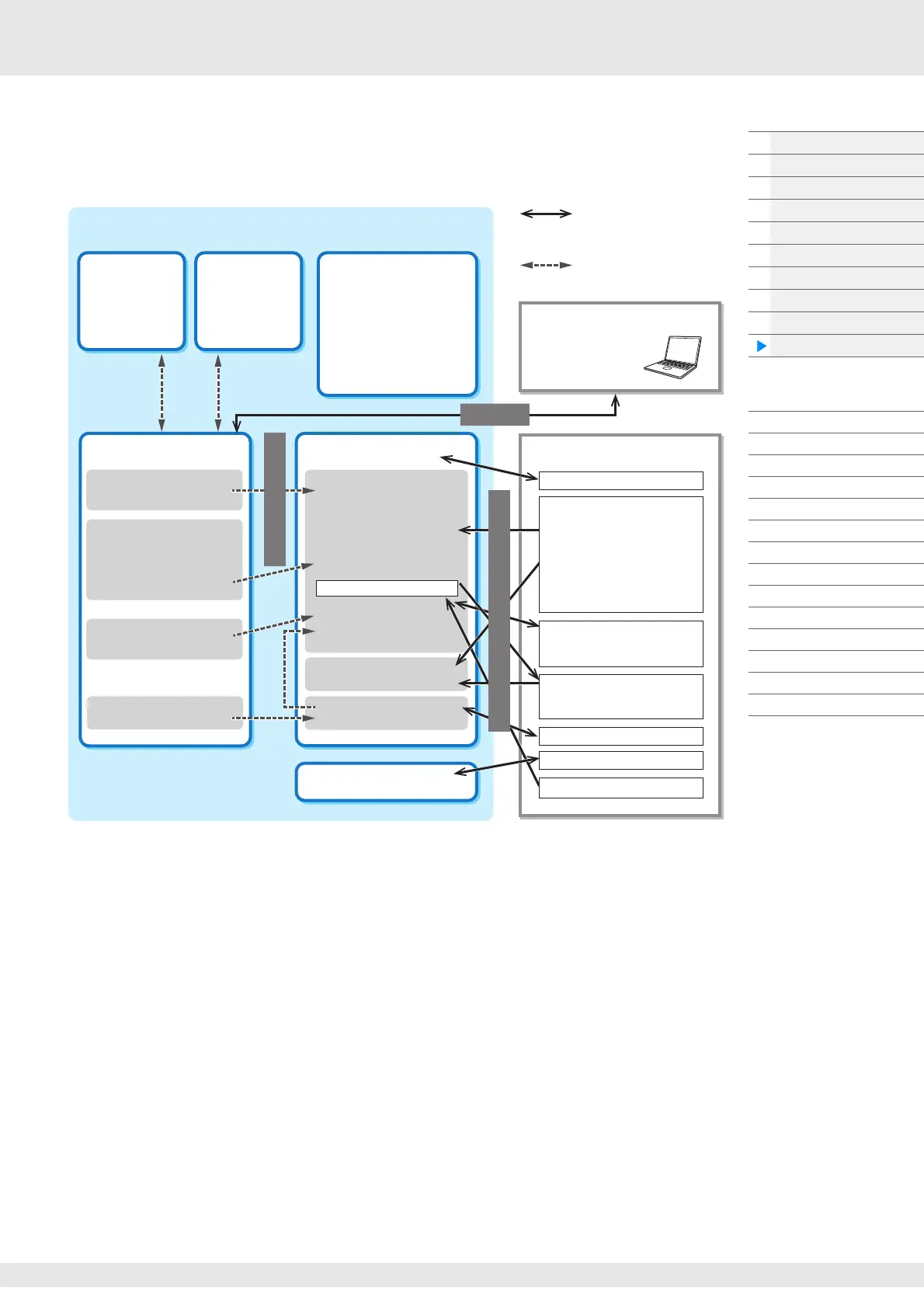
The MODX creates a variety of different kinds of data, including Performances, Live Sets, and Songs. This
section describes how to maintain the various types of data and use the memory devices/media for storing
them.
Preset Memory
Preset Memory is memory designed specifically for reading out data such as Preset Performance,
Arpeggio, and Audition Phrase. You cannot overwrite the data in Preset Memory.
Edit buffer
The edit buffer is the memory location for edited data of these types: Performance, Live Set, and Song.
Although the edit buffer is designed specifically for data writing and data reading, the data contained in
the edit buffer is lost when the power is turned off. You should always store edited data to User memory
before editing new performance or before turning off the power. Data other than Performance and Motion
Sequence are automatically stored.
User memory
User data edited in the Edit buffer and utility settings for the entire system are stored in the dedicated area
in the User memory. Up to eight Library files (.X8L) read from the USB flash drive are loaded in the
dedicated area in the User memory.
This is read-write memory and the data will be kept even after the power is turned off.
Internal Memory
Recall
Buffer
Excluding
Master and
Utility settings
Preset Memory
• Preset Performance
• Arpeggio
• Motion Sequence
• Audition Phrase
•Waveform
•Live Set
•Curve
• Micro Tuning
Edit Buffer
• Performance Edit
• Motion Sequence Edit
• User Curve Edit
• Live Set Edit
• User Micro Tuning Edit
•User Waveform Edit
• Utility
• Quick Setup
• Song
User Memory
For User
• User Performance
• User Arpeggio
• User Motion Sequence
•User Curve
•User Live Set
• User Micro Tuning
•User Waveform
•Utility
• Quick Setup
• User Audition Phrase
Store (executed by
using store button)
For Library
Song
Audio Record/Playback
Data communication
between this synthesizer
and an external device
Internal data communication
MIDI instrument or computer
DAW software
Bulk Dump
Load/Save
USB flash drive
MOTIF XF format
File extensions “.X3A,” “.X3V,”
“.X3G,” and “.X3W”
MOTIF XS format
File extensions “.X0A,” “.X0V,”
“.X0G,” and “.X0W”
MOXF format
File extensions “.X6A,” “.X6V,”
“.X6G,” and “.X6W”
File extension “.X8U”
MONTAGE format
File extension “.X7U”
File extensions “.MID”
File extensions “.WAV”
File extensions “.WAV” “.AIF”
Compare
Buffer
Excluding
Master and
Utility settings
File extension “.X8A”
File extensions “.X8L”
MONTAGE format
File extension “.X7L”



 To Next Page