Edit Search Utility Live SetPerformance
MODX Reference Manual
Performance
Home
Motion Control
Overview
Quick Edit
Arpeggio
Motion Seq
Super Knob
Knob Auto
Mixing
Scene
Play / Rec
MIDI
Audio
54
Reference
A/D Part Pan (Audio Part Pan)
Digital Part Pan
Determines the stereo pan position of the Audio Part/Digital Part.
Settings: L63–C–R63
A/D Volume (Audio Part Volume)
Digital Part Volume
Determines the output level of the Audio Part/Digital Part.
Settings: 0–127
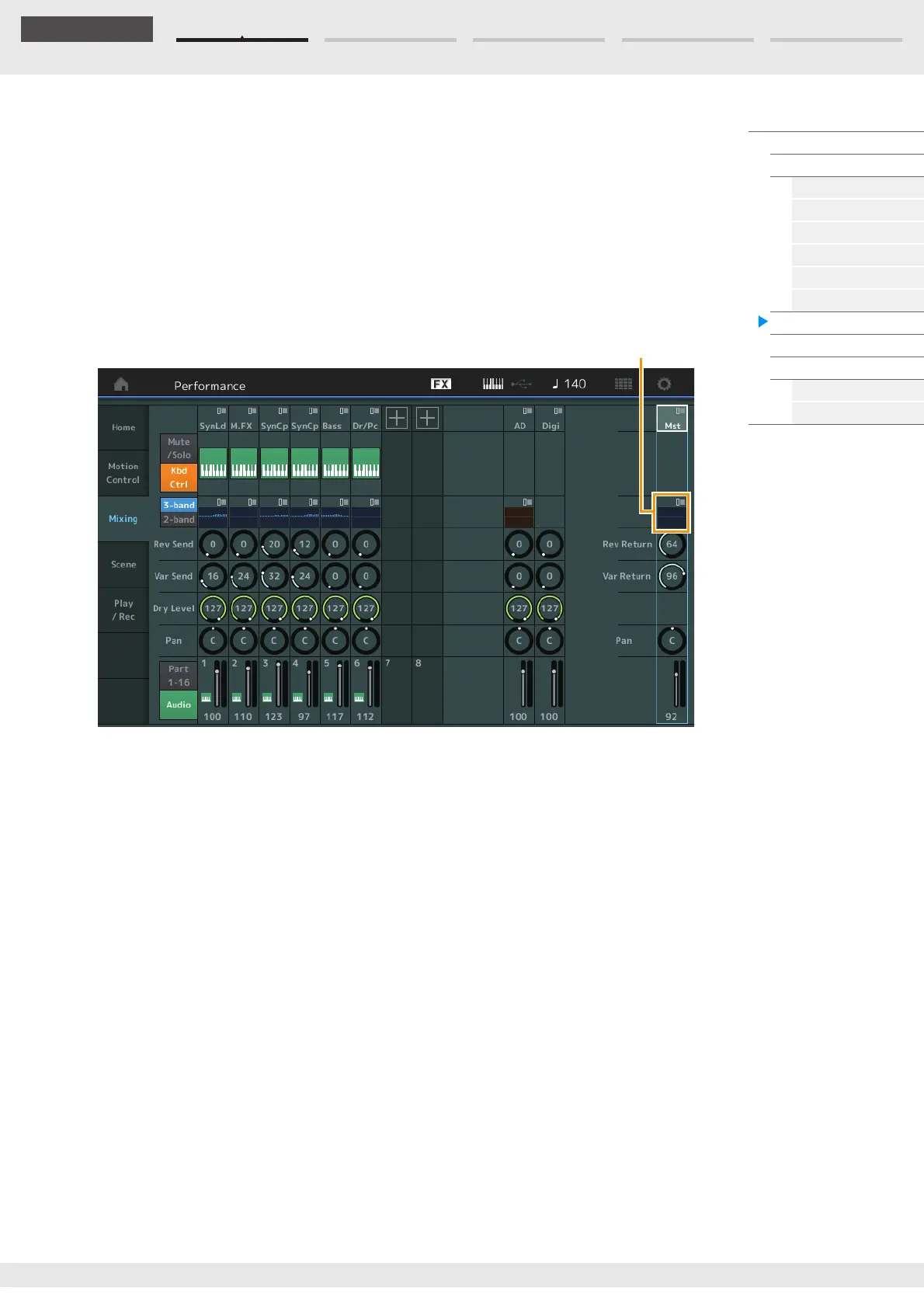
When “Mst” (Master Part) is selected
Determines the Master Mixing settings.
Master EQ (Master Equalizer)
Displays the 5-band parametric EQ.
Touching the button calls up the menu of Master EQ Edit.
Rev Return (Reverb Return)
Var Return (Variation Return)
Determines the return level of the Reverb/Variation effect.
Settings: 0–127
Pan (Performance Pan)
Determines the stereo pan position of the entire Performance. This parameter offsets the same
parameter in the Part Edit setting.
Settings: L63–C–R63
Performance Volume
Determines the output level of the entire Performance.
Settings: 0–127



 To Next Page