35
3
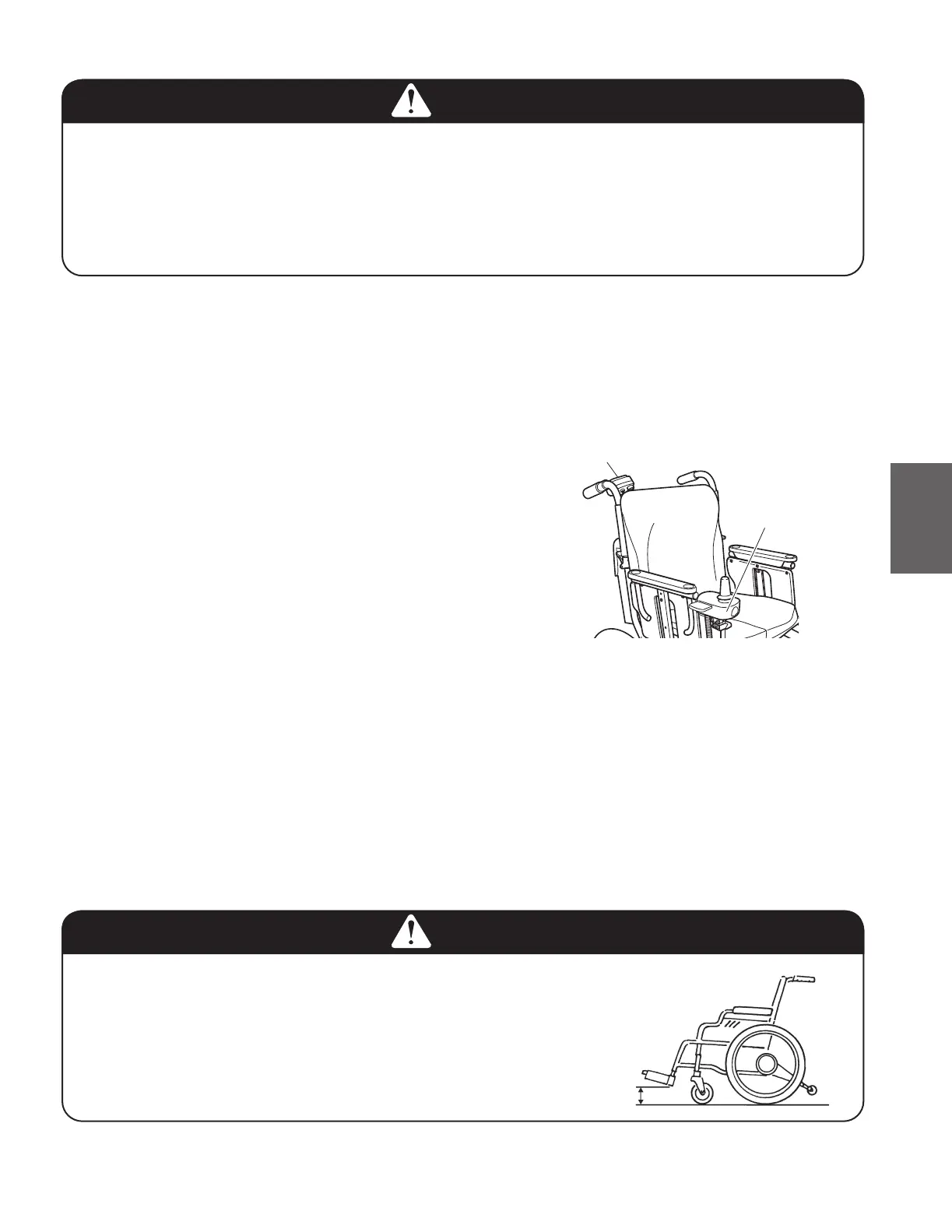
(7) Assistant controller (optional)
Check the assistant controller to ensure that it is rmly
secured to the wheelchair. (Try shaking and rocking the
assistant controller.)
Check the switches to ensure that it is in an easy-to-op-
erate position.
(8) Battery bag (optional)
Make sure that the left and right cable connectors are securely connected.
Make sure that the entire surfaces of the fasteners on the upper straps and lower xing belt are ad-
hered completely and securely.
Make sure that the upper straps and lower xing belt are not loose, and do not have any slack.
(9) Foot supports
Make sure that the clearance between the foot supports and the ground is 2 inch (5 cm) or more.
Adjust the height of the foot supports to make 2 inch (5 cm) or more clearance.
WARNING
● Settheheightofthefootsupportssothattheclear-
ance between the foot supports and the ground is
2 inch (5 cm) or more. If the foot supports are too
low, the foot supports may come in contact with
bumpy ground or objects on the ground, possibly
causing the wheelchair to tip over.
Assistant controller
Controller
Greater than
2 inch (5 cm)
(6) Controller
Check the controller to ensure that it is rmly secured to the wheelchair. (Try shaking and rocking the
controller.)
Check the joystick to ensure that it is in an easy-to-operate position.
WARNING
● Iftheairpressureinthereartiresdecreases,theparkingbrakesmaybecomeineffective.
Always keep the air pressure in the rear tires at the correct level.
● Continuingtousethewheelchairwithaprobleminthewheelchairbodyorthewheelsmay
cause sudden damage to the wheelchair while traveling, and may result in a rollover or fall.
● Ifyoufindanyunusualconditiononthewheelchairintheseinspections,contactyourdeal-
er.



 To Next Page