44
4
4.5. Anti Theft Function
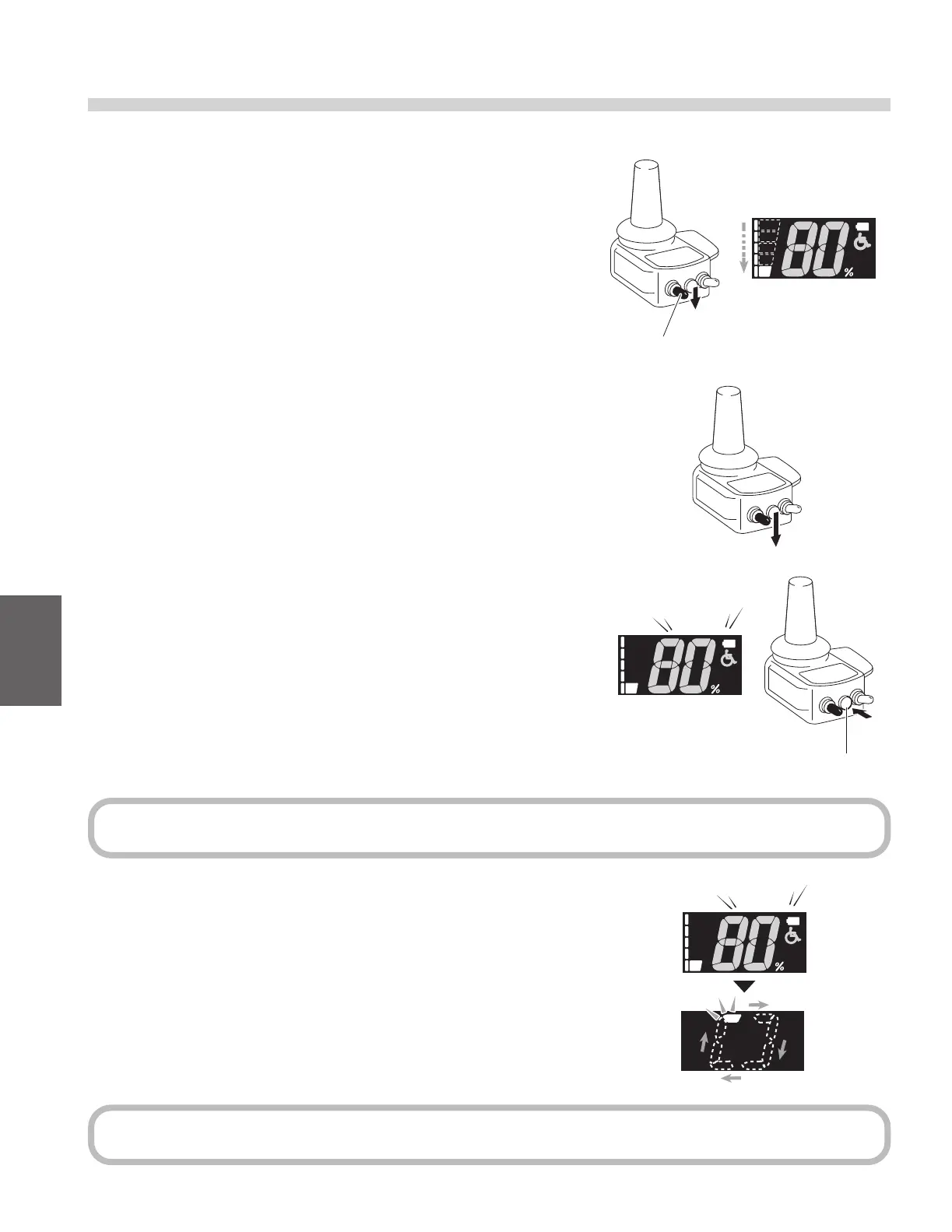
How to Set the Anti Theft Function
(1) Turn on the power switch.
(2) Set the speed level 1 with the speed selector switch.
(3) After releasing the switch once, hold the speed selector switch
down and you will hear the beep sound.
(4) Press and hold the horn switch soon after the beep sound.
(5) Completed this setting after “Pi” sound again.
Speed selector switch
If you hear the horn sound when you hold the horn switch, try again from (3).
Anti theft function keeps on, turning the power switch o and then back on.
TIP
TIP
Horn switch
Pi!
Pi!



 To Next Page