11
PSR-E433 Owner’s Manual
Panel Controls and Terminals
Setting Up
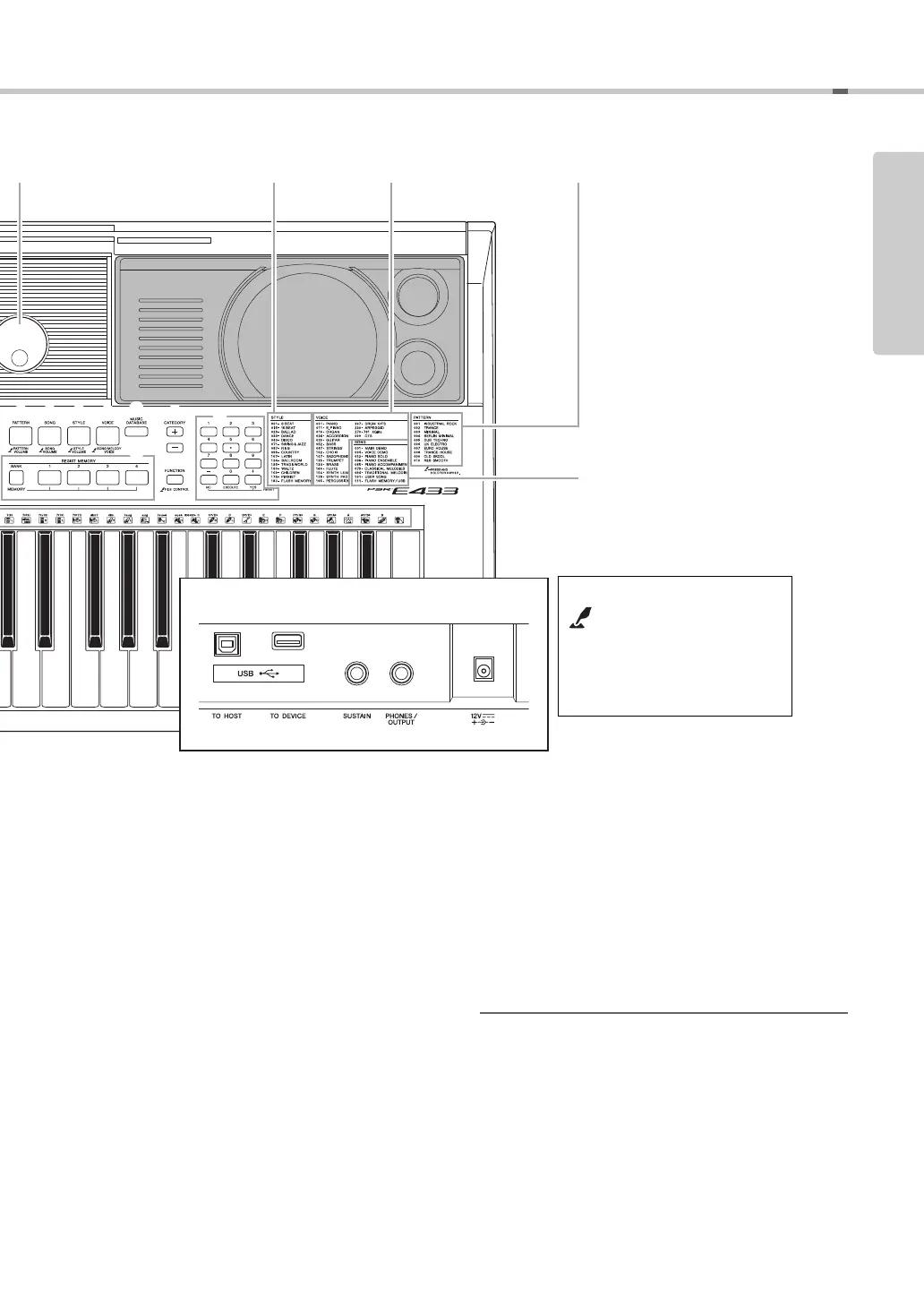
!3 [TRACK CONTROL] buttons
• When the [PATTERN] lamp is turned on:
..............................................Page 23
• When the [SONG] lamp is turned on:
..............................................Page 25
• When the [STYLE] lamp is turned on:
..............................................Page 41
!4 [PATTERN] button ................................Page 23
!5 [SONG] button......................................Page 24
!6 [STYLE] button .....................................Page 22
!7 [VOICE] button .....................................Page 16
!8 [MUSIC DATABASE] button.................Page 22
!9 [CATEGORY] buttons...........................Page 14
@0 [REGIST MEMORY] buttons ................Page 31
@1 [FUNCTION] button..............................Page 48
@2 Number buttons [1]–[9], [-/NO],
[0/EXECUTE] and [+/YES] buttons .....Page 14
@3 Drum illustrations for the Drum Kit....Page 16
Each of these indicates the drum or percussion instrument
assigned to the corresponding key for “Standard Kit 1.”
Rear Panel
@4 USB terminals
USB TO HOST terminal*...................Page 50
USB TO DEVICE terminal ................Page 51
@5 SUSTAIN jack .......................................Page 13
@6 PHONES/OUTPUT jack........................Page 13
@7 Power supply jack................................Page 12
* For connecting to a computer. For details, refer to “Computer-
related Operations” (page 9). When connecting, use an AB type
USB cable of less than 3 meters. USB 3.0 cables cannot be
used.
!4 !5 !6 !7 !9
@2
@1
!8
@0
@4
@5
@6 @7
Rear Panel
Style List (Data List) Voice List (Data List) Pattern List (Data List)Dial (page 14)
Song List (Data List)
“Press & Hold” symbol
By holding down one of the
buttons having this symbol, you
can call up an alternate function,
other than the one called up
when simply pressing.



 To Next Page