Try Playing a Variety of Instrument Voices
PSR-E433 Owner’s Manual
19
Quick Guide
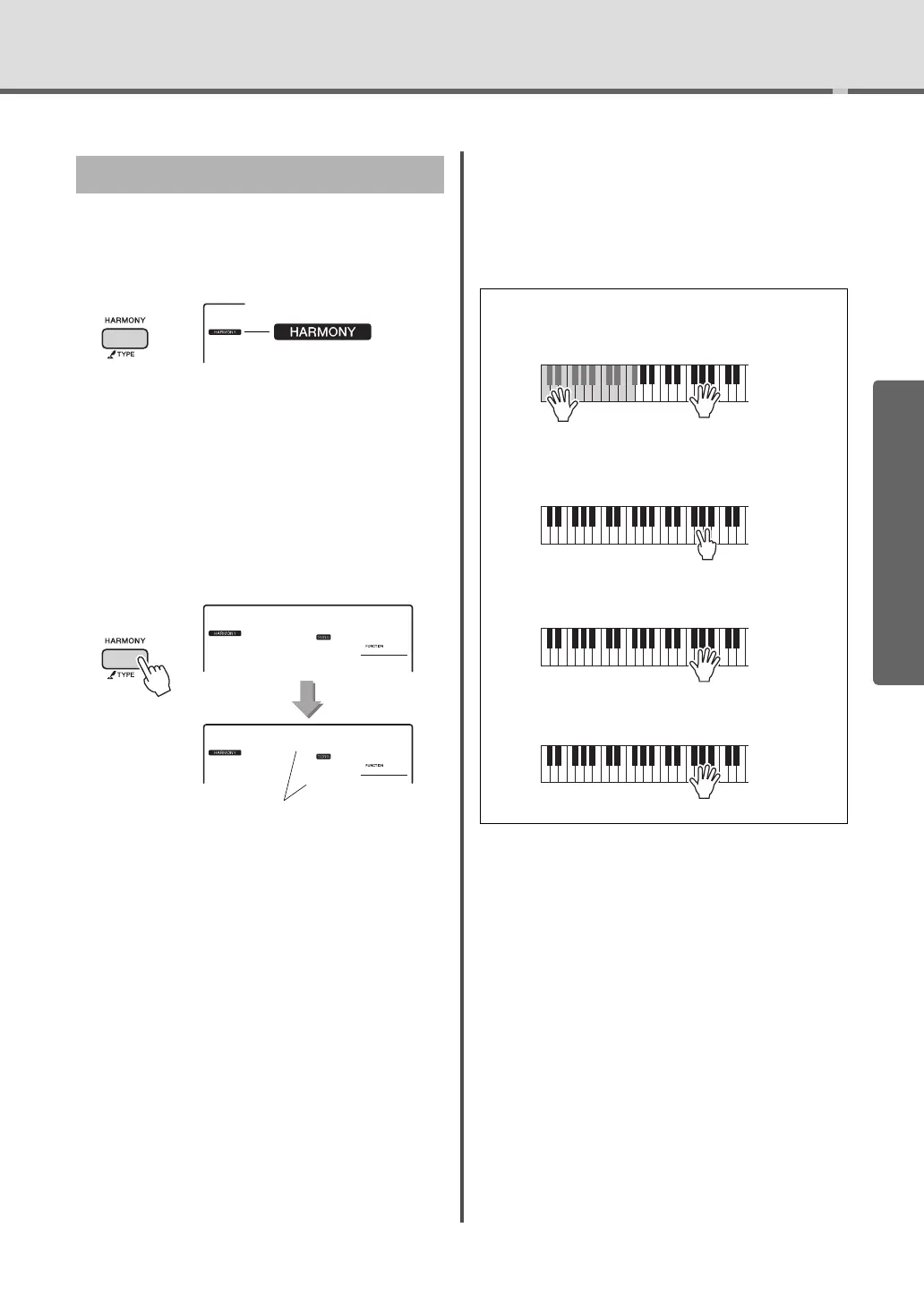
You can add harmony notes to the Main Voice.
1
Press the [HARMONY] button to turn
Harmony on.
Although turning on the Harmony will select a
Harmony Type suitable for the current Main
Voice, you can select a different Harmony Type.
2
Hold down the [HARMONY] button for
longer than a second until “HarmType”
appears on the display.
After “HarmType” is shown for a few seconds, the
current Harmony Type appears.
3
Rotate the dial to select the desired Har-
mony Type.
For details, refer to the separate Data List.
The effect and operation differs depending on the
Harmony Type. Refer to the section below.
You can adjust the Harmony Volume in the Function
Settings (page 49).
Adding Harmony
Appears when the Harmony
is turned on.
Hold for longer
than a second.
How to sound each Harmony Type
• Harmony type 01 to 05
Press the right-hand keys while playing chords in
the auto accompaniment range of the keyboard
when the Auto Accompaniment is on (page 22).
• Harmony type 06 to 12 (Trill)
Hold down two keys.
• Harmony type 13 to 19 (Tremolo)
Keep holding
down the keys.
• Harmony type 20 to 26 (Echo)



 To Next Page