PSR-E433 Owner’s Manual
23
Quick Guide
Playing with Patterns Like a DJ!
Using the Pattern playback functions, try out the cool DJ-like performance features—
changing keys in the left-hand area of the keyboard and rotating the Knobs for dynamic
sound variations.
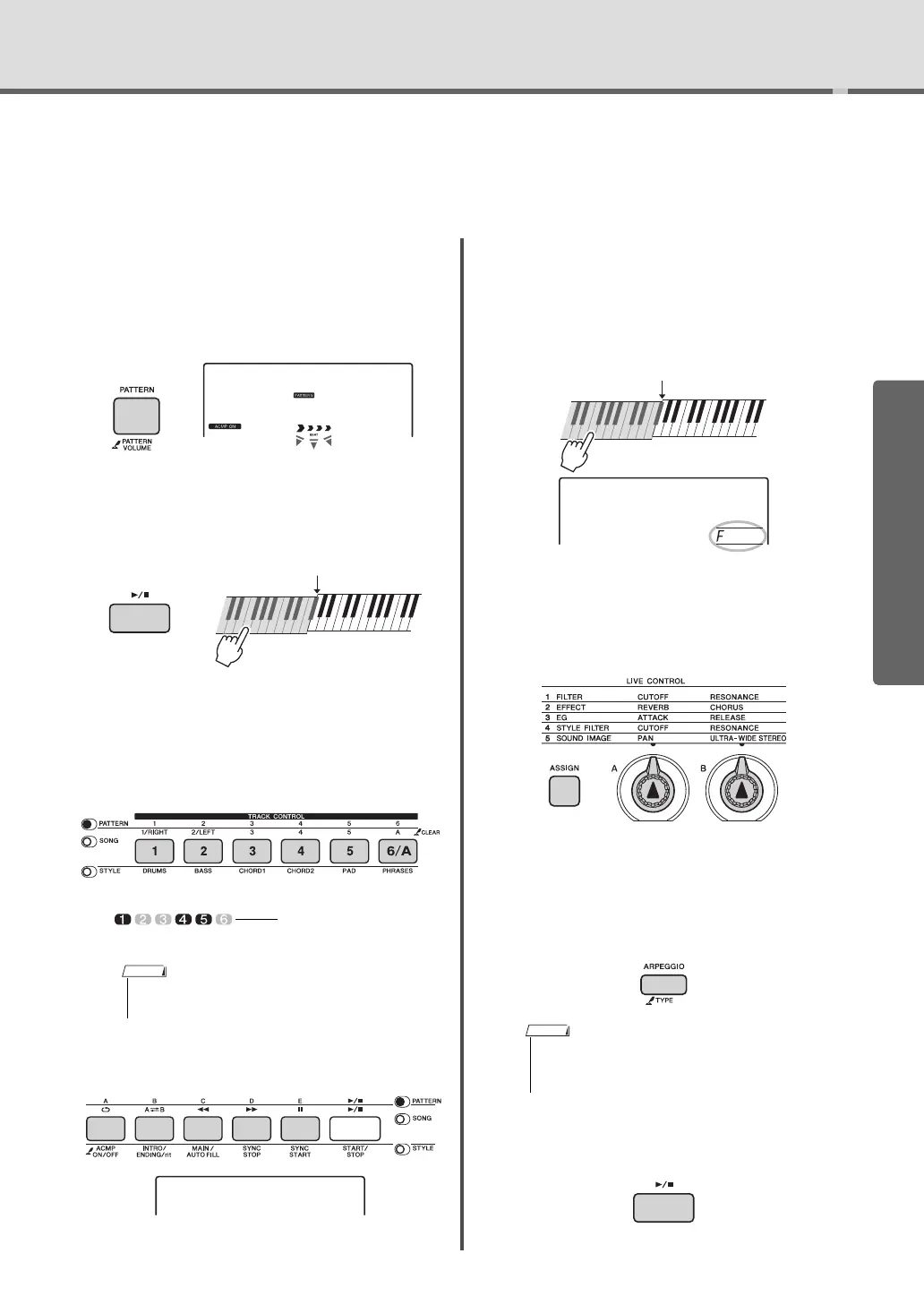
1
Press the [PATTERN] button, then use
the dial to select the desired Pattern.
The ACMP is turned on, and the keyboard is
divided into the accompaniment area (page 22)
and melody area.
2
Press the [START/STOP] button or press
any key to left of the Split Point (page
43) to start Pattern playback.
During Pattern playback, enjoy creating sound
variations via the following operations.
Turning on/off individual tracks via the
[TRACK CONTROL] buttons
Changing the Pattern Section via the
[A]–[E] buttons
Transposing playback by pressing any
note to the left of the Split Point (page
43)
Unlike with the Styles, only the Root can be
specified; the Chord Type cannot be specified.
Changing the sound via the Knobs
Press the [ASSIGN] button several times to
select “4 STYLE FILTER” then rotate the
Knobs A and B.
Applying the Arpeggio to the right-hand
area
Press the [ARPEGGIO] button to turn it on,
then press the notes in the right-hand area of
the keyboard.
3
Press the [START/STOP] button to stop
playback.
• Up to two Track buttons can be pressed simultane-
ously for turning on or off.
On/off status is shown in
the display (page 15)
SECT B
• When you select a Voice between 260 and 269, play
a key to the left of the Split Point, since Arpeggio is
applied only to the Split Voice.
SECT B



 To Next Page