Try Playing a Variety of Instrument Voices
PSR-E433 Owner’s Manual
17
Quick Guide
By dividing the keyboard into the two separate areas,
you can play a different Voice between the Left hand
and Right hand areas.
1
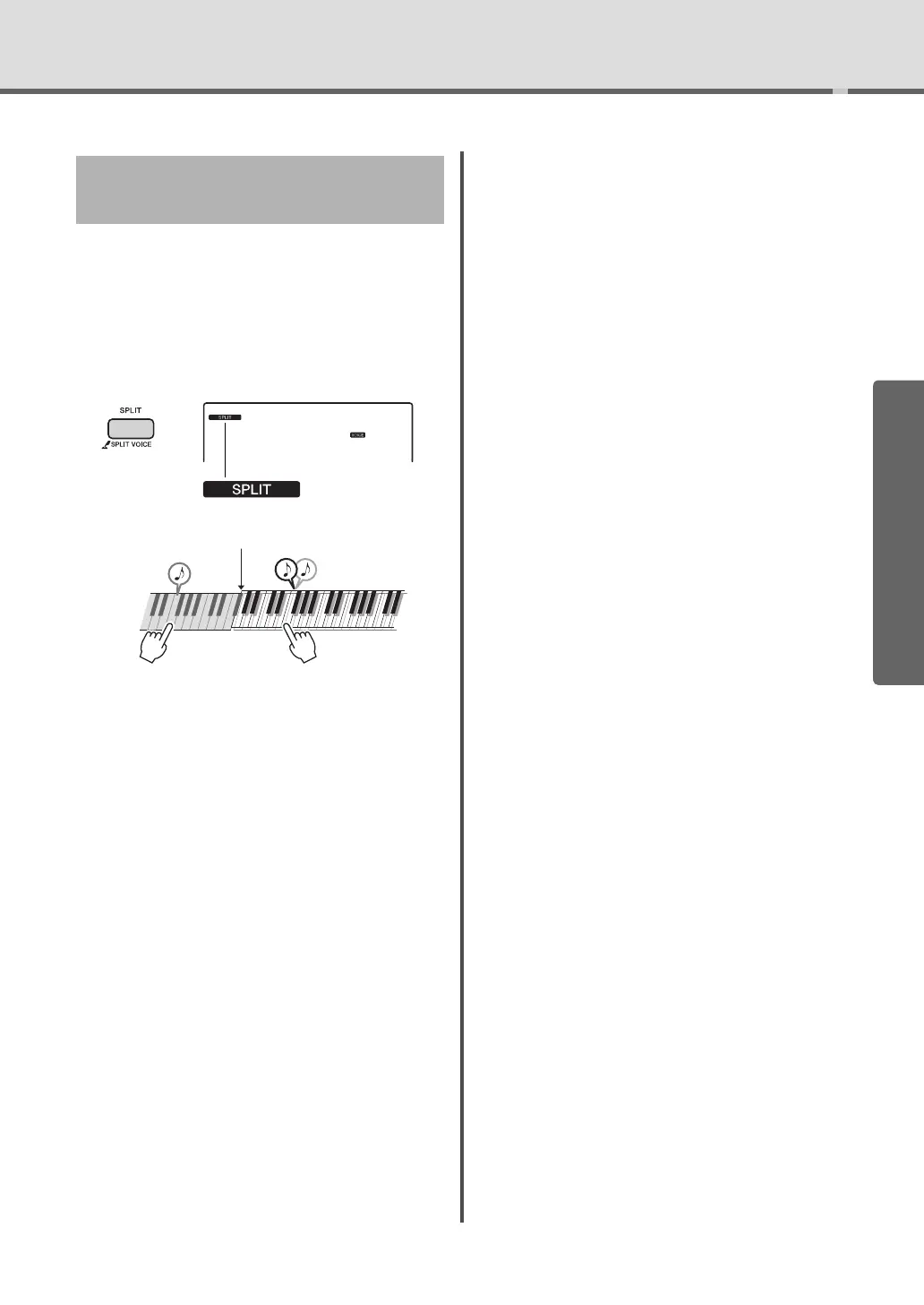
Press the [SPLIT] button to turn on Split.
The keyboard is divided into the Left hand and
Right hand areas.
You can play a “Split Voice” on the Left hand area
of the keyboard while playing a Main Voice and
Dual Voice on the Right hand area of the key-
board.
The highest key for the Left hand area is referred
to as the “Split Point” which can be changed from
the default F#2 key. For details, refer to page 36.
2
Press the [SPLIT] button again to exit
from Split.
You can easily select a different Split Voice (page 36).
Playing a Split Voice in the Left
Hand area
Appears when split
voice is on
Split voice Main voice and
dual voice
Split Point



 To Next Page