Toolbar
Reference Manual
-
19
-
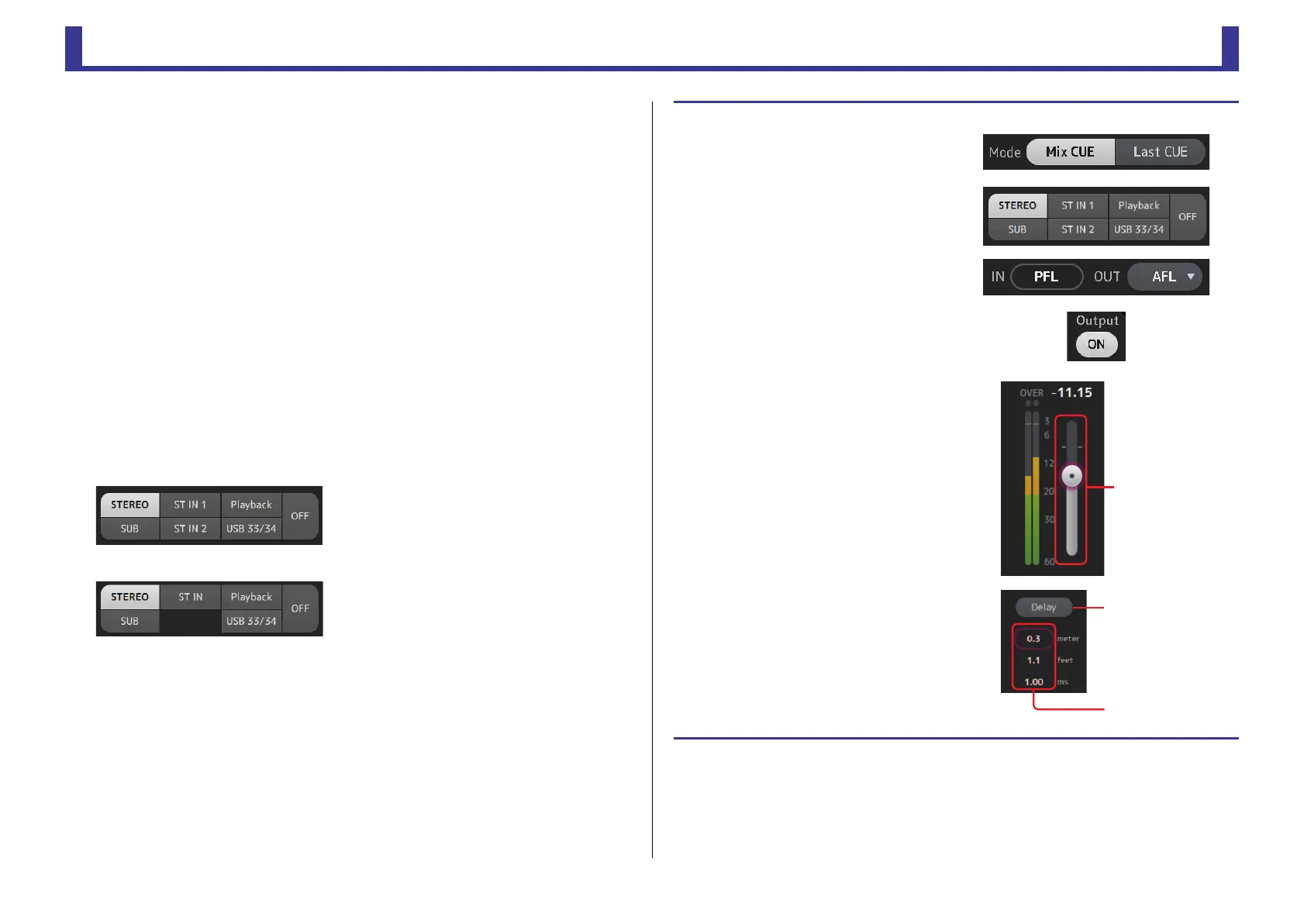
4 Delay button
Delays the monitor signal.
5 Monitor output button
Turns the monitor output on and off.
The signal is output from the [PHONES] jack regardless of this setting.
6 Monitor level meter
Displays the monitor level.
7 Monitor level slider
Adjusts the monitor output level.
The signal is output from the [PHONES] jack regardless of this setting.
8 Clear CUE button
Cancels all cue selections.
9 Delay setting
Determines the delay time by specifying distance (meters or feet) or time (milliseconds).
Touch a text box to display the keyboard and enter a value. (page 10)
0 Monitor selection buttons
Allow you to select the sources that will be monitored.
TF5/TF3/TF1
TF-RACK
Checking the input signals
1. Touch a CUE mode button to select
the desired cue mode.
2. Select the desired monitor sources by
touching the corresponding monitor
selection buttons.
3. Select the desired cue point by
touching the corresponding CUE
point selection button.
4. Touch the monitor output button to
turn the monitor output on and off.
5. Drag the monitor level slider to adjust
the monitor level.
6. Select the desired delay time.
Touch one of the delay setting text boxes to
display the keyboard. You can set the delay
time by specifying distance (meters and feet)
or time (milliseconds).
7. Touch the delay button.
The delay is turned on.
Delay button
Delay setting
Tex t boxe s


 To Next Page