Toolbar
Reference Manual
-
32
-
Assigning a feature to a [USER DEFINED KEY]
1. Touch the Keys button.
The screen where you can select the
desired [USER DEFINED KEY] is displayed.
Buttons A–F correspond to [USER
DEFINED KEYS] A–F.
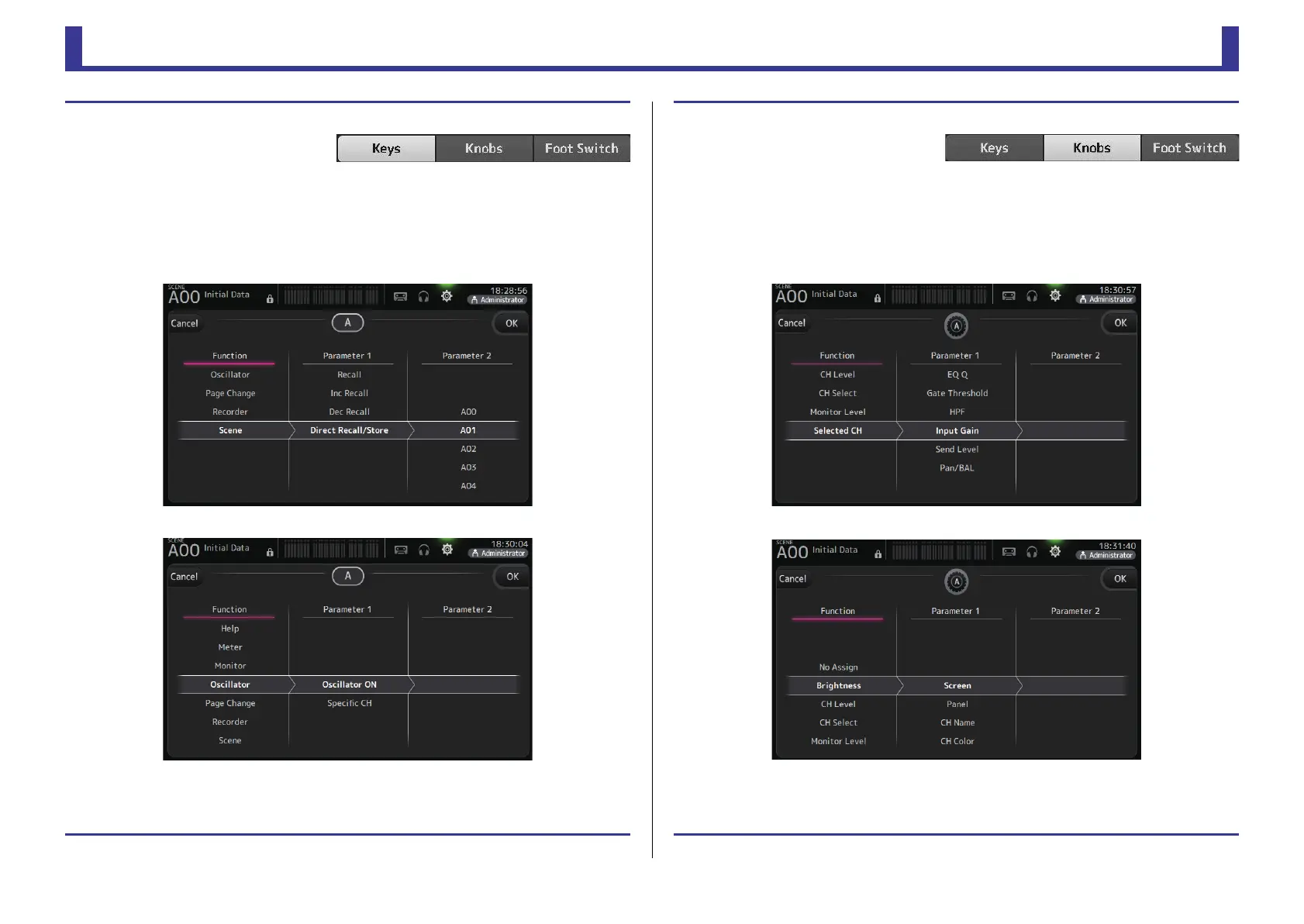
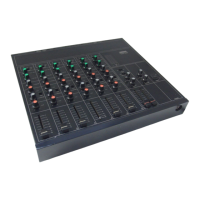
2. Touch the Key button that corresponds to the [USER DEFINED KEY] that you want
to configure.
The configuration screen is displayed.
3. Scroll through the Function list and select the desired feature.
4. Scroll through the Parameter 1 list and select the desired item.
If items are available in the Parameter 2 list, select the desired item.
5. Touch the OK button.
Assigning a feature to a [USER DEFINED KNOB]
1. Touch the Knobs button.
The screen where you can select the
desired [USER DEFINED KNOB] is
displayed.
Buttons A–D correspond to [USER DEFINED KNOBS] A–D.
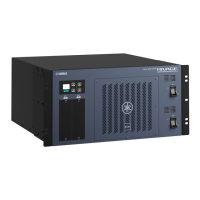
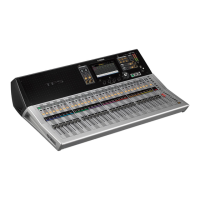
2. Touch the Knob button that corresponds to the [USER DEFINED KNOB] that you
want to configure.
The configuration screen is displayed.
3. Scroll through the Function list and select the desired feature.
4. Scroll through the Parameter 1 list and select the desired item.
If items are available in the Parameter 2 list, select the desired item.
5. Touch the OK button.


 To Next Page