OVERVIEW screen
Reference Manual
-
43
-
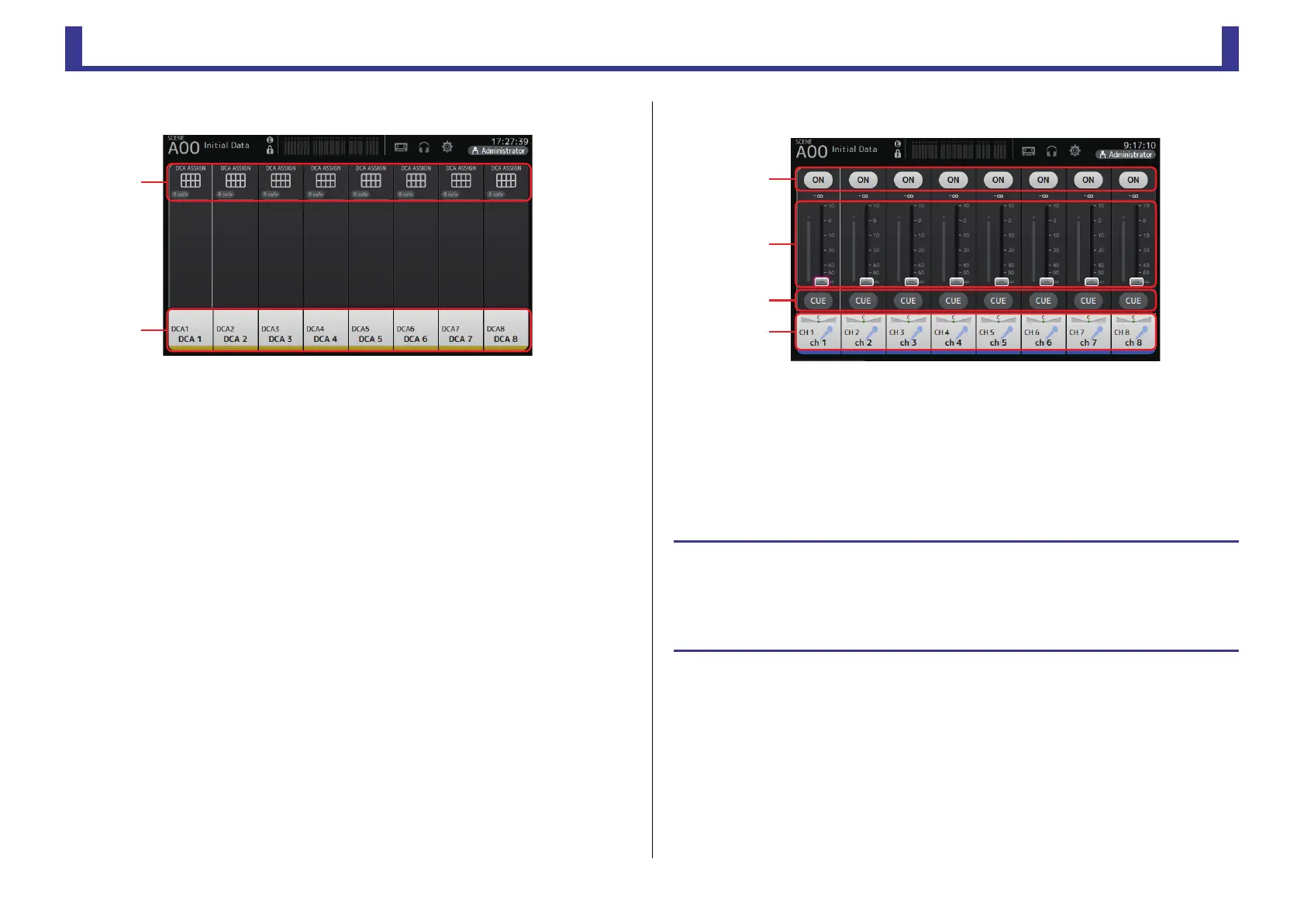
Group channels
1 Displays the DCA ASSIGN screen. (page 75)
2 Displays the CH VIEW screen. (page 63)
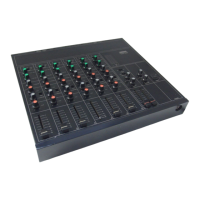
FADER section
1 ON button
Turns the channel on and off.
2 Fader
Adjusts the channel’s fader level.
3 CUE button
Turns the cue on and off for the assigned channel.
4 Displays the CH VIEW screen. (page 63)
ձ
ղ
OVERVIEW screen operations
When you touch an item on the screen, a pink box is displayed around the item to highlight it.
When an item is highlighted, you can adjust it using the [TOUCH AND TURN] knob.
If you touch a highlighted item, its configuration screen is displayed.
You can drag or swipe up, down, left, and right to display other areas of the screen.


 To Next Page