Configuration screens
Reference Manual
-
52
-
EQ screen menu
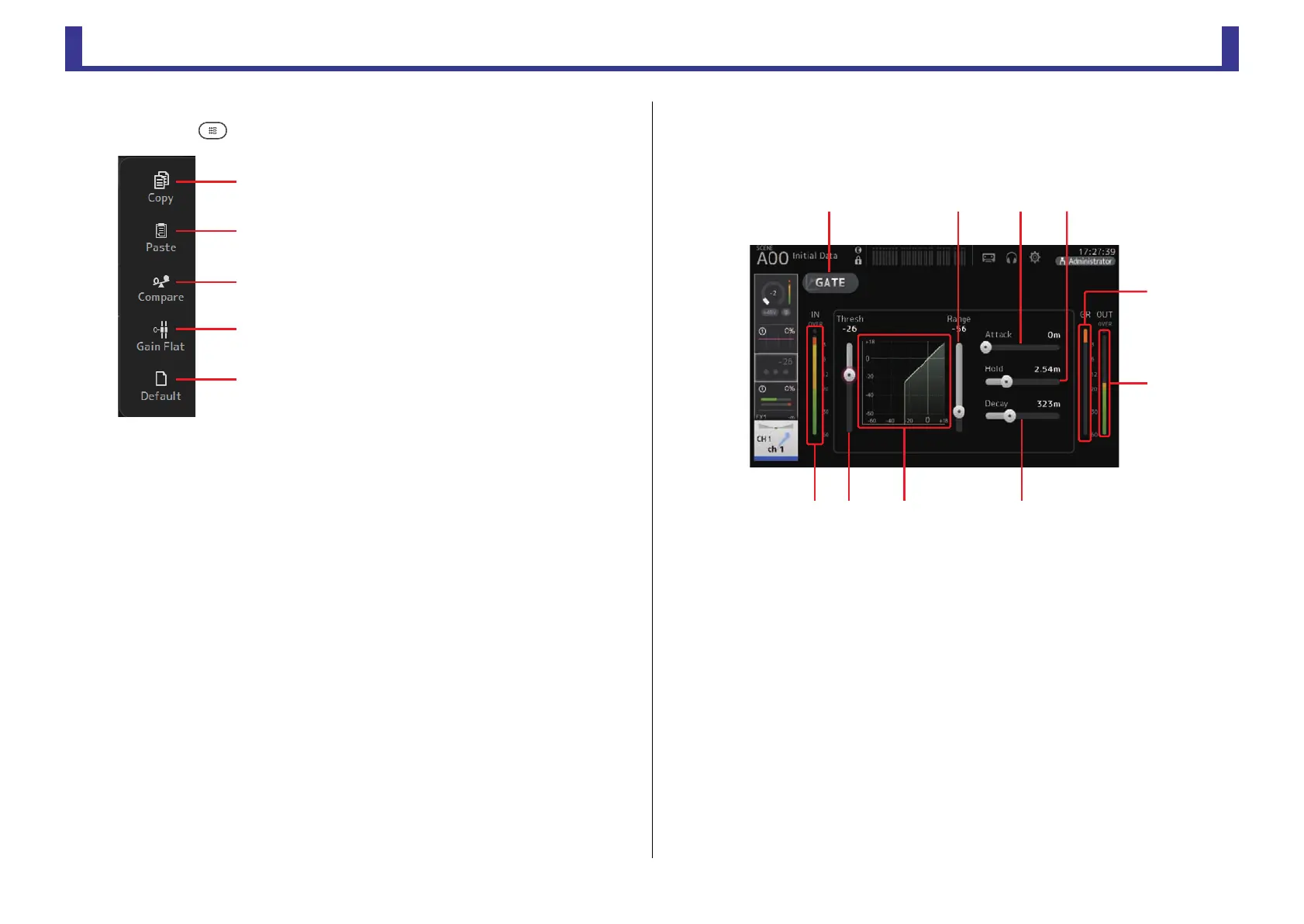
Press the Menu key ( ) from the EQ screen to display the following options.
GATE screen
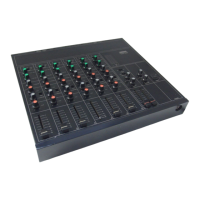
Allows you to configure the noise gate for each channel. When the input signal level is lower
than a specified amount (threshold), the output signal is reduced by a specified amount
(range). GATE is available for CH 1–32.
1 GATE button
Turns the gate on and off.
2 Gate input level meter
Displays the gate input level.
3 Threshold slider
Determines the level at which the gate is applied.
4 Gate graph
Displays a visual representation of the gate level.
5 Range slider
Determines the amount by which the signal will be lowered when the gate is applied.
6 Attack slider
When the input signal exceeds the threshold, this setting determines how quickly the
gate opens.
1 Copy
Copies the EQ parameters of the selected channel
to the clipboard.
2 Paste
Pastes the EQ parameters in the clipboard to the
selected channel.
3 Compare
Allows you to compare the EQ parameters of the
selected channel with the EQ parameters in the
clipboard by switching between the two.
4 Gain Flat
Sets the EQ gain for all bands to 0.
5 Default
Resets EQ settings to their default values.


 To Next Page