Configuration screens
Reference Manual
-
77
-
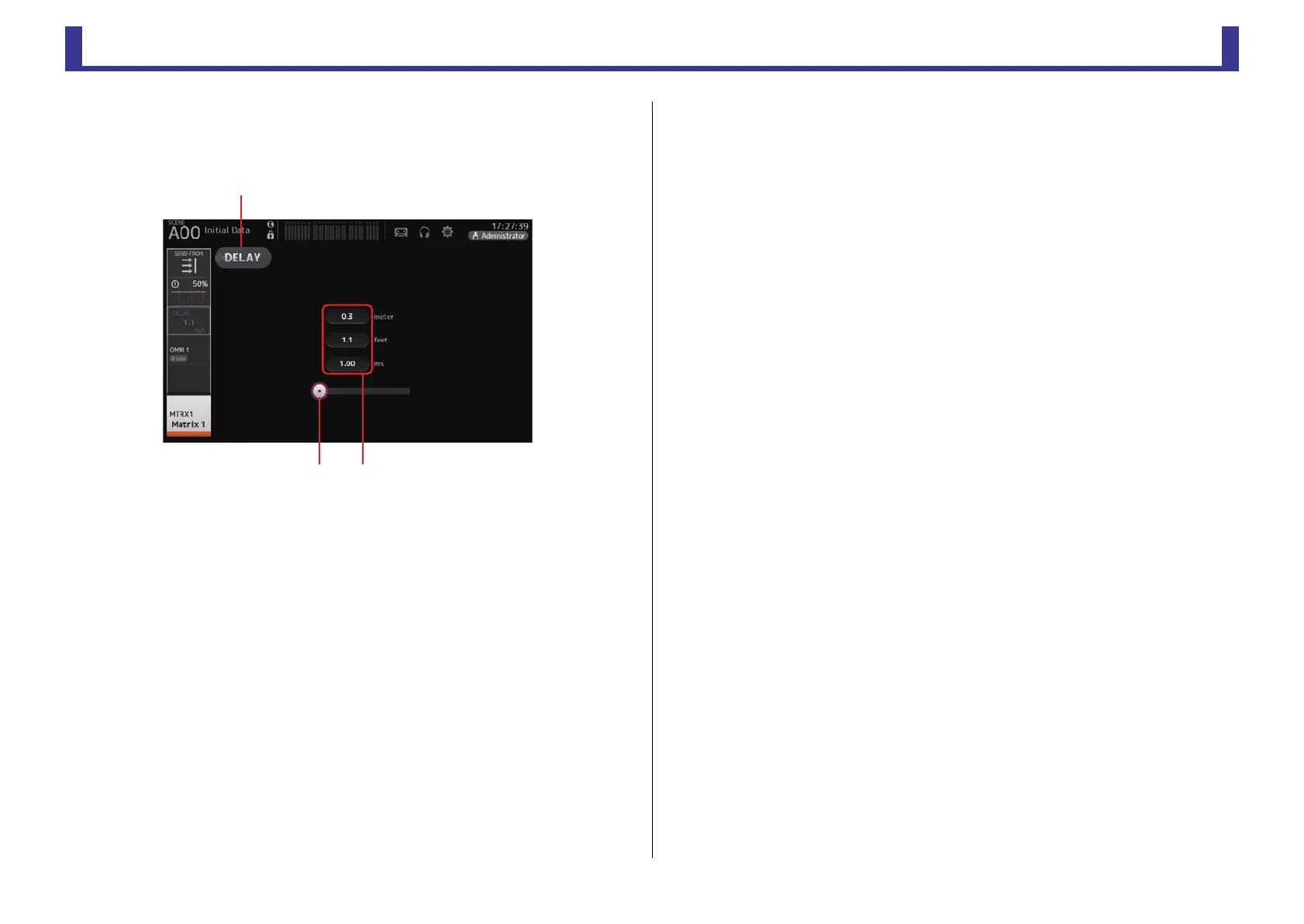
DELAY screen (V2.5 and later)
Allows you to configure the delay applied to the signal output from the MATRIX channels.
This works well for delay compensation for speakers that are placed far away.
1 DELAY button
Turns the DELAY on and off.
2 DELAY slider
Allows you to adjust the delay time.
You can specify the delay time in meters, feet, or milliseconds.
3 DELAY setting
Determines the delay time by specifying distance (meters or feet) or time (milliseconds).
Touch a text box to display the keyboard and enter a value.
ձ
ղ
ճ


 To Next Page