Maintenance screen
Reference Manual
-
79
-
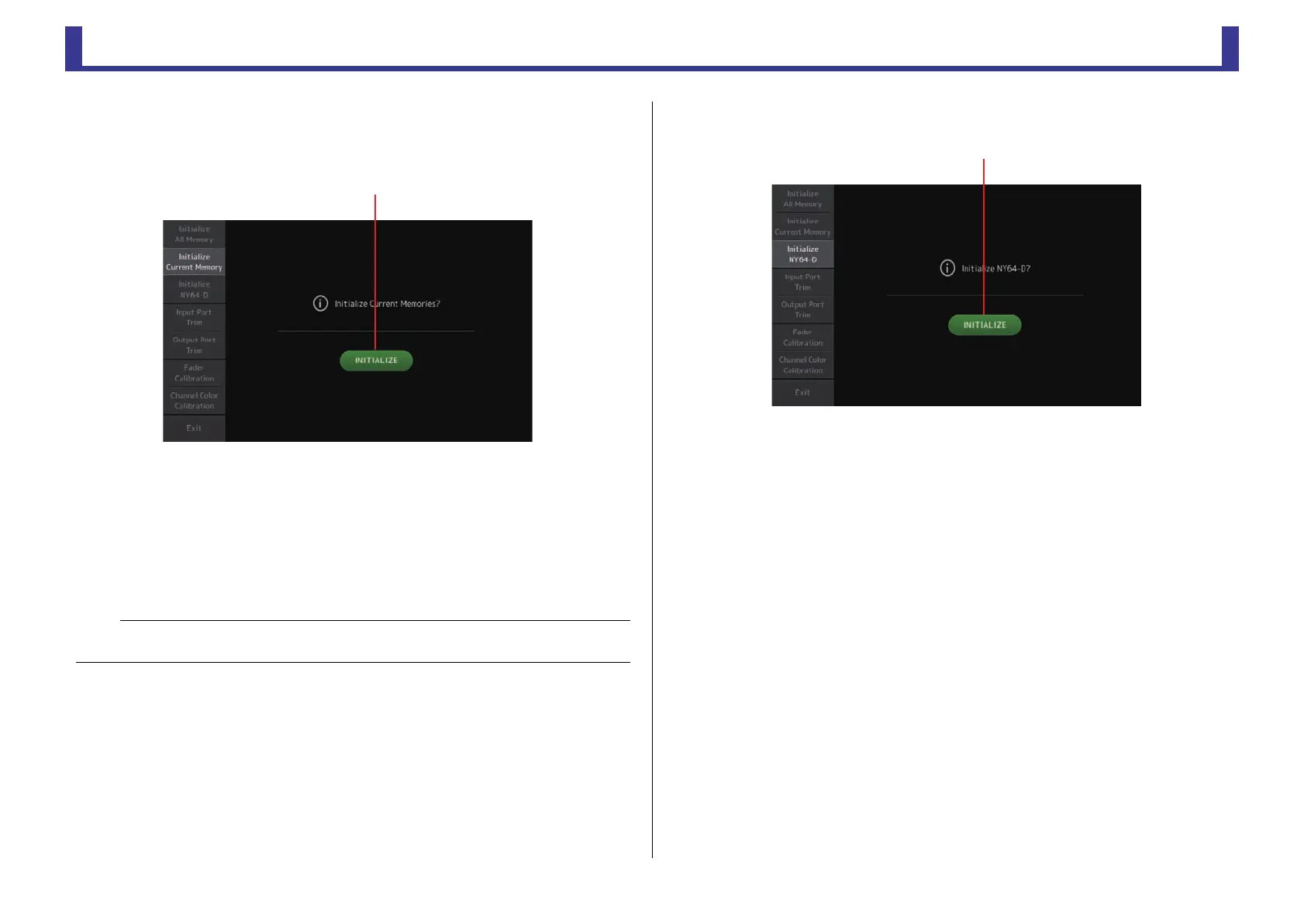
Initialize Current Memory screen
Resets the console's current memory to the factory default settings. Scene memory and
Libraries are not reset.
1 INITIALIZE button
Initializes the current memory.
The following data is initialized: mixing data and setup data.
Touch to display the confirmation message. Touch the OK button to perform the
operation.
Do not touch any buttons until the initialization is complete.
When initialization is complete, you can continue to use other maintenance features
without exiting.
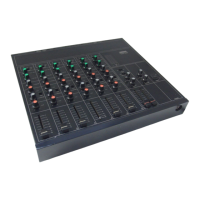
Initialize NY64-D screen (V3.0 and later)
1 INITIALIZE button
Resets the settings of the NY64-D installed in the expansion slot. After initializing, in
order to reconfigure the connected Dante device, we recommend first turning the TF
series console off and then on again.
NOTE
• When initializing the current memory, all data in the current memory will be lost. Use caution when
performing this operation.
ձ


 To Next Page