Toolbar
Reference Manual
-
27
-
Data that can be saved and loaded
The following data can be saved and loaded on the SAVE/LOAD screen.
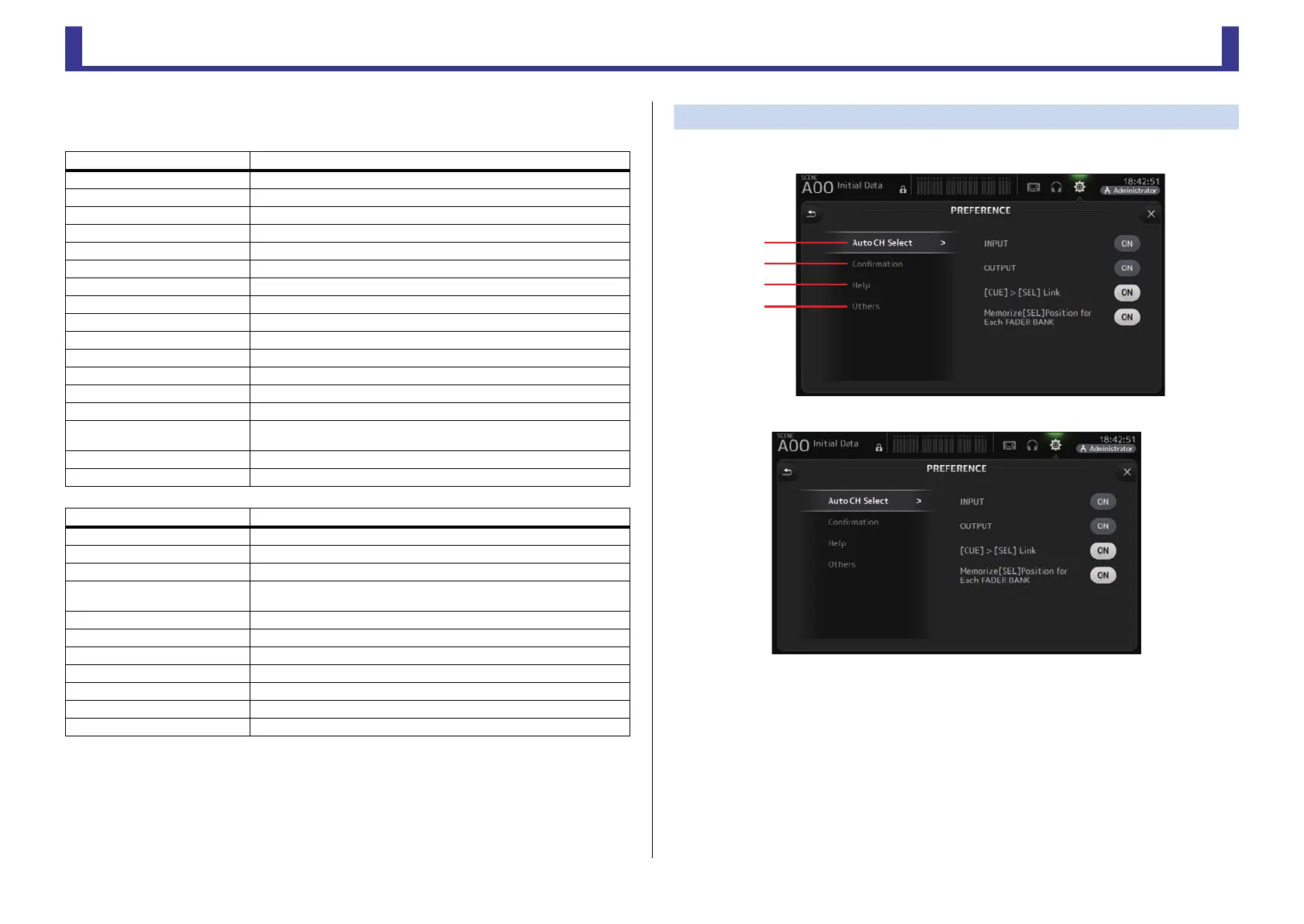
PREFERENCE screen
Allows you to configure general operating settings regarding confirmation message display,
[SEL] key behavior, etc.
1 Auto CH Select section
INPUT/OUTPUT: When turned on, a channel of the corresponding type will be selected
automatically when you operate that channel's fader.
You can turn this feature on and off independently for input channels
and output channels.
[CUE] > [SEL] LINK: When turned on, a channel will be selected when you turn its CUE
on.
Memorize [SEL] Position for Each FADER BANK: Determines whether channel
positions are remembered in fader
banks.
Data that is saved/loaded Description
Scene Memory All Scenes and the current Scene
Channel Library All channel Presets
+48V Master
Mute Safe
Mute Master
Cue Except channel cue settings
Oscillator Except oscillator on
Monitor
Meter
Recall Safe
User Defined Keys
User Defined Knobs
Foot Switch
Custom Fader Bank
Preference
Except the following settings: Help Language, Show Help at Startup, Touch
Area Optimization, [Home] Key
Slot Setup Quick Config, HA Control
User Account Only when logged in as Administrator
Data that is not saved/loaded Description
Cue Channel cue settings
Oscillator Oscillator on
Brightness
Preference
Help Language, Show Help at Startup, Touch Area Optimization settings,
[Home] Key
Date Time
Network
Console Lock
Input Port Trim
Output Port Trim
Fader Calibration
Channel Color Calibration


 To Next Page