| How to Connect WH62/WH63 | 10
Procedure
Press the Mute button and Call Control button for 3 seconds until the LED on the headset flashes
orange and you hear "out of range".
Results
The headset and the base are unpaired.
How to Connect WH62/WH63
You can connect one or both of the desk phone and the PC.
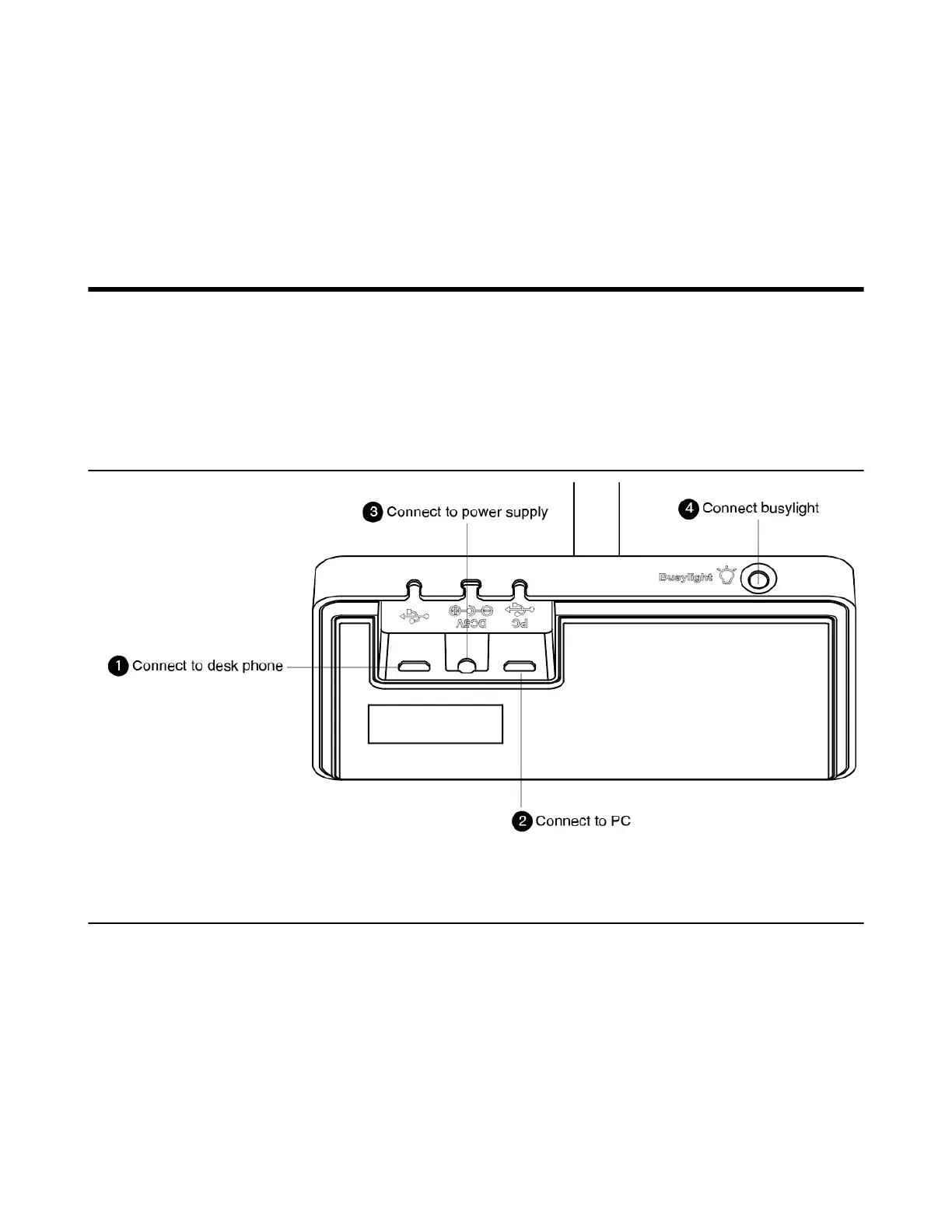
• WH62/WH63 Port Overview
• Connect to PC via USB Cable
• Connect to Desk Phone via USB Cable
WH62/WH63 Port Overview
Connect to PC via USB Cable
Procedure
1. Connect one end of the USB cable to the PC port of the base.



 To Next Page
 Loading...











