| How to Use | 31
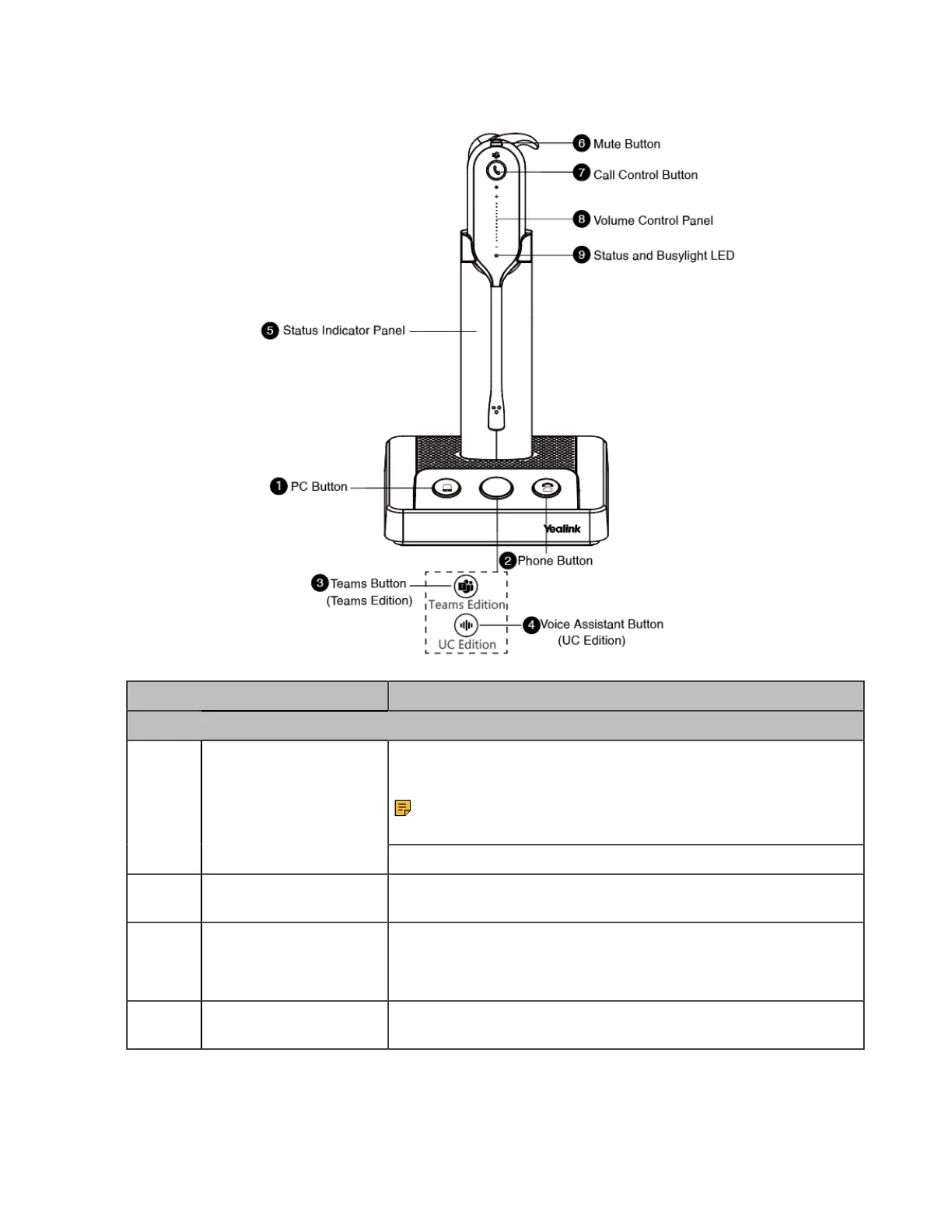
WH63 Base & Headset Hardware
Name Description
Base
Press to enter the softphone dialing screen, answer or end a
softphone's call.
Note: It is not applicable for Teams software temporarily
because of the Teams issue.
1 PC Button
Press to answer or end a softphone's call.
2 Phone Button Press to enter the phone dialing screen, answer or end a phone's
call.
3 (Teams Version) Teams
Button
• Hold for 2 seconds to activate Cortana integrated in Teams (this
requires Microsoft's support).
• Press to invoke the Teams client in the idle state.
4 (UC Version) Voice
Assistant Button
Hold for 2 seconds to activate the voice assistant.



 To Next Page
 Loading...











