| Yealink USB Connect | 63
Procedure
1. Connect the headset to the USB port of a PC.
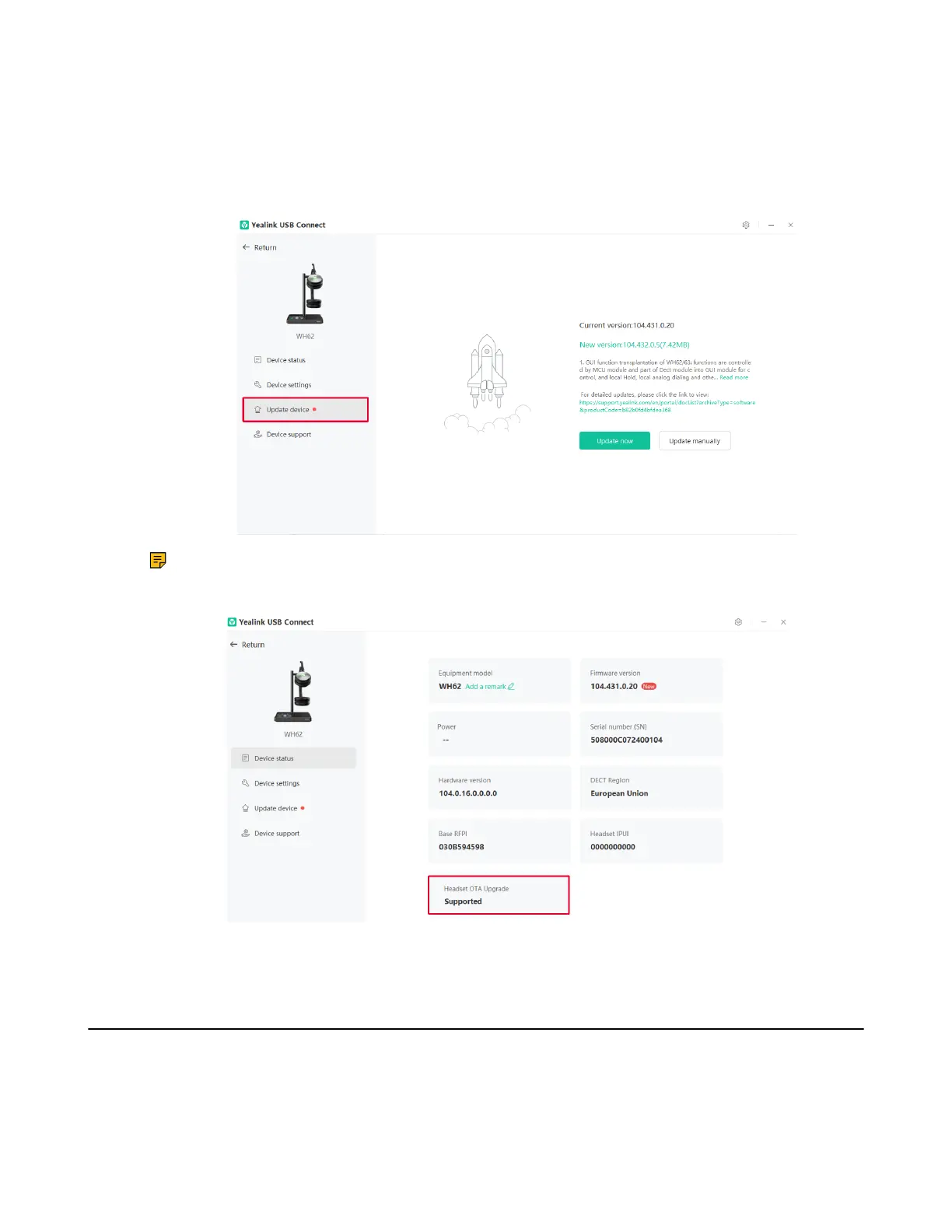
2. Update the headset firmware via Yealink USB Connect.
• Update now
• Update manually
Note: For WH62/WH63, the headset used with WDD60 /W80B DECT Base /W90B DECT Base
should upgrade the firmware through over-the-air transmission. You can check whether the
headset supports OTA upgrade through Yealink USB Connect.
For more information on Yealink USB Connect, refer to Yealink USB Device Manager Client User Guide.
Device Status
For the device status, you can:
• Change the device name
• Check the basic information (Firmware/hardware version, headset version etc,.)
• Check the headset/base serial number (SN)



 To Next Page
 Loading...











