| How to Use | 35
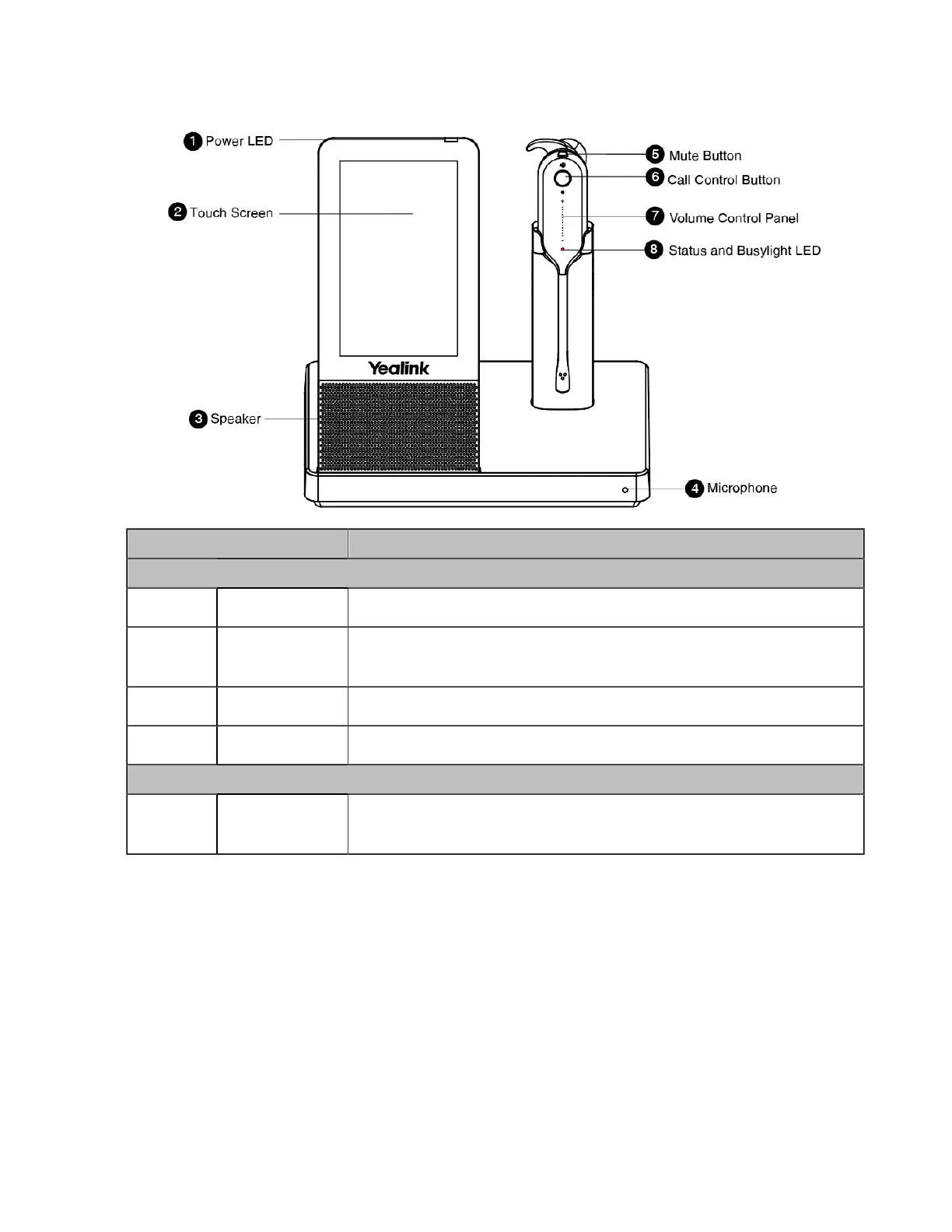
WH67 Base & Headset Hardware
Name Description
Base
1 Power LED
Indicates the base status.
2 Touch Screen
• Shows your headset's battery status, headset connection status, etc.
• Select items and navigate menus.
3 Speaker
Provide hands-free (speakerphone) audio output.
4 Microphone
Provide hands-free (speakerphone) audio input.
Headset
5 Mute Button
• Toggle the microphone on and off.
• Long press to switch between headset and speakerphone mode.



 To Next Page
 Loading...











