| How to Manage Calls | 43
Basic Call Usage on WH62/WH63 Base
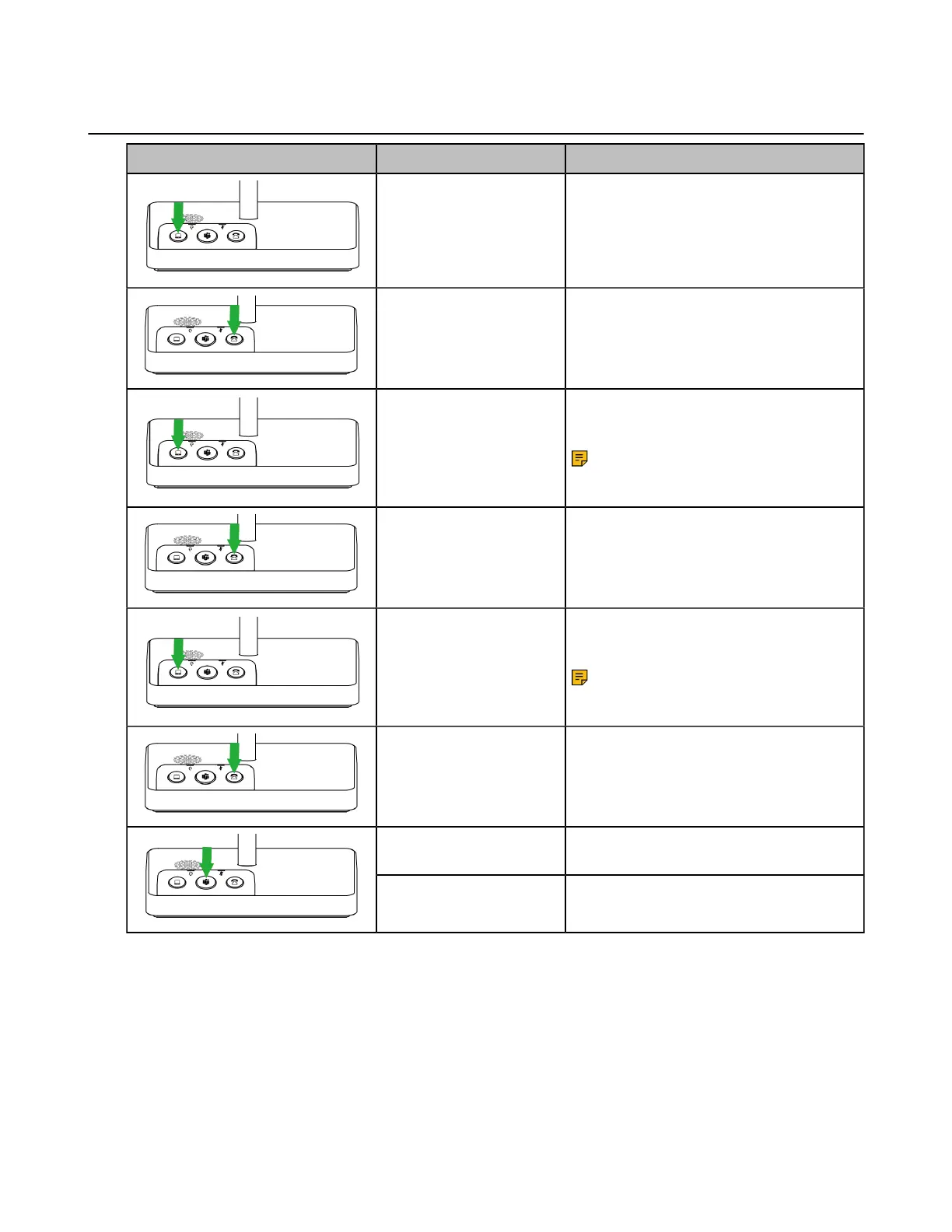
WH62/WH63 Base Function Action
Answer/end a softphone's
call
Press the PC button.
Answer/end a desk
phone's call
Press the Phone button.
Reject a softphone's call
Double-press the PC button.
Note: It is not applicable for
Teams software temporarily
because of the Microsoft Teams
issue.
Reject a desk phone's
call
Double-press the Phone button.
Redial a softphone's call
Double-press the PC button.
Note: It is not applicable for
Teams software temporarily
because of the Microsoft Teams
issue.
Redial a desk phone's
call
Double-press the Phone button.
Activate Cortana
Hold the Teams button for 2 seconds.
(this requires Microsoft's support).
Invoke the Teams client Press the Teams button in the idle state.



 To Next Page
 Loading...











