NeoGate TG Series User Manual
http://www.yeastar.com 21/56
A name for this rule, e.g. “HTTP”.
Simple description for this rule. E.g.: Accept the specific host to
access the web interface for configuration.
The protocols for this rule.
Initial port should be on the left and end port should be on the
right. The end port must be equal to or greater than start port.
The IP address for this rule. The format of IP address is: IP/mask
Ex: 192.168.5.100/255.255.255.255 for IP 192.168.5.100
Ex:192.168.5.0/255.255.255.0 for IP from 192.168.5.0 to
192.168.5.255 .
The format of MAC Address is XX:XX:XX:XX:XX:XX, X means 0~9
or A~F in hex, the A~F are not case sensitive.
Accept: Accept the access from remote hosts.
Drop: Drop the access from remote hosts.
Ignore: Ignore the access.
Note: The MAC address will be changed when it’s a remote device, so it will not be
working to filter using MAC for remote devices.
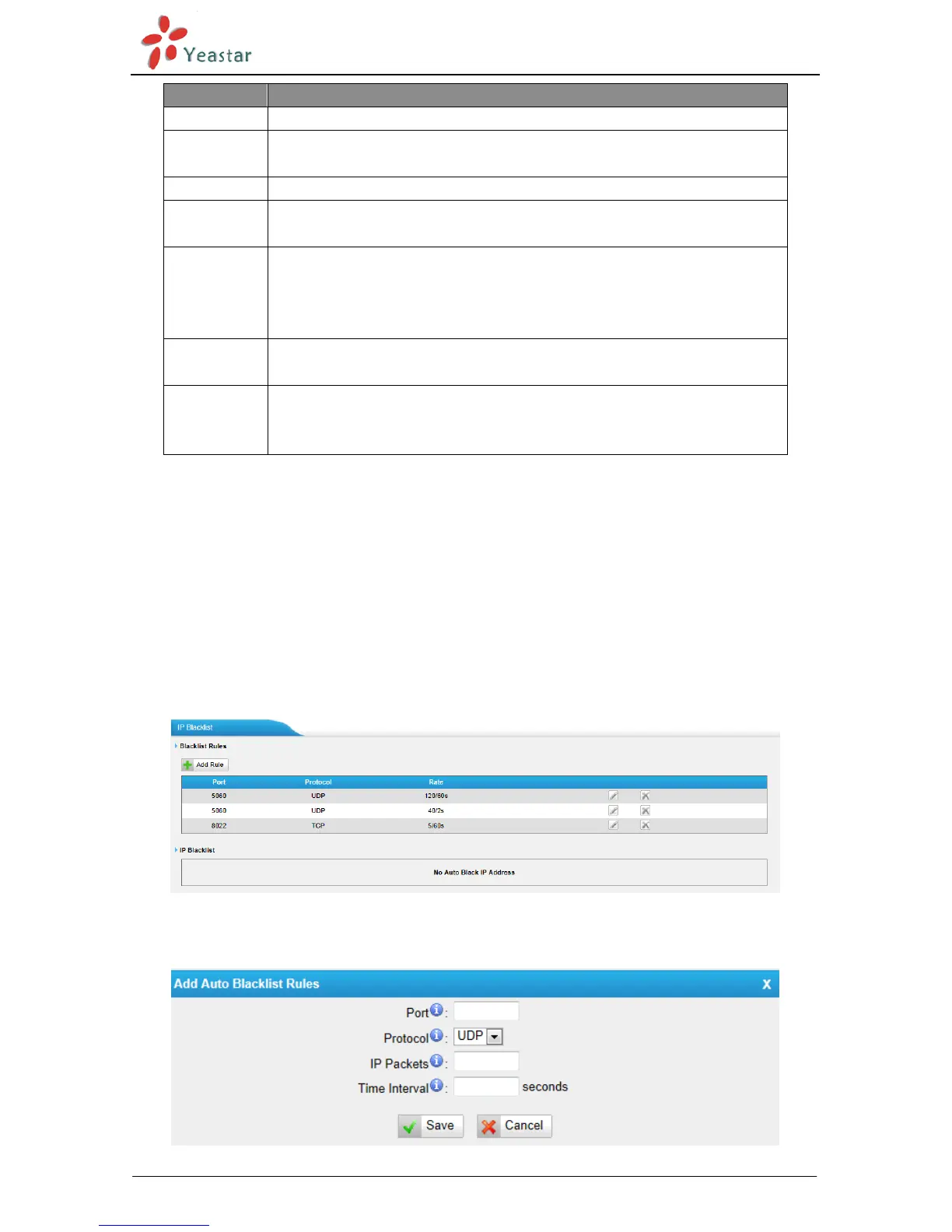
5.2.5 IP Blacklist
You can set some packets accept speed rules here. When a IP address which hasn’t been
accepted in common rules sends packets faster than the allowed speed, it will be set as
black IP address and blocked automatically.
Figure 5-15
1) Blacklist rules
We can add the rules for IP blacklist rate as demanded.
Figure 5-16


 To Next Page
 Loading...