EasyManua.ls Logo

Yeastar Technology TA410 - 3.3.2 Date and Time; 3.3.3 Email Settings

Yeastar Technology TA410
55 pages
Print Icon
To Next Page IconTo Next Page
To Previous Page IconTo Previous Page
Loading...
TA410/810 User Manual
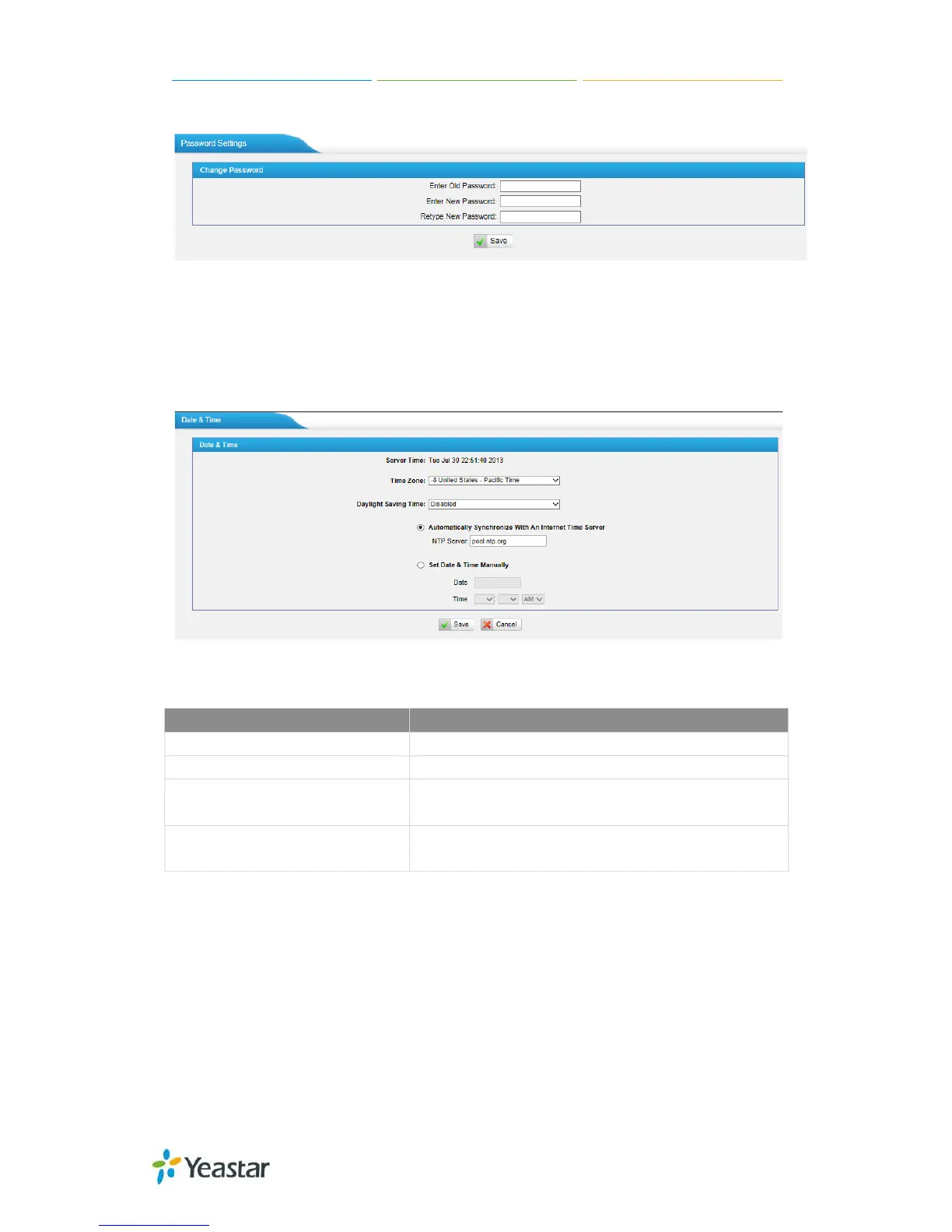
password.
Figure 3-22 Password Settings
3.3.2 Date and Time
Set the date and time for TA410/810.
Figure 3-23 Date & Time
Table 3-11 Description of Date & Time Settings
Items
Description
Time Zone
You can choose your time zone here.
Daylight Saving Time
Set the mode to Automatic or disabled.
Automatically Synchronize With
an Internet Time Server
Input the NTP server so that TA410/810 will update
the time automatically.
Set Date & Time Manually
You can set the time to your local time manually
here.
3.3.3 Email Settings
To send the system alert to email address, please configure the Email settings first,
and make sure SMTP test is successful.
29/55

Related product manuals