TA410/810 User Manual
4.3 Routes Settings
4.3.1 IP->Port
Configure IP->Port routes to control calls from your SIP server to TA410/810 FXO
ports.
Click “Edit” to check the route details, there are two modes for you.
1) Simple Mode
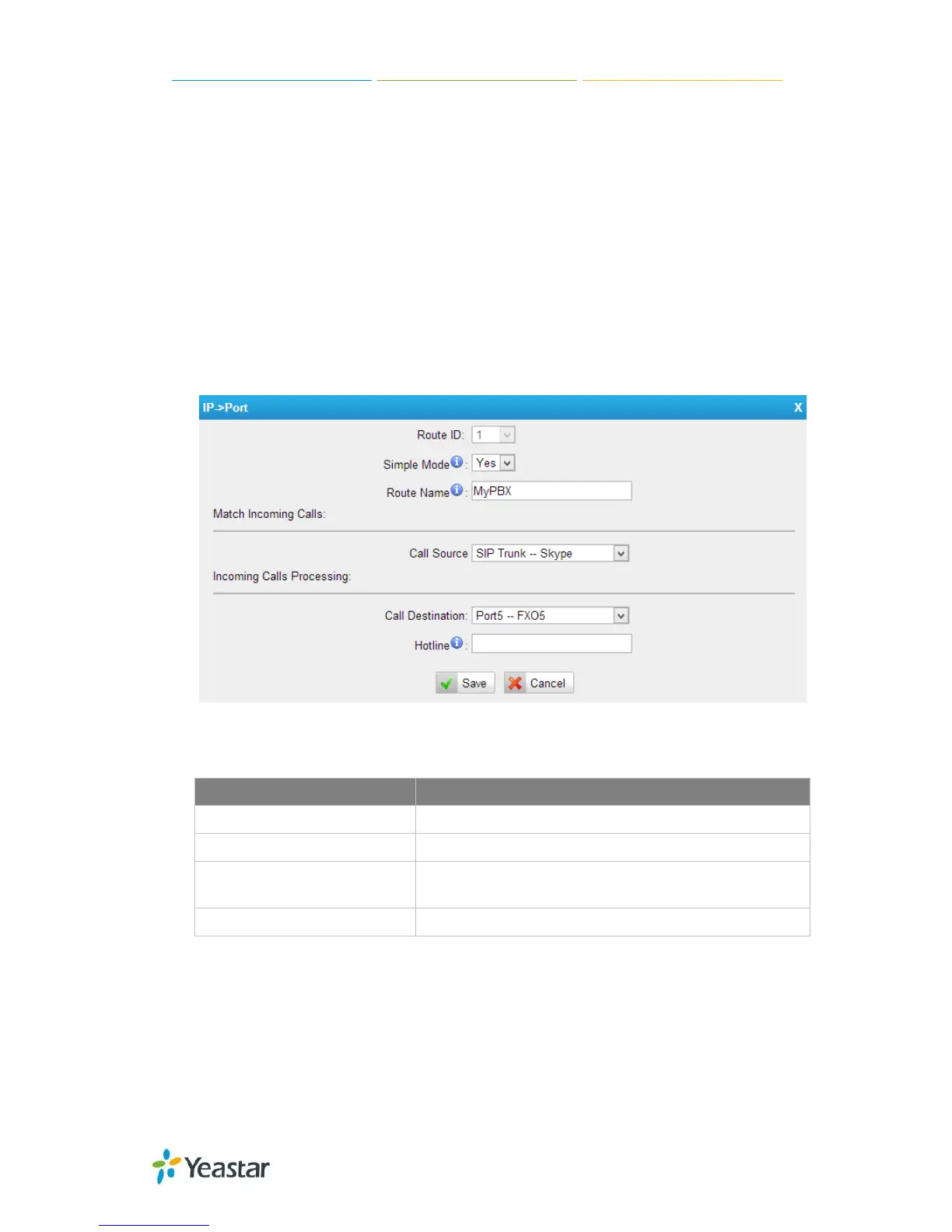
Choose “Yes” for Simple Mode, the simple mode configuration page appears as
below.
Figure 4-14 Simple Mode Route
Table 4-11 Description of Simple Mode Route
Items Description
Route Name
Define the route name.
Call Source
Choose the trunk or trunk group for the incoming calls.
Choose the trunk or trunk group to route the incoming calls
to.
Hotline
Dial the number directly, The dial pattern is ignored.
2) Detail Mode
Choose “No” for Simple Mode, you will see the detailed configuration page as the
following picture shows. Detailed settings for Match Incoming Calls and Handle
Matched Incoming Calls are provided in Detailed Mode.
47/55














 To Next Page