EasyManua.ls Logo

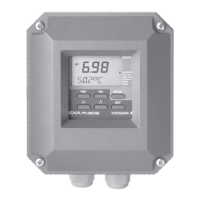
YOKOGAWA SC200 - User Manual

YOKOGAWA SC200
48 pages
Print Icon
To Next Page IconTo Next Page
Loading...
Instruction
Manual
Model SC200
2-wire Conductivity
or Resistivity transmitter
IM 12D7B2-E-H
4th edition

Table of Contents

Questions and Answers

  • W
    Wendy GonzalezAug 17, 2025
    What to do if my YOKOGAWA SC200 Transmitter shows conductivity too high?
    • D
      Donna GoodmanAug 17, 2025
      If the conductivity reading is too high on your YOKOGAWA Transmitter, it indicates that the measurement is out of range. You should check the cell range and reprogram the range accordingly.
  • A
    Arthur SmithAug 19, 2025
    What to do if my YOKOGAWA SC200 Transmitter shows conductivity too low?
    • M
      Michelle BlakeAug 19, 2025
      If the conductivity reading is too low on your YOKOGAWA Transmitter, it means the measurement is out of range. Verify the cell range and reprogram the range.
  • W
    William MyersAug 22, 2025
    Why is my YOKOGAWA SC200 calibration out of limits?
    • A
      allison52Aug 22, 2025
      If the calibration is out of limits on your YOKOGAWA Transmitter, it means the calibration value deviates more than 20%. To resolve this, check the cell, connections, or reference.
  • T
    Tiffany FinleyAug 26, 2025
    How to fix temperature too high on YOKOGAWA Transmitter?
    • W
      William ThomasAug 26, 2025
      If the temperature reading is too high on your YOKOGAWA Transmitter, it could be due to a wrong temperature sensor being selected or a fault in the connections. You should program the correct sensor type and check the connections.
  • B
    brenda38Aug 28, 2025
    How to fix temperature too low on YOKOGAWA SC200 Transmitter?
    • M
      Michelle HatfieldAug 28, 2025
      If the temperature reading is too low on your YOKOGAWA Transmitter, it could be caused by selecting the wrong temperature sensor or a fault in the connections. Program the correct sensor type and check the connections to resolve this.
  • B
    bellkyleAug 31, 2025
    What to do if my YOKOGAWA Transmitter programmed value not accepted?
    • G
      georgefoxAug 31, 2025
      If a programmed value is not accepted by your YOKOGAWA Transmitter, it indicates that the values are not acceptable. Reprogram with new values.
  • A
    aosbornSep 2, 2025
    What to do if my YOKOGAWA Transmitter output span is too small?
    • O
      ochoathomasSep 2, 2025
      If the output span is too small on your YOKOGAWA Transmitter, it means the 0% range value is set too high. Program a value that is less than 60% of the high range.
  • D
    David FloresSep 5, 2025
    How to troubleshoot a faulty signal from conductivity cell in YOKOGAWA SC200 Transmitter?
    • D
      Dr. Christopher WeissSep 5, 2025
      A faulty signal from the conductivity cell in your YOKOGAWA Transmitter can be caused by a polarised or fouled cell. Check that the cell is correct for the range and clean the cell.
  • C
    Casey Martinez PhDSep 8, 2025
    What causes wrong temperature correction in YOKOGAWA SC200?
    • J
      Jeremy MurraySep 8, 2025
      If you are experiencing temperature correction outside limits (> 5?) on your YOKOGAWA Transmitter, it could be due to a fault in the cable or the wrong temperature sensor being selected. Check the connections or program the correct sensor type.
  • M
    Mark RobertsSep 12, 2025
    Why does my YOKOGAWA SC200 output table make no sense?
    • H
      Hannah SpenceSep 12, 2025
      If the output table of your YOKOGAWA Transmitter makes no sense, it means the table changes from ascending to descending or vice versa. Check the programming of the table.

Summary

1. INTRODUCTION

1-1. Application

Describes the EXA SC200 transmitter's purpose in industrial installations.

2. SPECIFICATIONS

2-1. General specifications

Details intrinsic safety, indicating range, transmission signal, power supply, and climatic conditions.

2-2. Functional description

Explains the EXA SC200's real-time micro-controller operation and features.

3. INSTALLATION AND WIRING

3-2. Wiring of sensors

Provides general precautions, hazardous area considerations, grounding, and terminal access for sensor wiring.

3-3. Wiring of power supply

Details precautions, hazardous area installation, terminal access, and power-on procedures for the power supply.

4. COMMISSIONING

4-2. Output range adjustment

Guides through the process of adjusting the output range for the transmitter.

4-4. Temperature compensation

Details how to set up temperature compensation, including automatic and manual methods.

4-5. Sensor selection and diagnostics

Covers selecting conductivity cells, cell constants, temperature sensors, and sensor diagnostics.

5. MAINTENANCE

5-1. Calibration

Provides a step-by-step guide for calibrating the conductivity transmitter.

6. TROUBLE SHOOTING

6-2. Self diagnostics of the conductivity cell

Explains how the instrument checks the conductivity cell for faults like fouling or polarization.

6-6. Error messages and explanation

Lists error codes, their possible causes, and suggested remedies for troubleshooting.

8. CLASSIFICATION

8-1. Cenelec

Details Cenelec classification, including intrinsic safety standards and hazardous area zones.

8-2. FM

Covers FM classification, including installation requirements for hazardous locations.

9. CHANGE FROM CONDUCTIVITY TO RESISTIVITY MEASUREMENT

9-1. How to change from conductivity to resistivity measurement

Provides instructions for physically switching the instrument from conductivity to resistivity mode.

YOKOGAWA SC200 Specifications

General IconGeneral
ModelSC200
TypeTransmitter
DisplayLCD with backlight
Input Channels2
Output Signal4-20 mA, HART
Communication ProtocolHART
Power Supply24 VDC
Process TemperatureDepends on sensor type
EnclosureIP66
MountingPipe, Wall, or Panel
AccuracyDepends on sensor
Measurement RangeDepends on sensor type and configuration

Related product manuals