Applications
95
Device Central
Device Central displays detailed information about the device and connected peripherals and supports the
following Zebra devices:
• RS507/RS507X Hands-free Imager
• RS6000 Bluetooth Ring Scanner
• RS5000 Corded Ring Scanner
• HS3100 Bluetooth Headset
• DS3678 Digital Scanner.
Device Central features include:
• Discovering and pairing with supported peripherals via Bluetooth or corded connection.
• Paging a connected RS6000 Ring Scanner.
• Updating the firmware of supported ring scanners. Refer to the RS5000 Quick Start Guide or RS6000 User
Guide for more information.
• Displaying the connection status of peripherals.
• Displaying information for a connected peripheral in the notification bar.
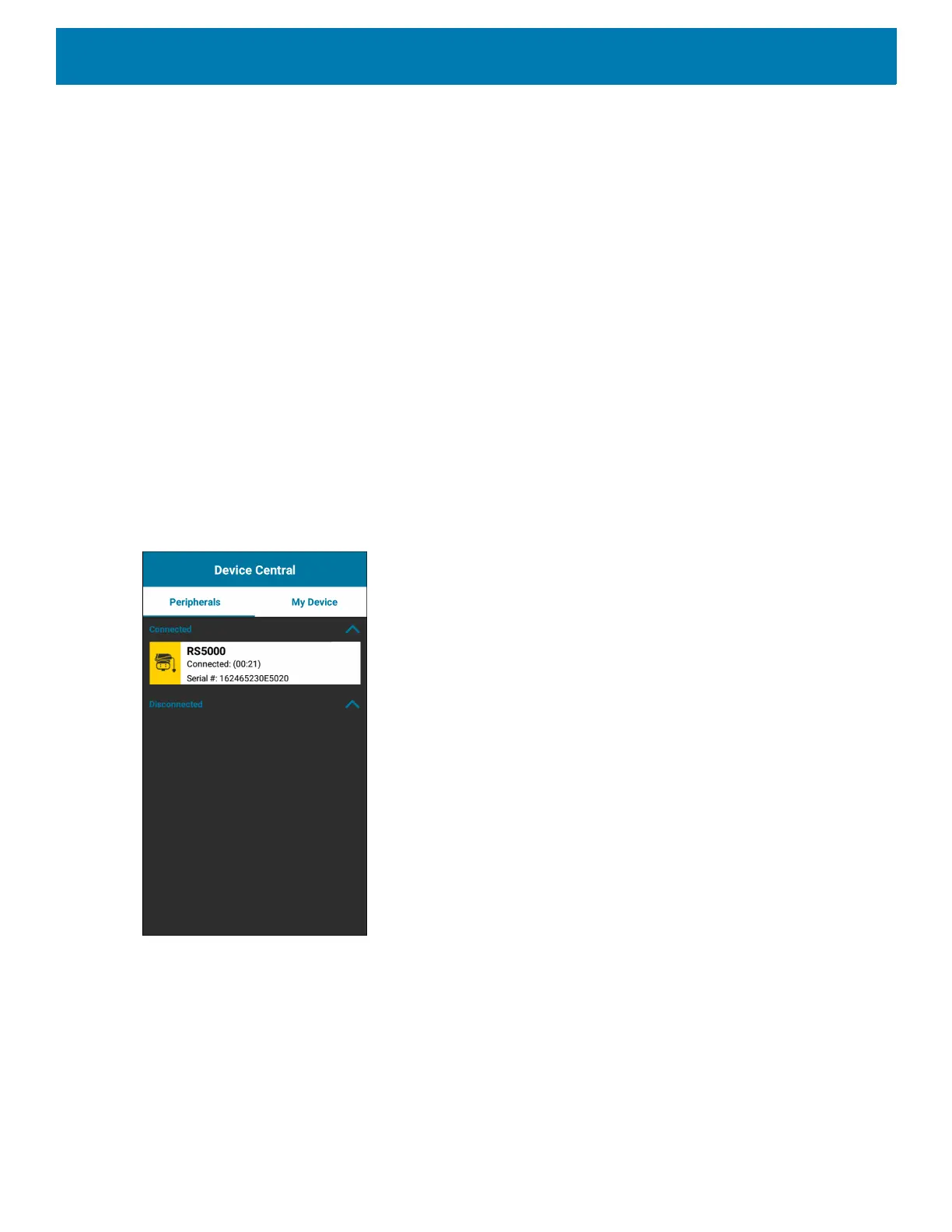
Figure 66 Device Central Screen
Device Central Tabs
• Peripherals Tab - displays all currently connected and previously connected peripherals. Connected
peripherals display the length of time (in minutes) that they have been connected. When an RS6000 is
connected the Page button displays. See Paging an RS6000 Ring Scanner on page 96.
Touch the peripheral information to display the Device Details screen.
• Device Details - displays detailed device information for the selected peripheral.



 To Next Page