OPERATION Stereo microscope
ZEISS Setting reflected-light illumination Stemi 305
28 435063-7044-001 01/2015
4.2 Setting reflected-light illumination
4.2.1 Integrated vertical illuminator
Each Stemi 305 body features a vertical illuminator
of its own.
If no second reflected-light illumination has been
installed, the vertical illuminator is operated as
described below:
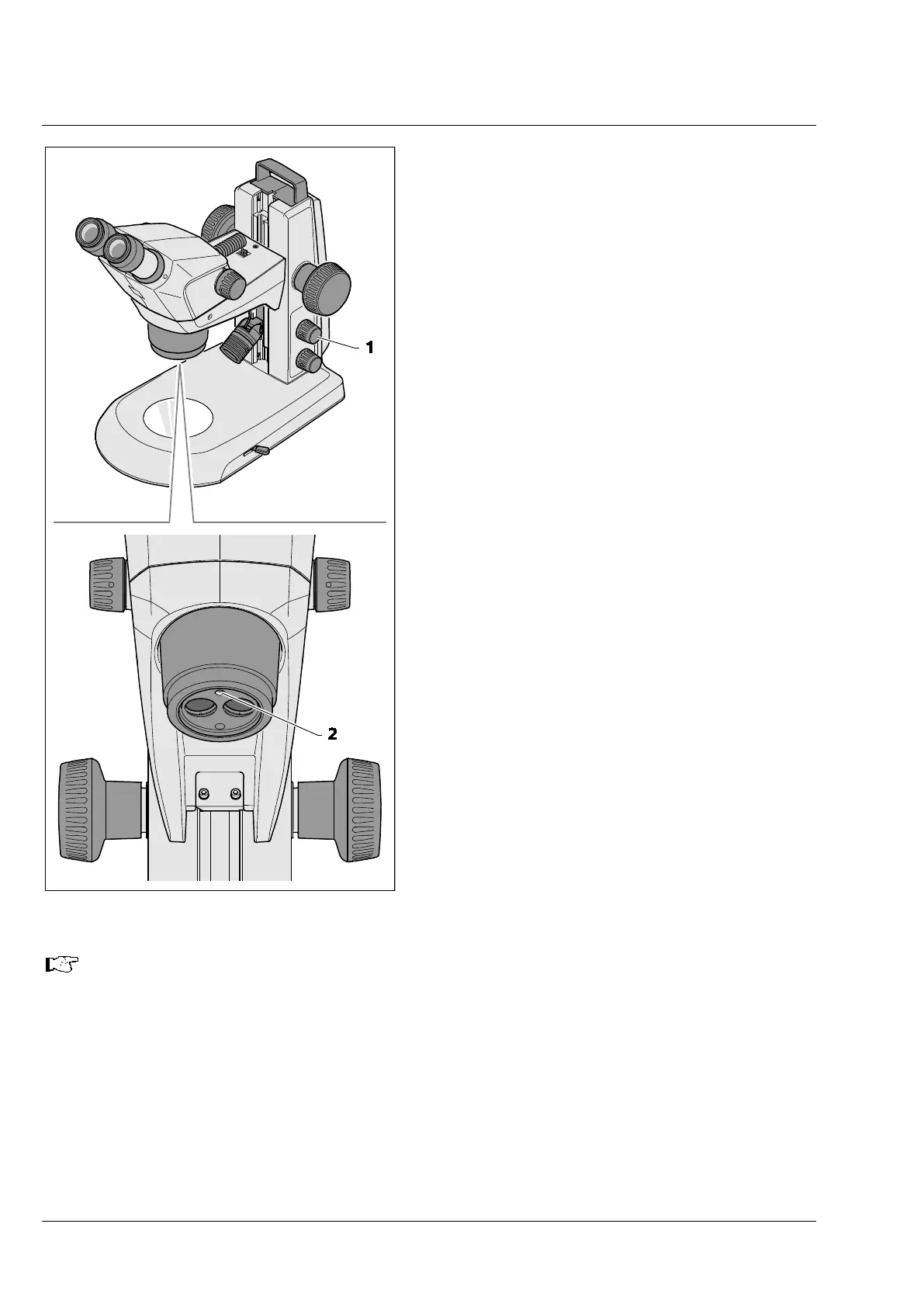
• Press the knob (Fig. 20/1) once to switch the
vertical illuminator (Fig. 20/2) alternately ON or
OFF.
• Turning of the knob serves to adjust the
illumination intensity.
If a second reflected-light illumination has been
installed, the reflected-light illuminators are
operated as described below:
• Press the knob successively to set four
illumination states:
1. Press: to switch the vertical illumination
ON.
2. Press: to switch the second reflected-light
illuminator ON (vertical illumination
OFF).
3. Press: to switch both reflected-light
illuminators ON.
4. Press: to switch both reflected-light
illuminators OFF.
• By turning the knob, the illumination intensity
of the switched-ON reflected-light illuminator
can be adjusted.
When mixing both reflected-
light illuminators, the intensity of the additionally installed
reflected-light illuminator (spot illuminator, double-
spot illuminator, ring illuminator, etc.) is
adopted. In this case, only the vertical illumination is adjusted by turning the knob.
Now, the required intensity of the vertical light is blended in with the reflected-light
illuminator.
Fig. 20 Setting the vertical illuminator










 To Next Page