CARE, MAINTENANCE AND SERVICE Stereo microscope
ZEISS Maintenance Stemi 305
36 435063-7044-001 01/2015
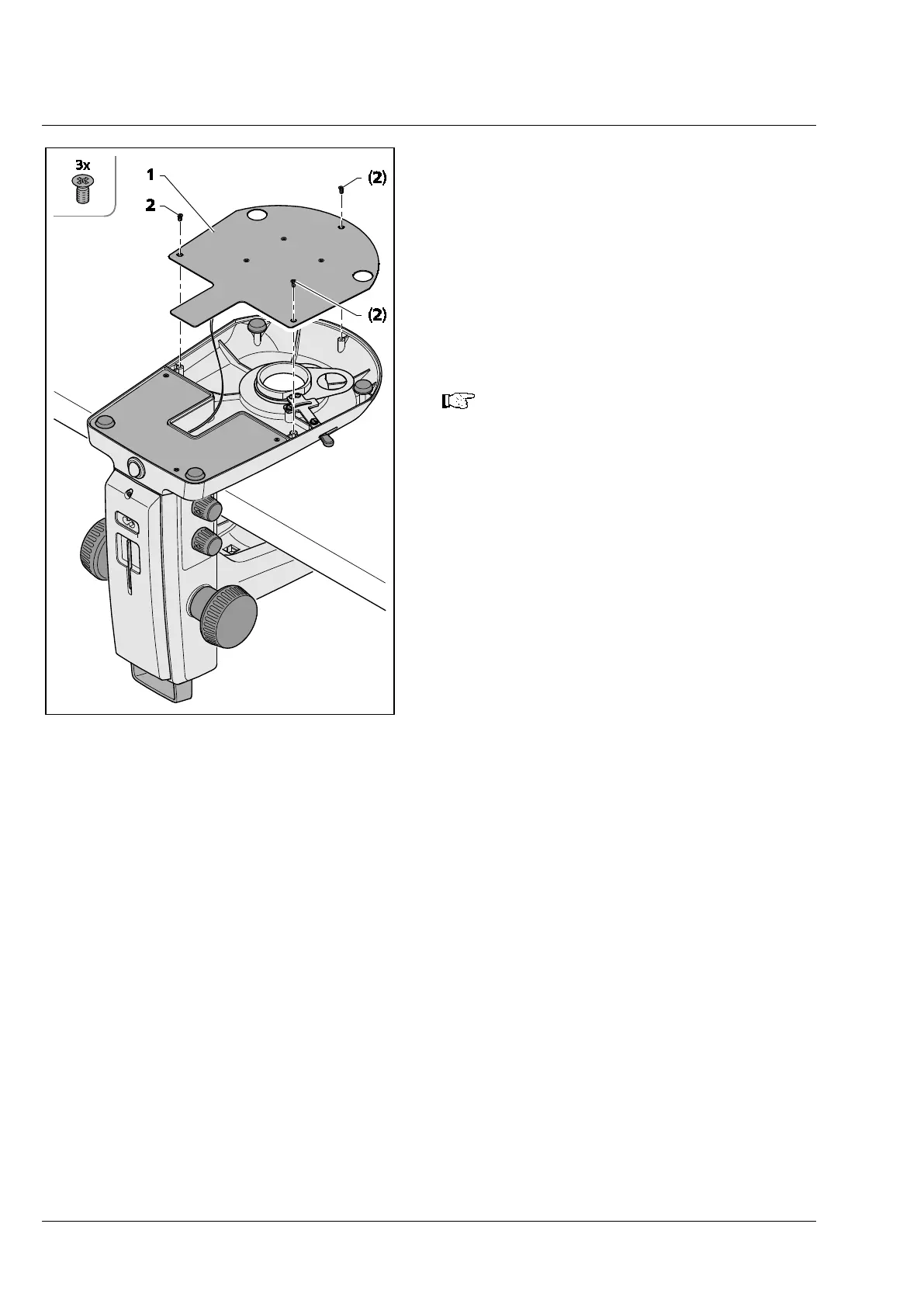
5.2.2 Opening the stand cover plate,
stand K EDU
The stand cover plate (Fig. 28/1) may be removed
for cleaning or to remove any foreign matter which
might fallen in inadvertently.
• To this effect, release the three recessed head
screws (Fig. 28/2), lift off the stand cover plate
(Fig. 28/1) carefully and then put it aside.
• Make sure that the cable is not disconnected
from the stand cover plate (Fig. 28/1).
To clean the LED board, use a soft
lintfree cloth, a cotton wool bud wound
around a round wooden stick or a brush
with natural bristles, possibly moistened
slightly in distilled water.
Fig. 28 Opening the stand cover plate,
stand K EDU










 To Next Page