EasyManua.ls Logo

Zenith Presentation H25D46DT - External Amplifier (Audio out Hookups)

Zenith Presentation H25D46DT
52 pages
Print Icon
To Next Page IconTo Next Page
To Previous Page IconTo Previous Page
Loading...
PAGE 20
206-3492-A
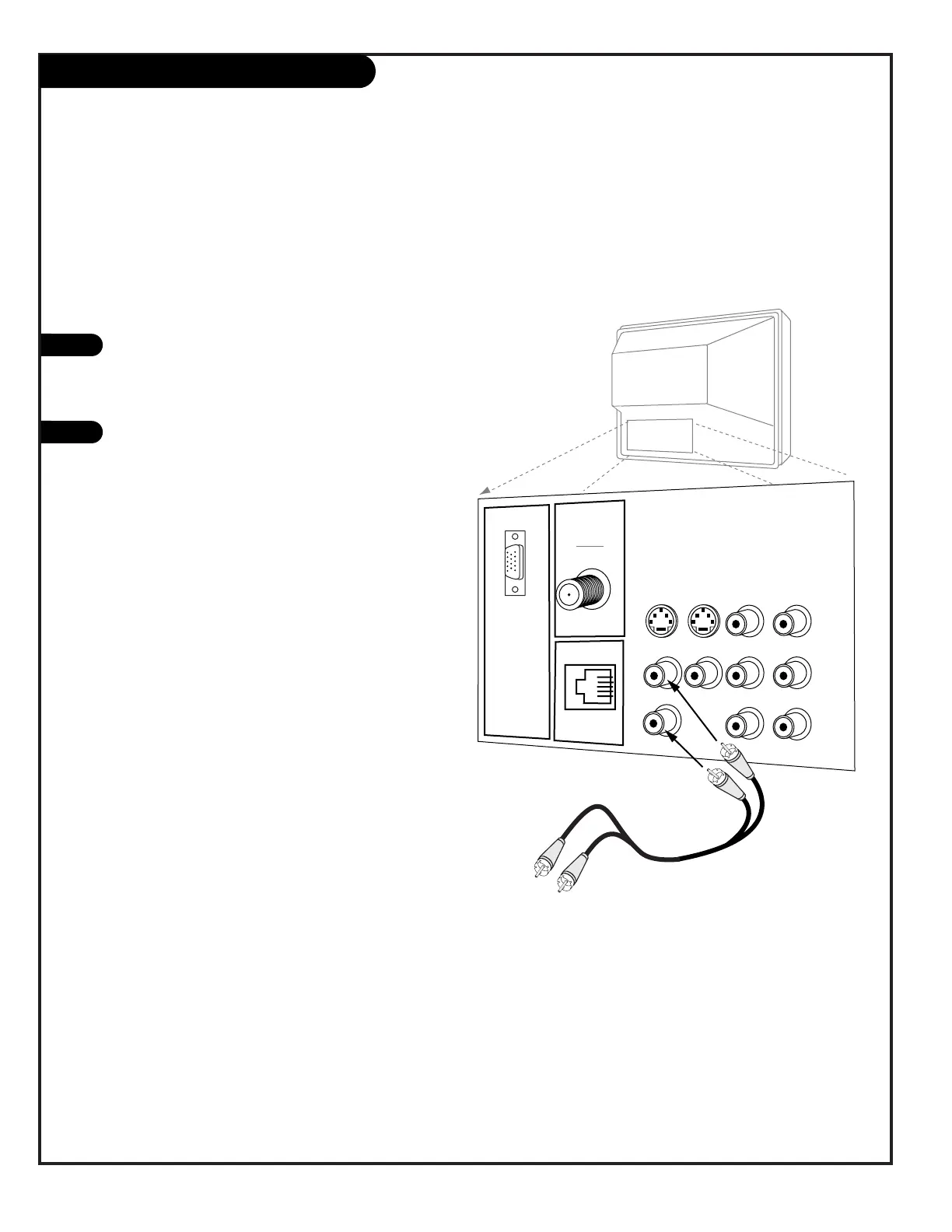
You can send the sound from the TV to an external amplifier
Audio Output: Use the Left and Right Audio Out jacks
to connect an external amplifier and speakers. (Refer
to the Audio Menu page for instructions on how to
turn the TV’s internal speakers off and on.)
Control the Volume level settings using your external
amplifier.
1
2
Audio Out Hookup

VIDEO
ANTENNA
CABLE
R- AUDIO- L
S-VIDEO IN
COMPUTER
AUDIO
R
L
AUX IN
M.P.I.
TV Back
R- AUDIO- L
R- AUDIO- L
S-VIDEO OUT
COMPUTER
IN
AUDIO OUT
Connect Audio Out
to an external
amplifier and
speakers.

Table of Contents

Related product manuals