PAGE 21
206-3602
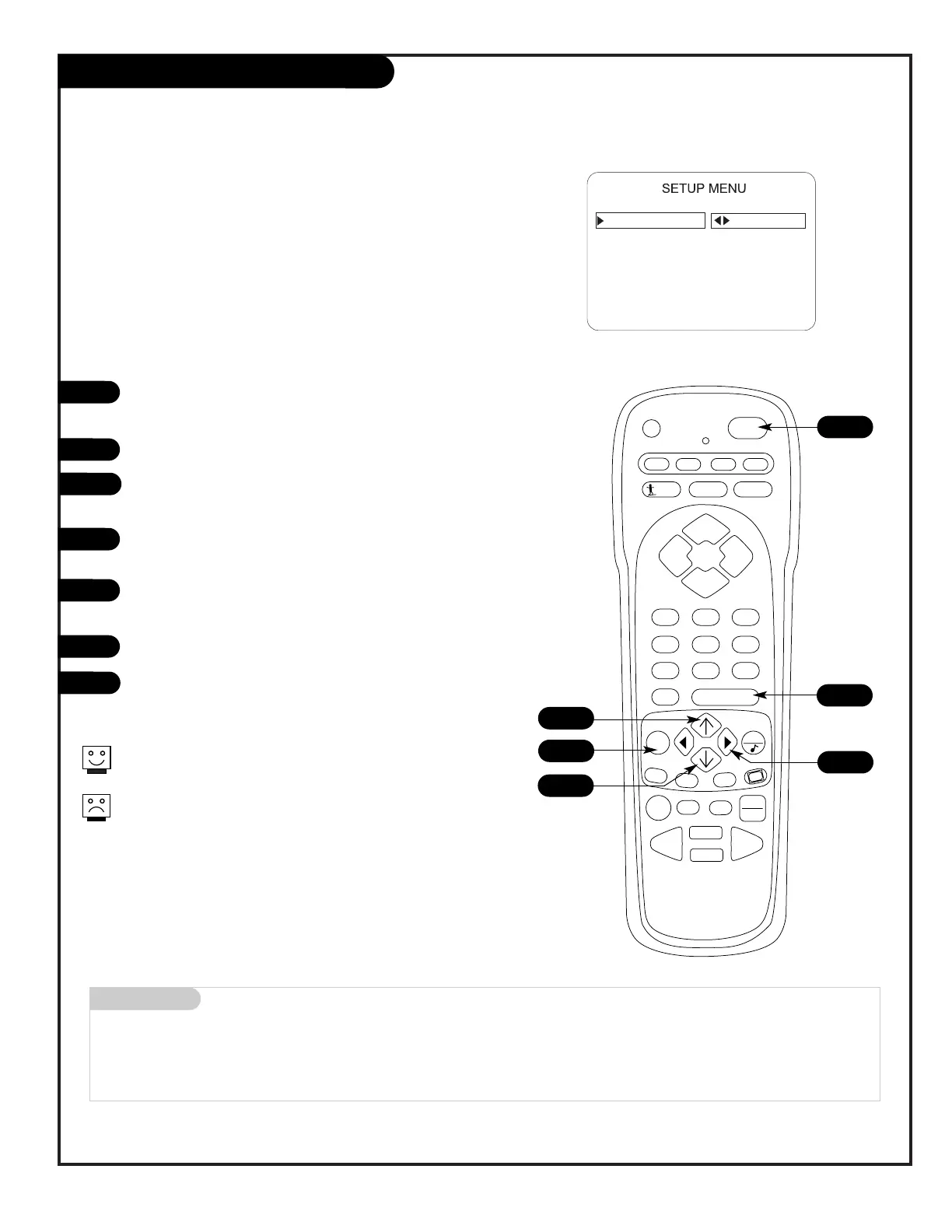
Auto Program (Channel Search)
Use Auto Program to specify Antenna or cable service
incoming signal source and automatically store all of the
channels found by the channel search
With the remote control in hand, press the POWER key to
turn on the Presentation TV.
Press MENU repeatedly until the Setup menu appears.
Using the Up/Down arrow on the remote control, highlight
Auto Program on the screen.
Press the Right or Left arrow to go to the Auto Program
menu.
Using the Up/Down arrow, choose either Cable TV or Off-
Air Antenna on the screen.
Press the Right or Left arrow to begin the Channel Search.
Press ENTER when the channel search is done.
1
2
3
4
5
6
7
Mini glossary
OFF-AIR-ANTENNA If only over-the-air channels are available, select Antenna.
CABLE If you subscribe to a cable service, select Cable.
Note: Auto Program finds channels being received by the TV
tuner.
Cable will not work unless you subscribe to a cable service.
4/6
1
7
2
3/5




 To Next Page