PAGE 33
206-3602
Mini glossary
STEREO SOUND Stereo (stereophonic) sound refers to audio that’s divided into right and left sides.
MONO SOUND Mono (monaural) sound is one channel of sound. On more than one speaker, all the speakers play the same audio.
CUSTOM Your own audio menu settings.
PRESET Original audio menu values before any custom changes have been made.
Customize the sound coming from the TV
1
2
3
4
Not all programming is broadcast in stereo sound or has 2nd
Audio SAP.
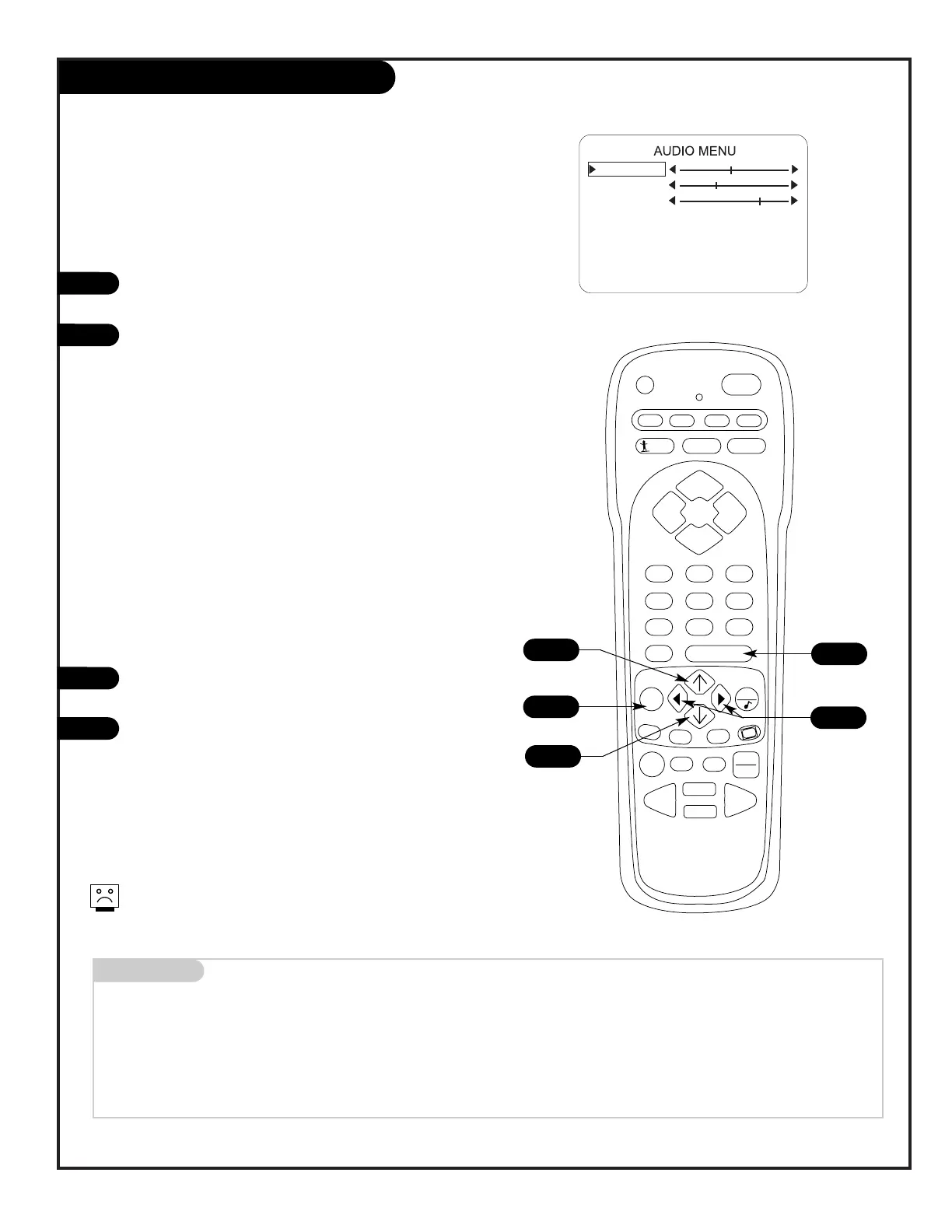
Audio Menu
Press MENU repeatedly on the remote control until the
Audio menu appears.
Using the Up/Down arrow on the remote control, high-
light the audio option you want to change. Choose
from:
• Bass: Increases/decreases lower-end sounds.
• Treble: Increases/decreases higher-end sounds.
• Balance: Allows you to put the sound more to the
left or right channel.
• Audio Mode: Choose from Stereo sound, Mono, or
2nd Audio/SAP.
• SoundRite: Turns the uniform volume feature on or
off.
• Speakers: Turns the TV speakers on or off.
• Front Surround: Turns front surround on or off.
• Audio Pref: Selects Custom or Preset.
Use the Left/Right arrow to adjust or change the
option you have selected.
Press ENTER to return to TV viewing, or use the
Up/Down arrow and return to the Audio Menu to adjust
other options.
2/4
1
4
3
2/4
Menu Operation/Front Control Panel
The menus can also be operated by using the TV front control
panel buttons. See page 22 for menu operation instructions.
If you need to key-in numbers, use the remote control.




 To Next Page