Fine-tune the channel selection list
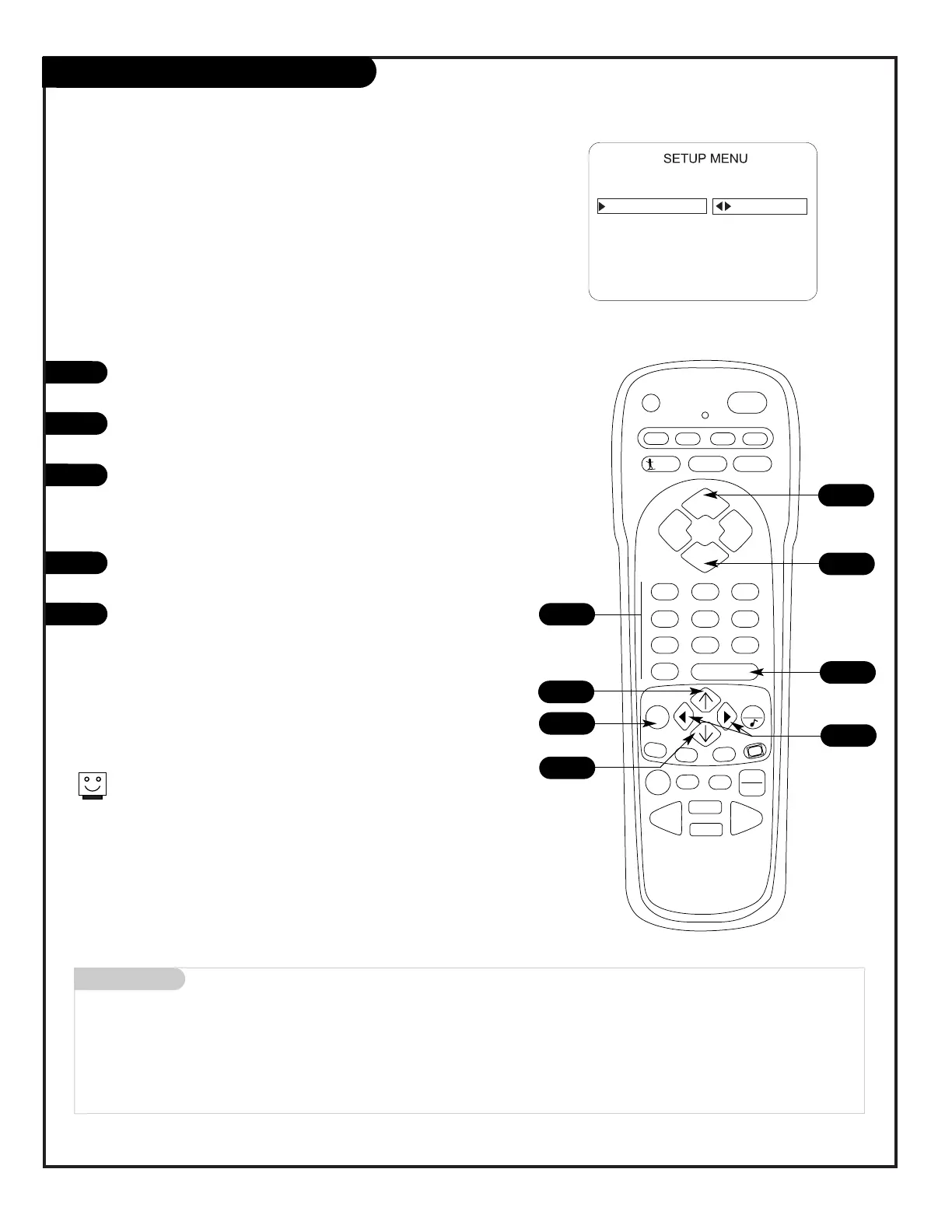
Setting Add/Delete/Blank
Press MENU on the remote repeatedly until the Setup menu
appears.
Press the Up/Down arrow repeatedly to highlight the
Add/Del/Blnk option.
Using either the NUMBER keypad and ENTER or the
Channel Up/Down arrows on the remote, select a channel.
(If adding a deleted channel, you will need to use the
NUMBER keypad and ENTER.)
Using the Right or Left arrow, choose whether that chan-
nel is Added, Deleted, or Blanked.
To continue, select another channel and repeat Step 3.
When you are finished, press ENTER to remove menu.
1
2
3
4
5
2
Mini glossary
ADD Adds new channels to the list that the user can scroll through when using the remote.
DELETE Removes channels for one reason or another from the list that the user can scroll through.
BLANK Removes the video and audio signal from a channel.
4
5
If you delete a channel, it isn’t gone for good. Just select it
using the NUMBER keypad on the remote, or add it later.
3
3
1
2
Menu Operation/Front Control Panel
The menus can also be operated by using the TV front control
panel buttons. See page 22 for menu operation instructions.
If you need to key-in numbers, use the remote control.
3




 To Next Page